Tag Archives: homebrew

Homebrew 30m coil for the MC-750 / MA-12 antenna

The final STL files can be found at Thingiverse 7267147 – A 30m loading coil for the MC-750 or MA-12 antenna — scroll to the Final Build section for a TLDR.

Background

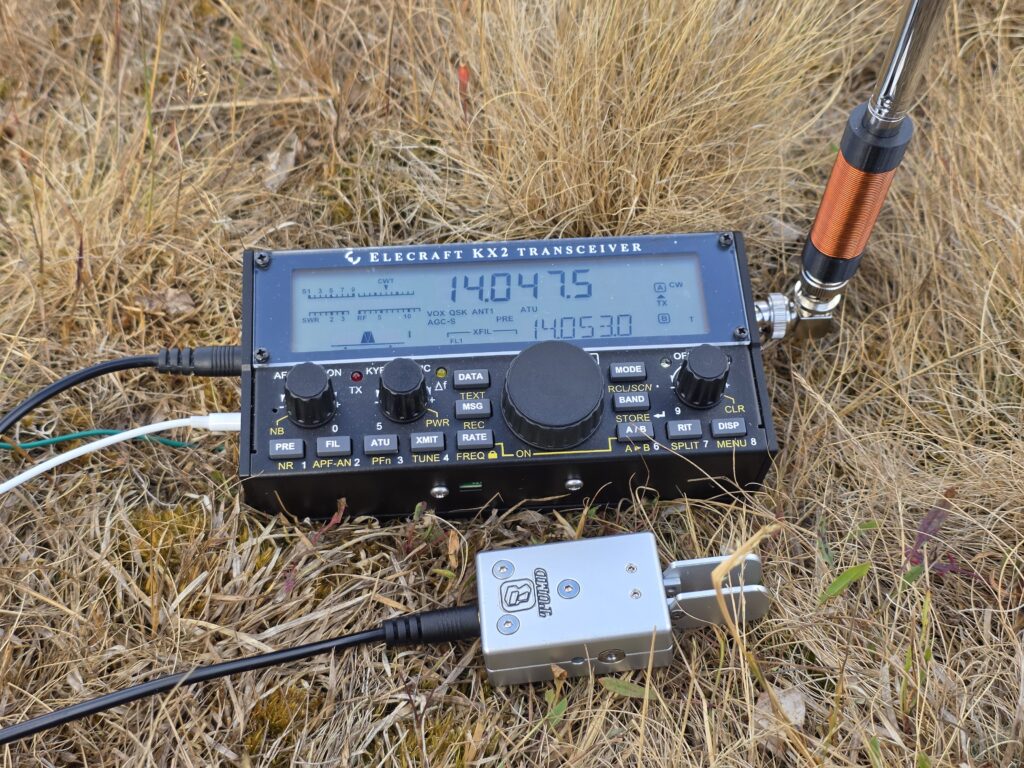
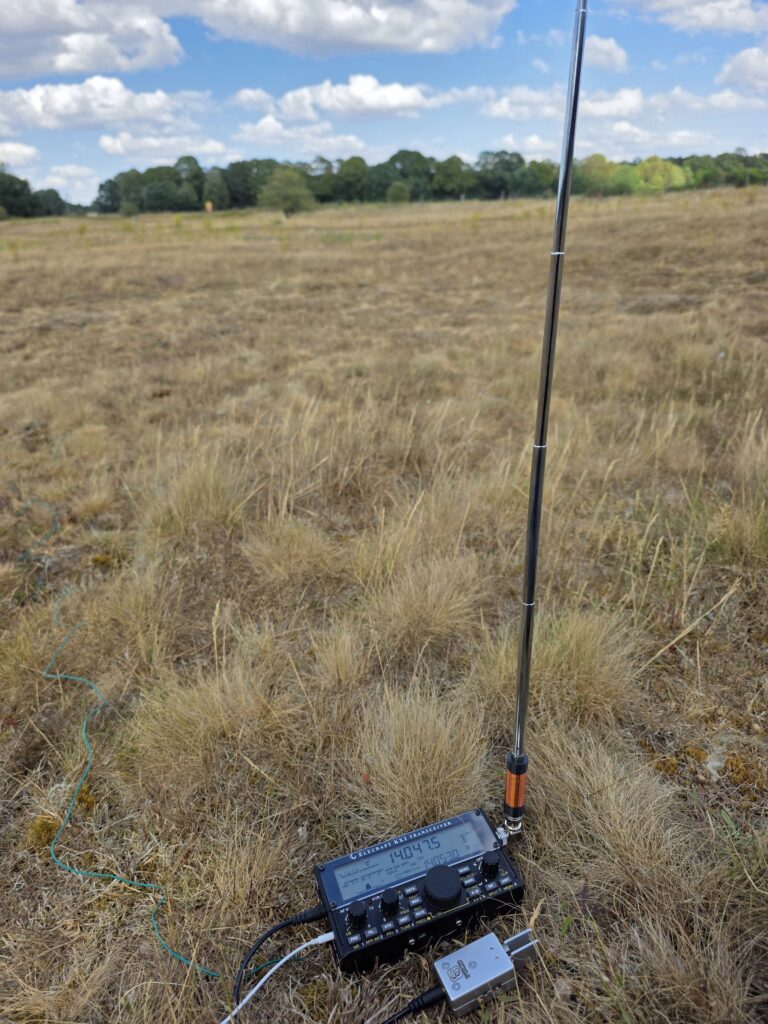
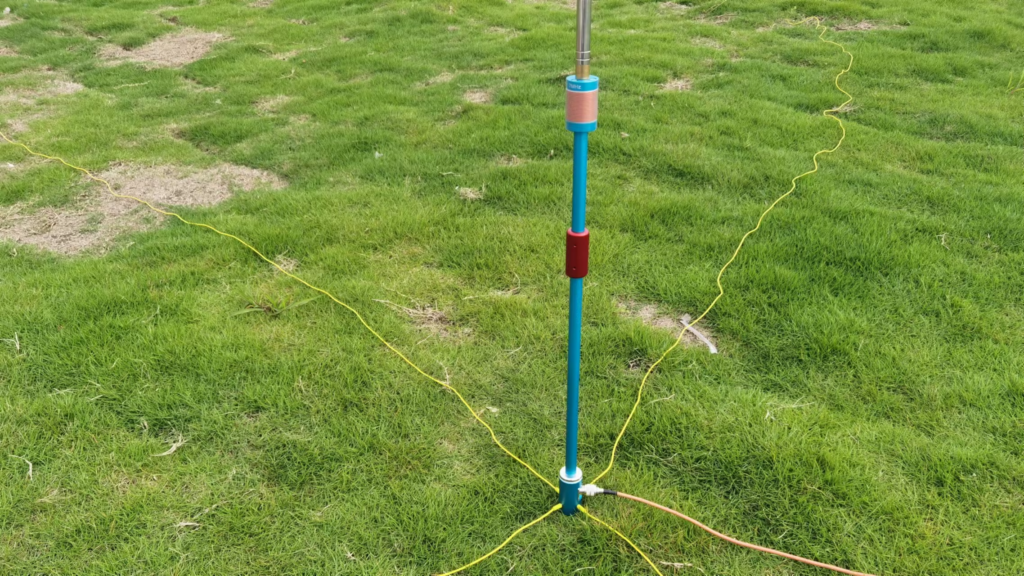
With my interest in SOTA and POTA I have been using an MA-12 vertical antenna for activating since it is convenient and quick to get on air. It seems identical to the MC-750 by Chelegance, but half the price!

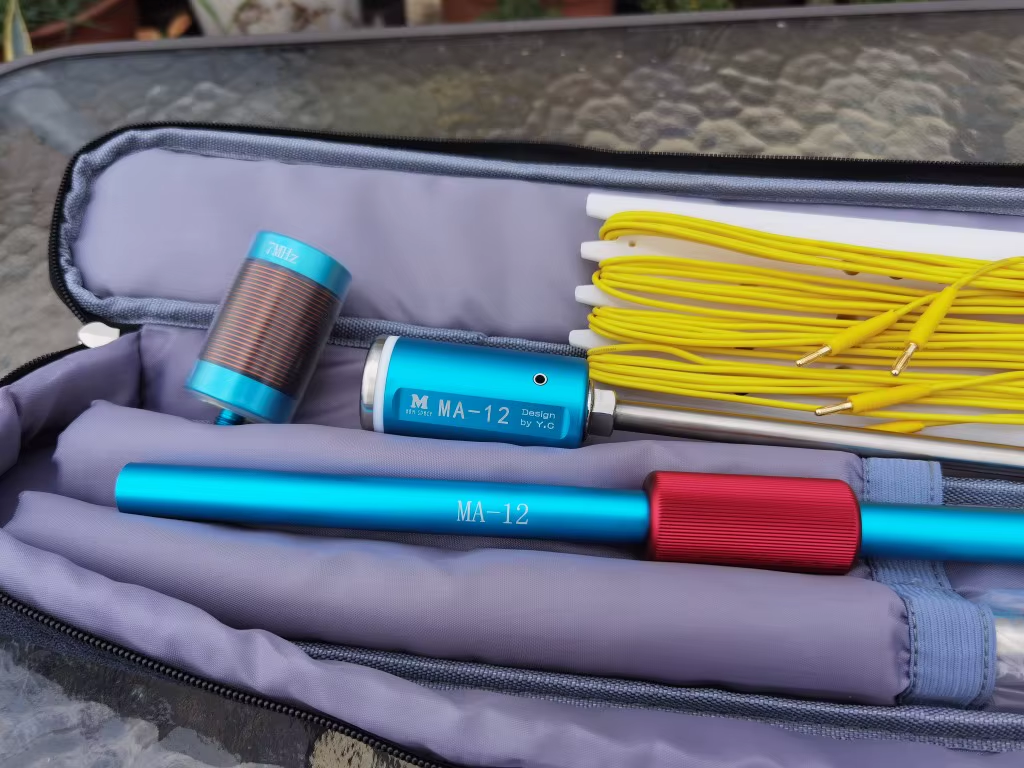
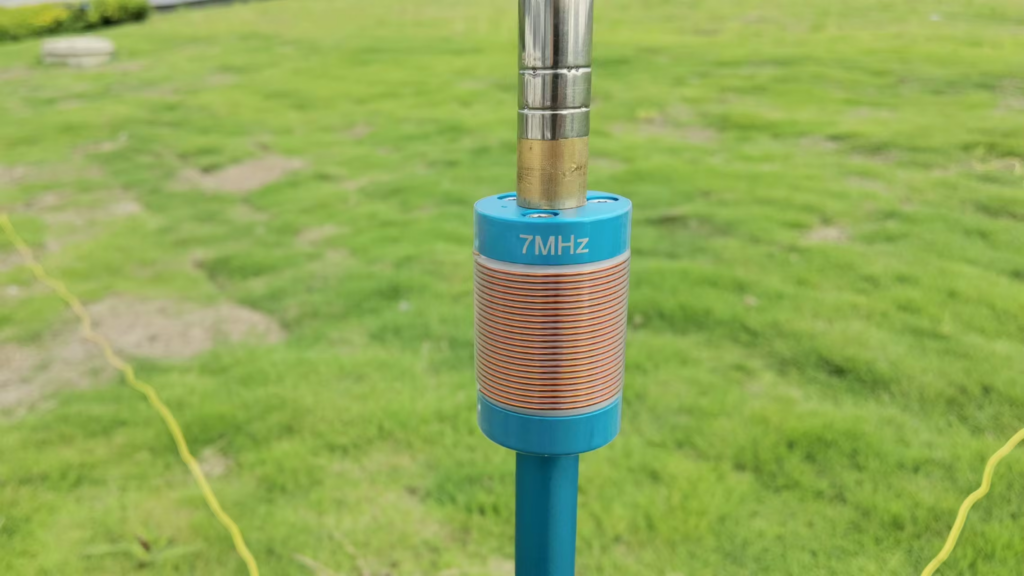
I really like the antenna and it performs well since on the higher bands it is an unloaded vertical. On the lower bands, the antenna comes with loading coils for 40m (7 MHz) [supplied] and 80m (3.5 MHz) [optional]. These are fixed coils, made from copper wire, and so avoid the higher resistances seen on coils made using stainless steel like that of the JPC-7 antenna which uses a variable inductor.

Combined with my learning CW, I have an interest in the 30 metre (10 MHz) amateur band which the the MA-12/MC-750 doesn’t cover (it does, but clearly as an afterthought).

On 30m, the operating manual for the antenna says to use the 7 MHz loading coil and reduce the length of the whip down. Doing this you are able to get the antenna to resonate within the 30m band, but it leads to poor efficiency since most of the whip is collapsed and the antenna is significantly shorter than it could be if the loading coil were sized correctly. So why not make a coil for 30m…

Cue this page…

What inductance do we need?

To find the inductance needed I decided to use the aforementioned JPC-7 variable coil in place of the 40m since it can be adjusted – this meant I could iteratively sweep through all the inductor tap points and see where the antenna resonates.

Clearly there are many combinations of coil inductance and whip length that will work, so I settled on having the whip as long as practical. Rather than using the full length of the whip (5.2m), I opted to leave one section collapsed allowing for some room to adjust depending on ground conditions (rocky, wet, dry, etc.). This left me with a whip around 5 metres long.

Starting at minimum inductance (top, closest the whip), I could see the antenna’s resonant frequency at around 12 MHz, and as I repeatedly clicked in another turn of inductance on the JPC-7 coil, the resonant frequency dropped.

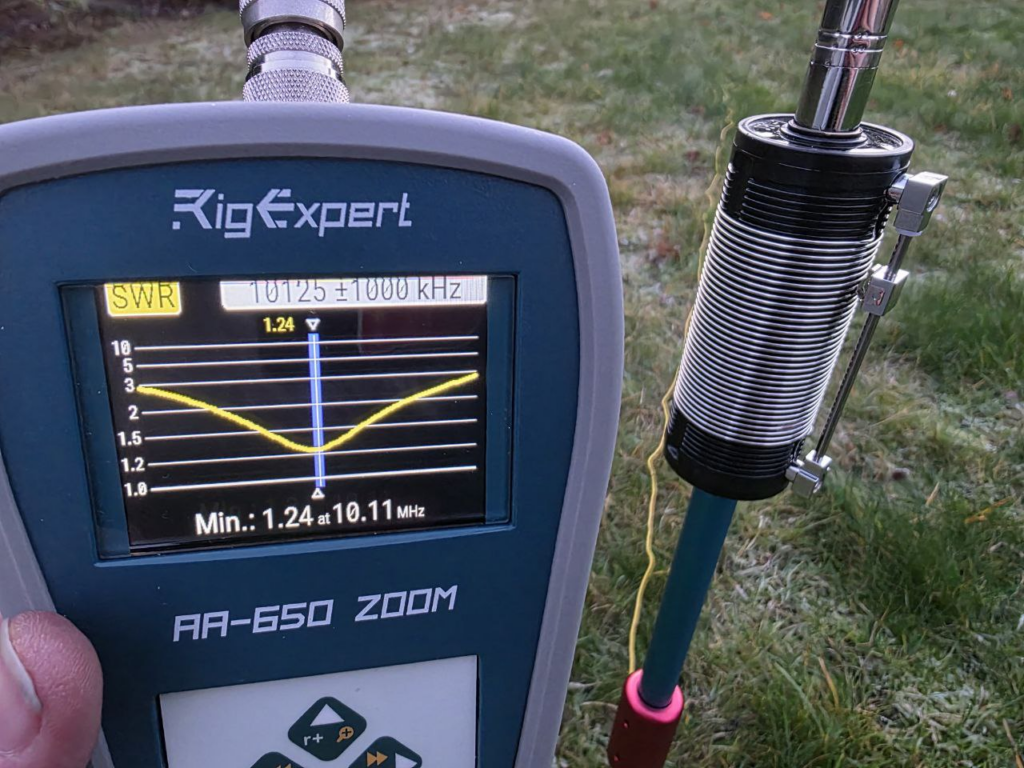
At 10.8 MHz, I knew I was close, and since an additional turn on the coil took me to 9.9 MHz (below the target of around 10.125 MHz) I went back to the 10.8 MHz tap point, and lengthened the last whip section slightly. With 1/4 of the section extended, the resonance was on 10.11 MHz near enough. The tap was set to 7 (complete) turns.

Nice! It was then just a case of measuring the inductance between the two M10 fixings to determine what inductance was needed:

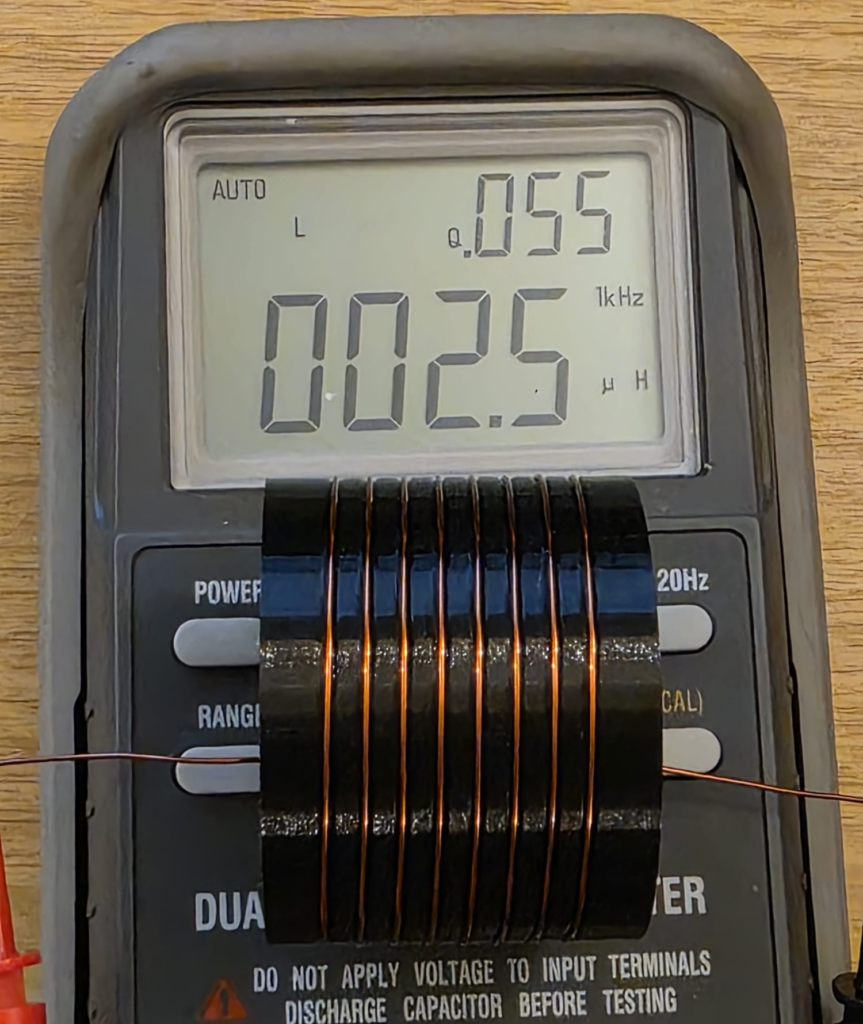
As can be seen from the LCR meter display above, the measured inductance was 2.5 μH after calibrating the test setup.

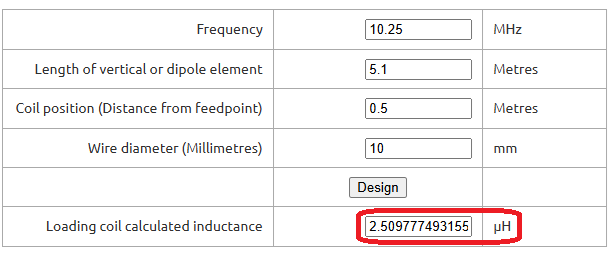
To confirm this was sensible, I put some numbers into John M0UKD’s Loaded Quarter Wave Antenna Inductance Calculator and checked the results. Amazingly, they agreed very well – the calculator predicts 2.51 μH. Wow! I wasn’t expecting that!

For what it’s worth, I run the numbers on the JPC-7 coil, and 7 turns on the 41 mm former over about 10 mm works out about 2.9 μH. Not quite as close, but certainly within measurement errors.

Confident that I had found the right inductance, I then had to make something suitable.

Making an inductor

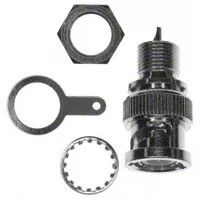
Since I wanted to be able to 3D print the design, a larger diameter coil would be advantageous as it both reduces the length of the coil (and thus leverage from the whip) and increases the glueable surface area (increasing bond strength). Brass M10 nuts and bolts can be purchased cheaply enough in small quantities that it avoided pulling in favours from friends with a lathe, so I chose that route for the connections. Brass can be soldered to, which was the attraction there.

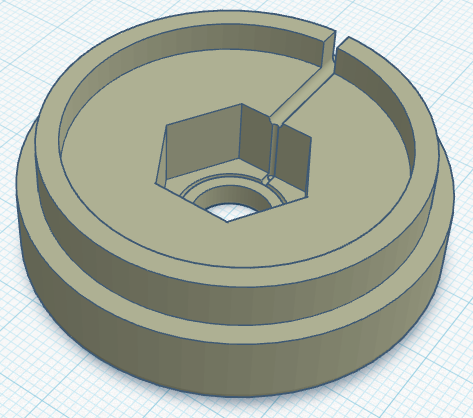
With that in mind, I created the end caps with recesses for holding the nut & bolt tightly. The diameter I chose – based on feel – was 50mm outer diameter, with an inside diameter of 45mm, creating a wall thickness of 2.5mm. A 6mm overlap should provide ample overlap to glue everything up once built. A groove on the inside provides a location for the wire to be trapped under the nut/bolt should the be preferable, though I plan to solder to the fixings. A thin brass washer may also be used.

With the end caps designed, I just needed to work how many turns we would need. This is a bit of a juggling act, since everything about the coil affects everything else – it’s just a case of starting somewhere and tinkering until you get everything in harmony.

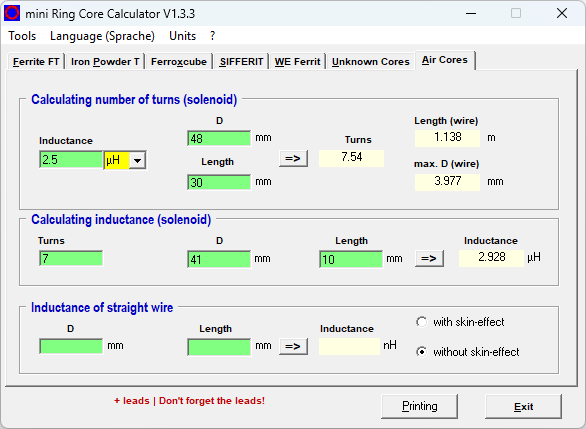
For these projects, mini Ring-Core-Calculator by DL5SWB & DG0KW is the go-to. The calculator has an “Air Cores” mode which fits our needs perfectly. In the top section, you’ll see the desired 2.5 μH inductance, the 48 mm diameter (50 mm minus 1 mm for wire diameter), and the coil length – here I chose 30 mm as it looked about right; the tool tells us we need 7.54 turns.

Note; in the middle box you also see the 7 turns on the JPC-7 coil’s 41 mm diameter former over 10 mm equating to around 2.9 μH. These were just rough measurements taken from the JPC-7 coil used above to further sanity check our numbers.

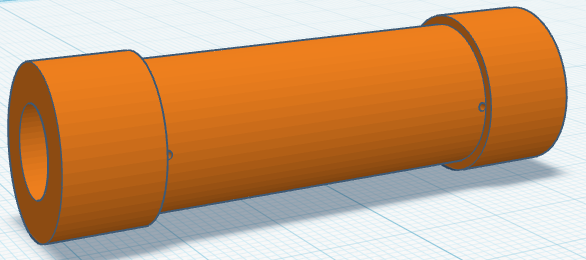
With those numbers from the tool for our coil in mind, it was time to create the coil former. This is a fairly simple task for someone competent with CAD, but it took me the best part of an hour to get this designed matching what the calculator told us.

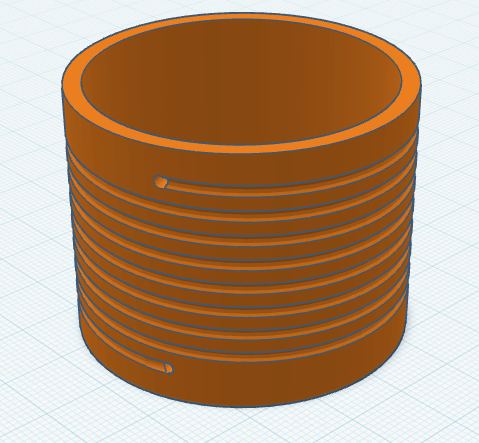
When creating the model for the former, I used 8 turns and then added a hole half a turn back for 7.5 turns too. This allows us the option if needed, but the couple of prototypes I tested showed 7.5 to be the best option (8 turns had 2 sections of whip collapsed in, but also worked fine).

The image below is the 8 turn coil, though latest update shortens it a bit on each end to keep it compact.

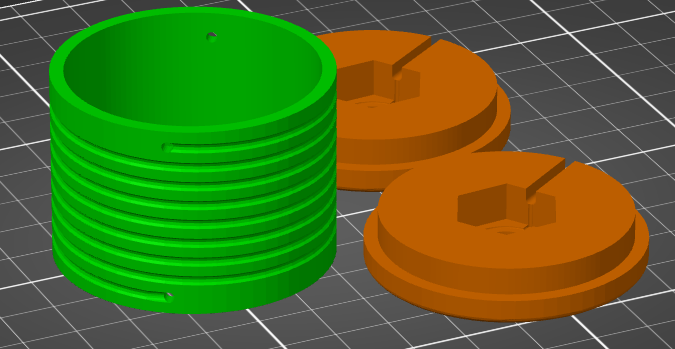
Once everything was designed it was time to fire up the 3D printer and get working. If you don’t have your own 3D printer and wish to follow along, many online services like JLC3DP or PCBWay 3D Printing can help – I’ve no affiliation to either, but have used both services more than once with good results – or ask at your local radio club or maker space. Everything will fit on a very standard 3D printer, there’s nothing special here. You may wish to consider the stresses and sheer lines in the print for longevity, but for these parts you see here – the first prototypes – I just printed them as quickly as possible.

Perhaps use a higher infill on the end parts, as they may see leverage from the whip on quite a small area under the nut. I’d recommend 50% infill under the nut & bolt, and then reduced away from that. Though try it first and reprint if they fail?

I printed my parts in PETG as it’s better in UV light and a bit better at handling heat than PLA, but in reality anything should be fine. 0.2 mm layer height, 0.4 mm nozzle, 20% infill, but as I say, whatever you have will be fine! There’s nothing special here. Printing took around 3h45m, used 42g of PETG, costing approximately 2 USD.

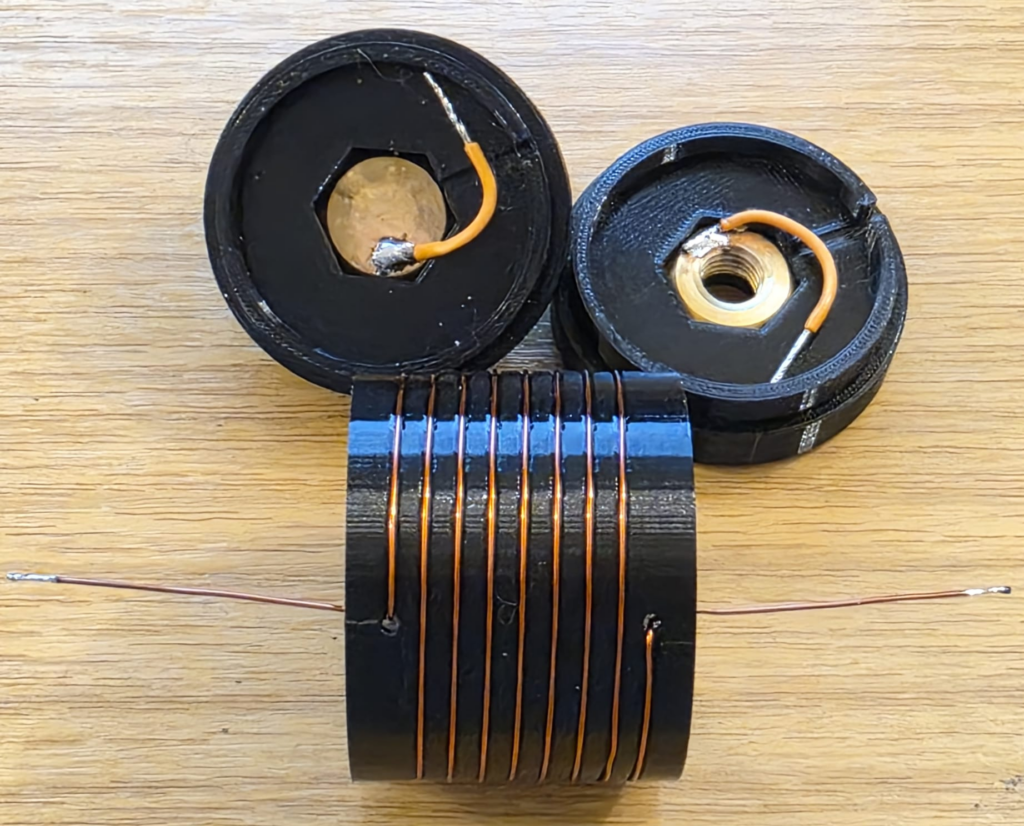
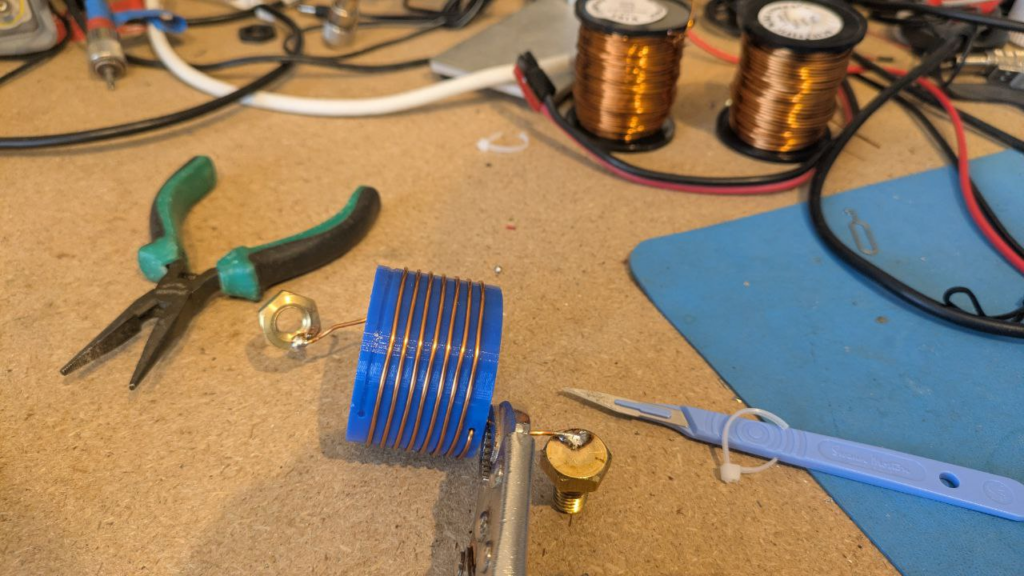
Once your prints are done, you’re ready to wind the coil! 8 turns of copper wire, with the ends finishing inside the coil, since that’s there they’ll connect to the nut and bolt – leave the wires on each end long for now so we can connect things up! The coil calculator tool suggests 1.13 metres of wire is needed for the coil, so I cut 1.2 metres (4 ft) from my reel.

Be careful when soldering not to melt the 3D printed former, especially with heat tracking back up the coil wire through the holes. Solder to the nuts and bolts outside of the plastic. Above I just have some test wires connected, but they’ll be replaced with the proper wire from the ends of the inductor on the real coil.

At this stage, if you can, I’d recommend checking the coil inductance. We’re targeting a 2.5 μH inductance and as you can see below we’ve got that. This meter lacks precision, but we’re at least in the ballpark. Note that the Q-factor is 55, which is a little low on this test coil; I suspect due to using thin (0.6mm diameter) wire. For a 2.5 µH air-wound inductor such as ours, the expected Q-factor typically ranges between 50 and 200 for general-purpose designs and we’re at the very bottom of that range.

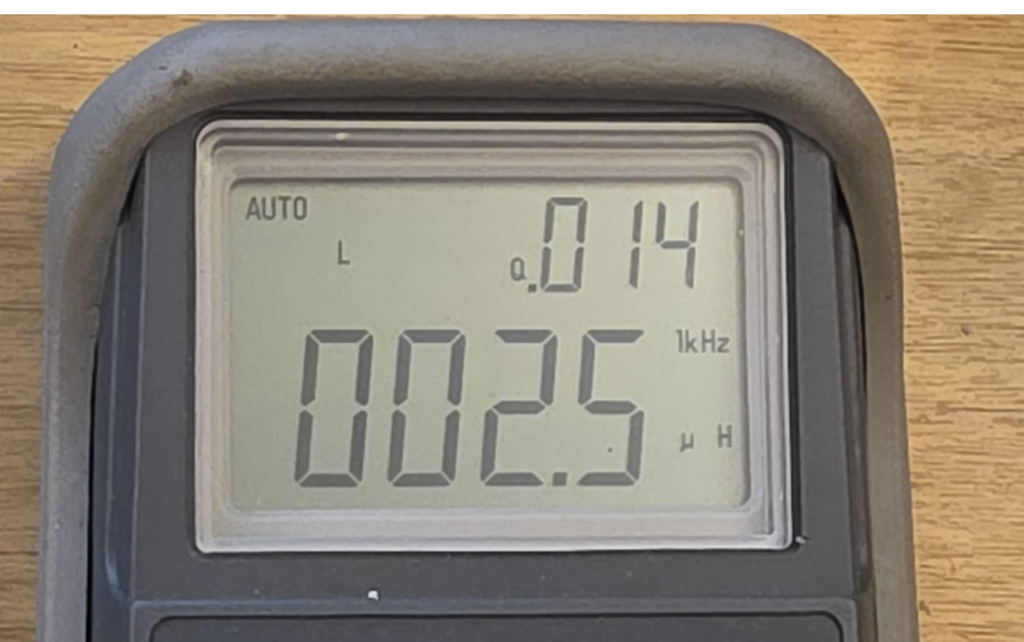
An interesting aside, the Q-factor for the stainless steel JPC-7 was very low at just 14 (seen in the image above). Other people have noted this before and Clint KA7OEI has an article on rewinding the JPC-7 using silver coated copper wire to significantly improve its performance but Clint reports seeing Q-factors as low as 11 on the original coil on the 20 meter band and slightly better at the higher inductances needed for 80 meters, with Q-factors of around 30. These values increased significantly to around 60 with standard copper wire and up to around 150 with thick silver coated wire; so once again we’re on the right track given the thin wire I’m testing here. I haven’t got anything suitable to hand but I have ordered some standard 1mm diameter copper wire.

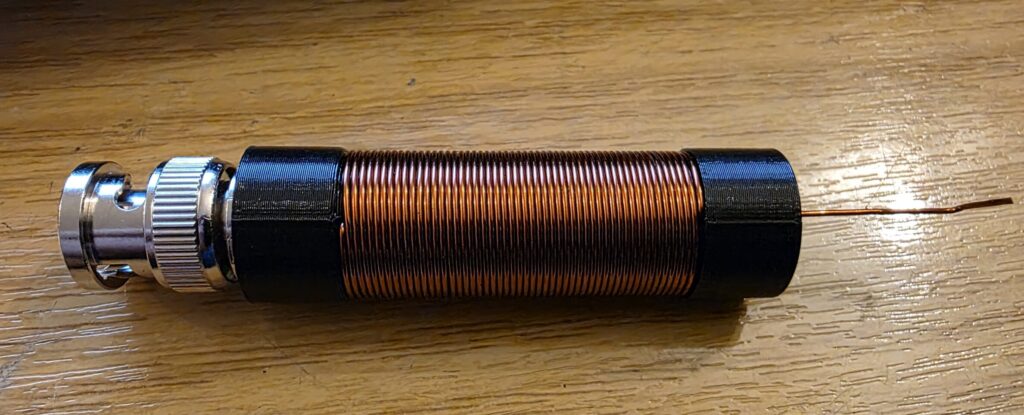
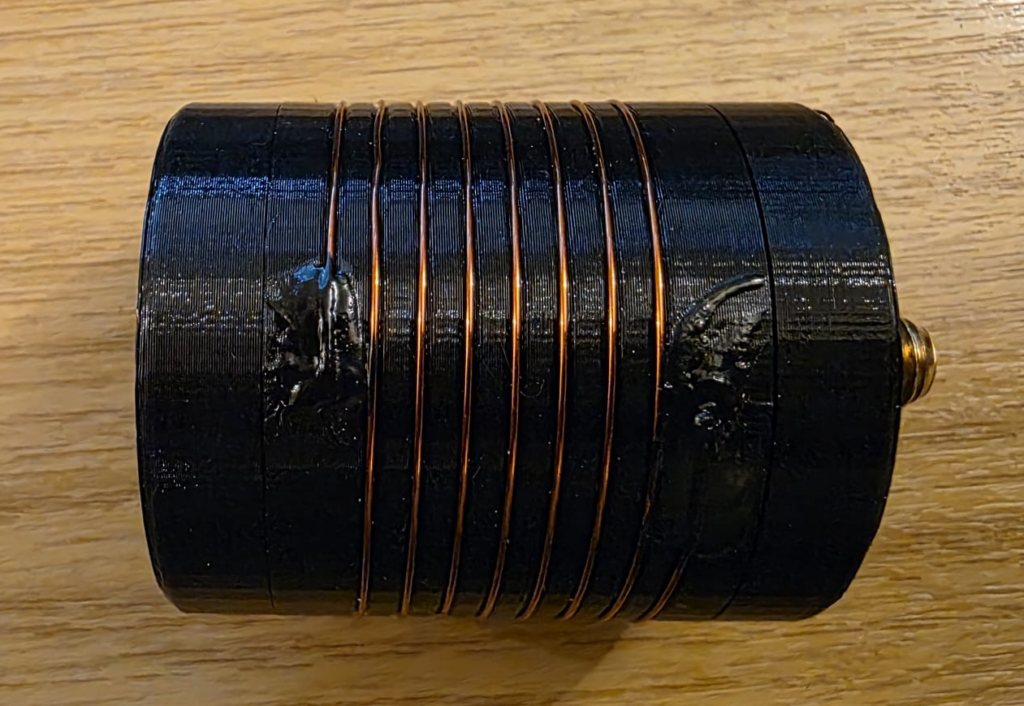
Now lets bundle it up into a coil and see if it works! I used a combination of glues to hold the wire into the coil former; superglue on the wire, holding it into the hole; liquid electrical tape atop, to protect the superglue and help with weathering. Each was allowed to set fully before applying the next. I then made the connections to the nuts and bolts, ensuring the wire did not coil up inside the first. Keep connections at right-angles to the coil, and avoid loops. From the outside, mine looked like this.

Testing

Once the prototype was ready, it was back out into the (cold, −3C) garden to test things out.

[[VSWR PLOT HERE]]

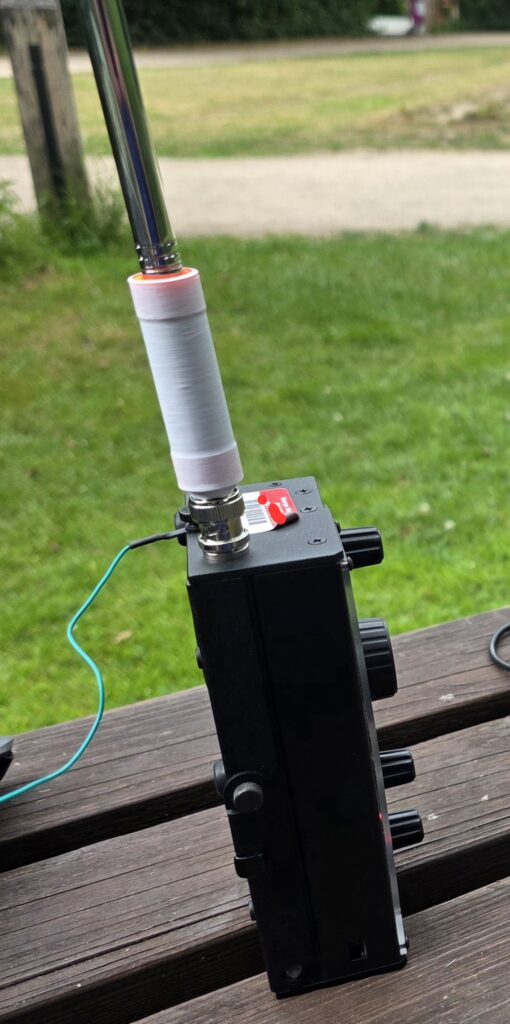
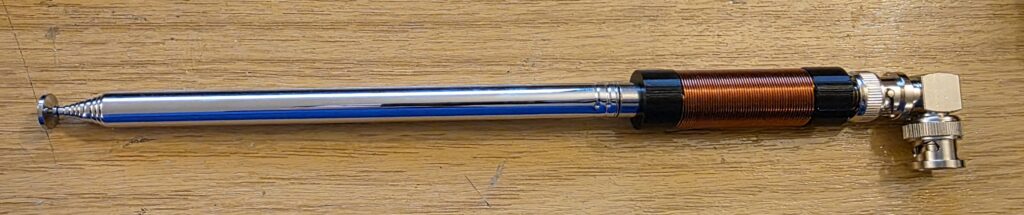
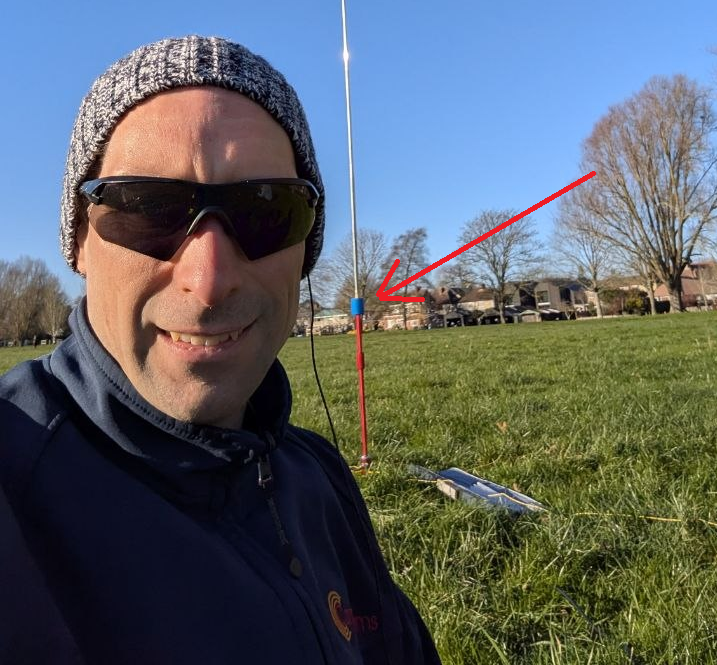
With the VSWR plot looking OK, I managed to convince Rob M0VFC to come out portable with me to Stourbridge Common Local Nature Reserve in Cambridge to activate POTA GB-5467. Rob took on the task of trying the coil out on 30m, and had it up and running in no time, having easily found resonance using the Elecraft KX2 built in SWR meter. Rob took a selfie while I was operating and you can see the coil on the antenna encased in blue heat-shrink to help hold things together.

Image courtesy of Rob M0VFC

Final build

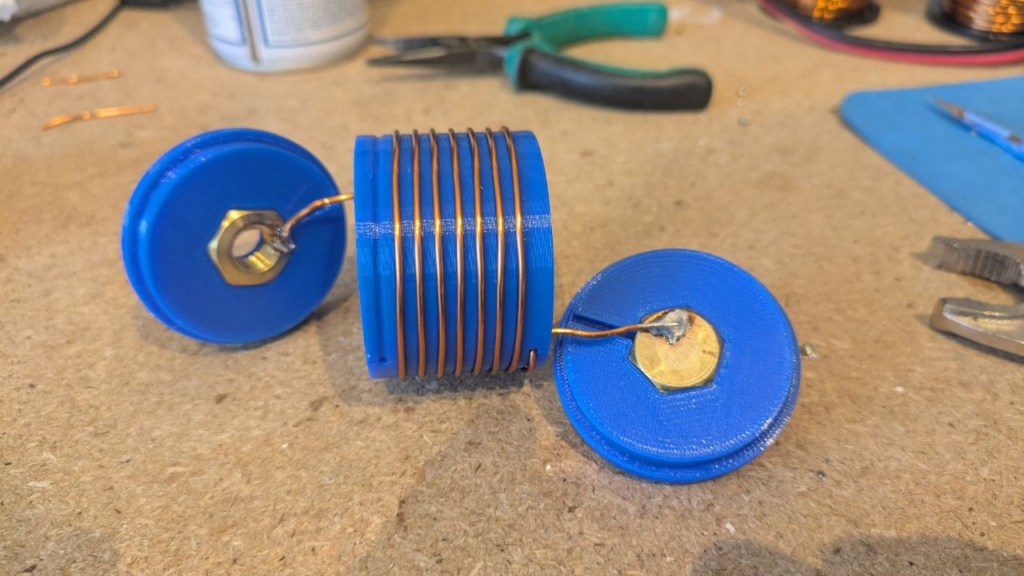
The final STL files can be found at Thingiverse 7267147 – A 30m loading coil for the MC-750 or MA-12 antenna. You’ll need to print two end caps, and one loading coil centre.

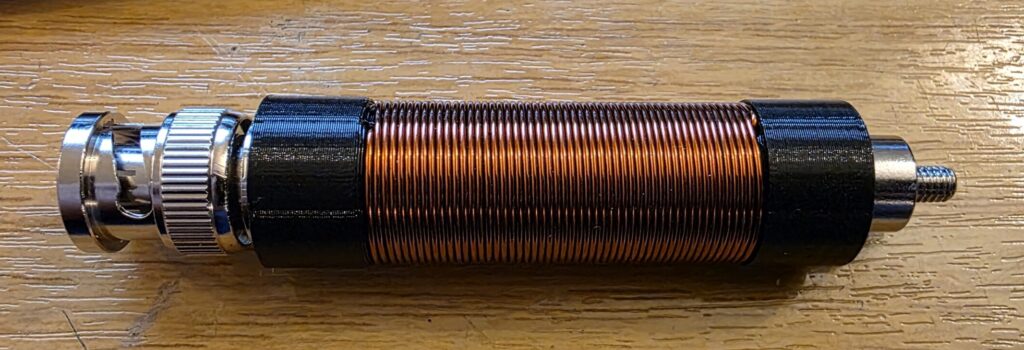
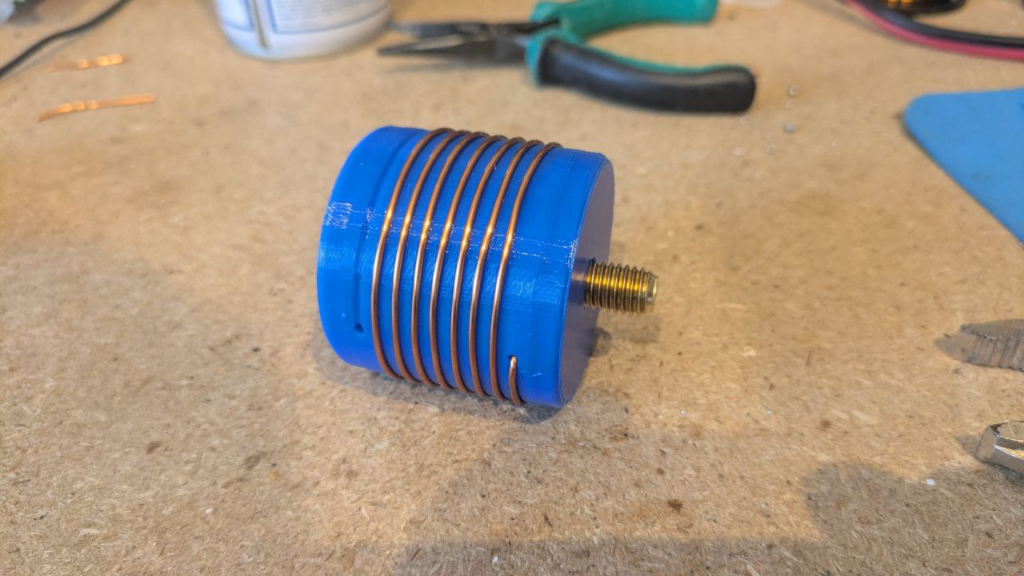
After a couple of POTA activations with the coil, it turns out that 7.5 turns allows for slightly more whip expanded, and therefore theoretically fractionally better performance. Below, Rob M0VFC’s build of the coil with 7.5 turns, showing the internal assembly steps.

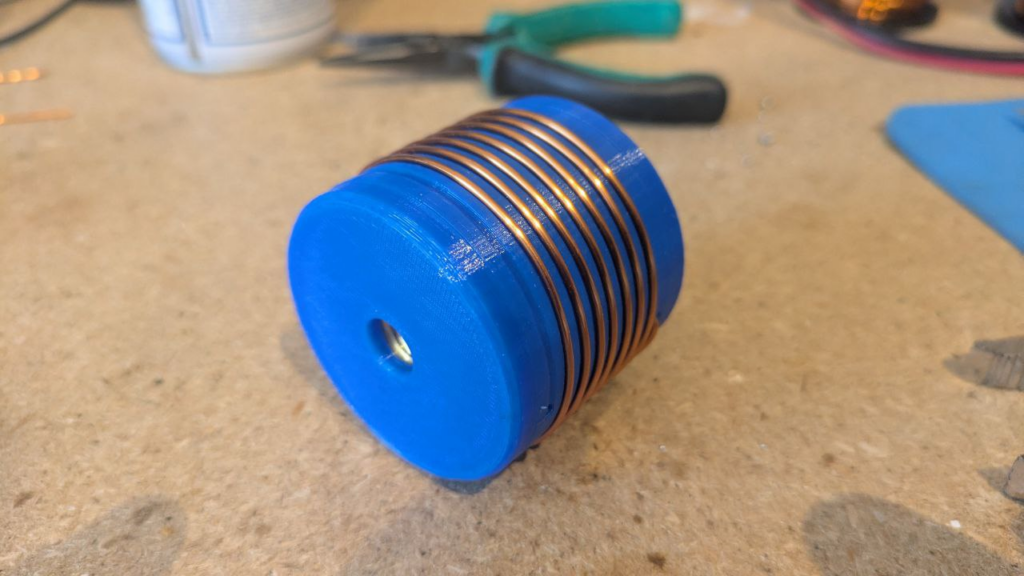
Once assembled internally, a couple of drops of glue can be used to secure the nut and bolt in place – taking care not to get it on the threads – and then to close the case up fixing the ends on with glue.

All images in this section kindly supplied by Rob M0VFC.

Finally, some plastic shrink-wrap or heat-shrink can be used to protect the coil and finish the project.

An easy-to-build interface for Morse Paddles & Keys…

I recommend Ham Radio Duo’s video on Morse Code Tools: CW Practice and Games (N4BKY & N4FFF) for a more detailed overview. Most of the tools here are covered in their video!

When learning CW there are many online practice tools:

  • Morse Invaders (KE6EEK) – a simple game for practicing sending morse in a space-invaders style – very addictive!
  • Morse Code AI Chat Bot (N4BKY & N4FFF) – an AI chatbot that sends and receives CW
  • V-Band () and Vail () – online ham-band platforms where you can practice CW with others
  • Morse Code Battleships (N4BKY & N4FFF) – an interactive battleships game with CW interface

I really also like MorseWalker (W6NCY), a joke on the contest practice software MorseRunner (VE3NEA). I really enjoy using MorseWalker – but it’s receive practice only.

For those that need CW paddle input, you really want to be using an interface – that way, you can connect your favourite key (or, failing that, the key that you’ll be using) to your computer and practice sending with that key…

Interfacing Options

There are a couple of existing interfaces:

  • The Vail Adapter is a full project with custom PCBs, etc., and works well.
  • The VBand Adapter can be purchased from their site.

Because I am impatient and had the parts, I decided to build my own.

The Build

I took inspiration from the OZ1JHM’s hamradio-solutions-vband-interface code. I am mainly interested in the paddle operation, but, you could modify this code easily to just send a single keyboard-button press for the straight key.

It’s important to note that you’ll need an Arduino where USB is directly connected to the Arduino chip and not via an UART IC since these only support UART ports and can’t emulate a keyboard. This means that you cannot use devices based around the Atmega328P.

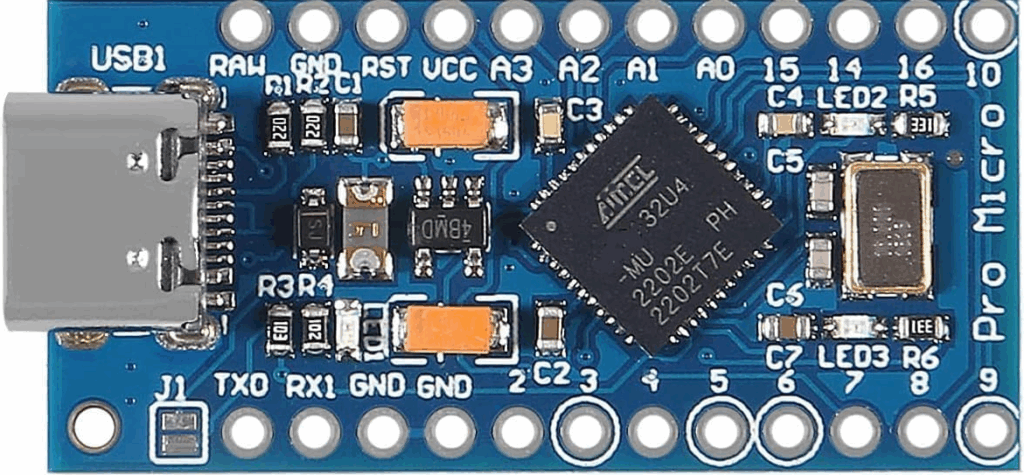
The code below is for an Arduino Pro Micro (I used a USB C version) which is based on the Atmega32U4:

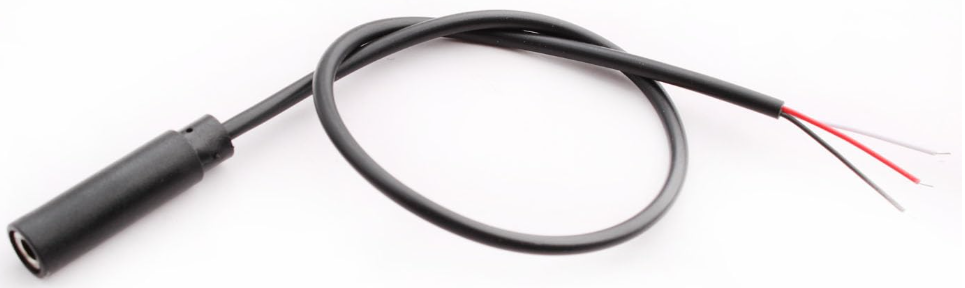
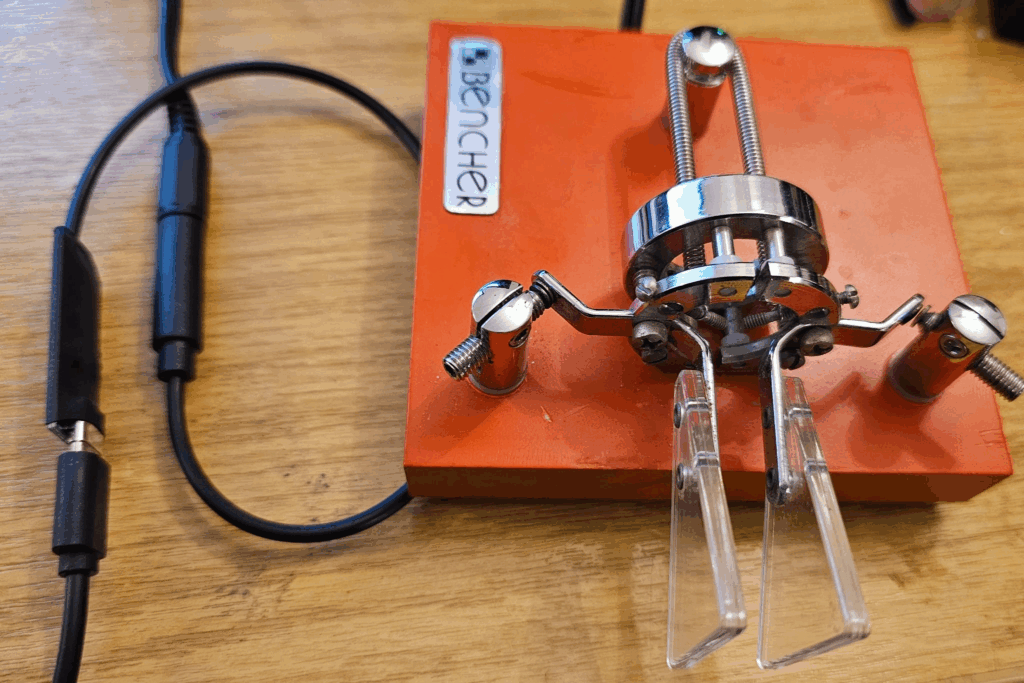
You’ll also need a way to connect your key easily. I used a moulded 3.5mm (1/8in) stereo socket on a short cable (available online cheaply) to create a nice connection, that would allow me to easily plug & unplug my key.

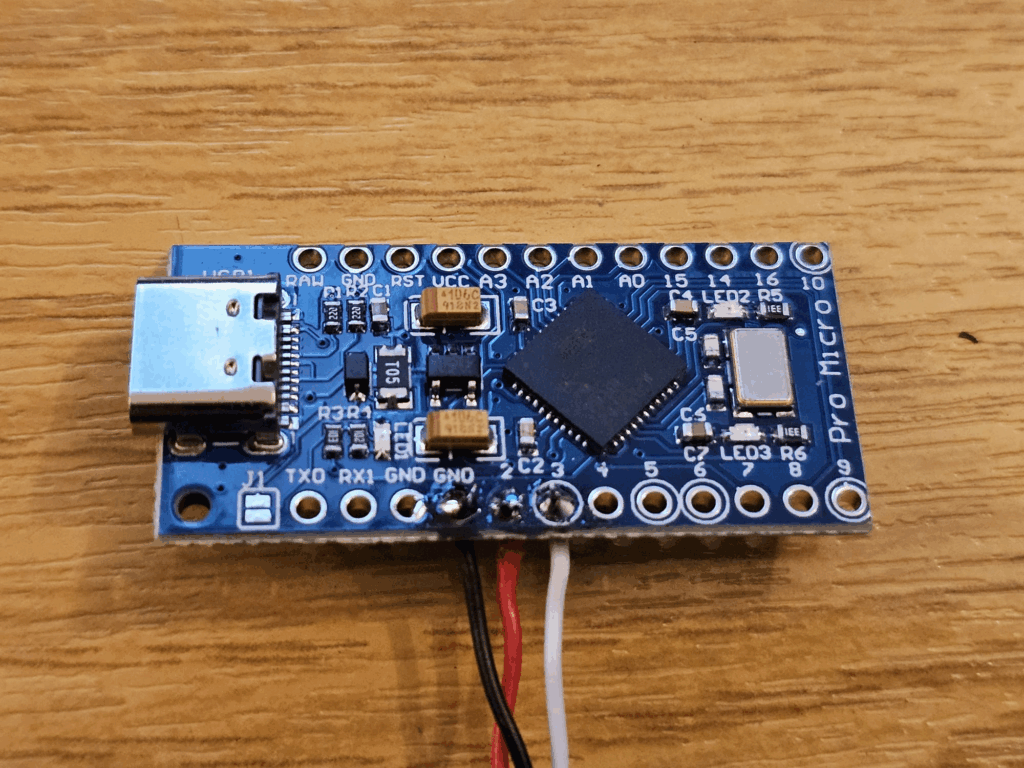
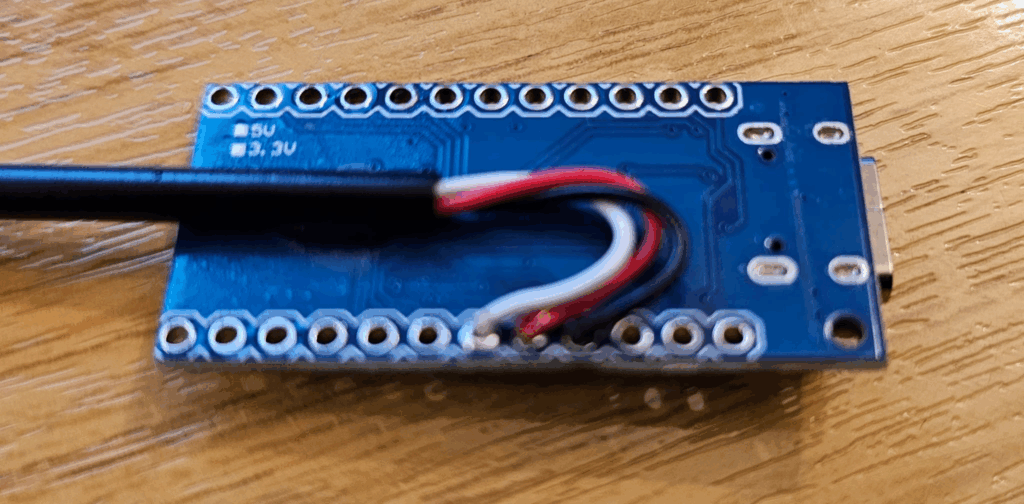
It is then fairly straightforward to make the 3 solder joints needed:

  • Black: GND
  • Red: A2 (dit)
  • White: A3 (dah)

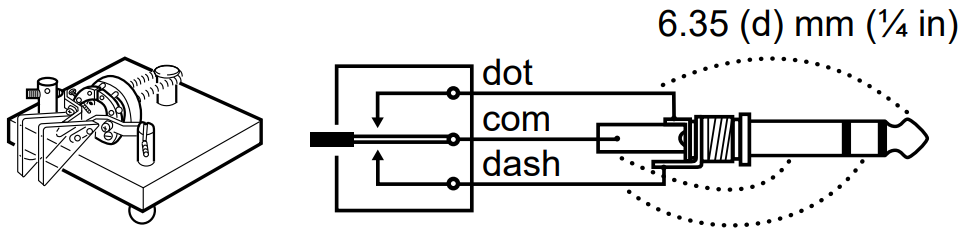
You may have to tinker around with the connections a little bit to get your radio, the adapter and your key to work interchangeably. Above is what it ended up being for me.

Above, taken from the manual of my Icom IC-7610. I have wired the Arduino to have the same polarity as the radio, assuming this to be the standard. Note, the radio uses a 6.35mm (1/4in) jack, not the smaller 3.5mm (1/8in) as we’re using.

And you’re ready to program the MCU! We’ll finish up with the hardware once we’ve checked it works!

Arduino Pro Micro Code

// Include the keyboard drivers
#include <Keyboard.h>

// Pin Definitions: Where the paddle pins connect.
// Note: Closing the contact should ground these pins.
# define DIT_PIN 2
# define DAH_PIN 3

// Arduino setup code
void setup() {
  pinMode(DIT_PIN, INPUT_PULLUP); // en internal pullup (dit)
  pinMode(DAH_PIN, INPUT_PULLUP); // en internal pullup (dah)
  Keyboard.begin(); // start keyboard runtime
}

void loop() {
  // While no paddle button is pressed, release all keys.
  while (digitalRead(DIT_PIN) == HIGH && digitalRead(DAH_PIN) == HIGH){
    Keyboard.releaseAll();
  }
  
  // On DIT pressed, send LEFT CONTROL key, else release
  if ( digitalRead(DIT_PIN) == LOW){
    Keyboard.press(KEY_LEFT_CTRL);
  } else{
    Keyboard.release(KEY_LEFT_CTRL);
  }
  
  // On DAH pressed, send RIGHT CONTROL key, else release
  if ( digitalRead(DAH_PIN) == LOW){
    Keyboard.press(KEY_RIGHT_CTRL);
  } else{
    Keyboard.release(KEY_RIGHT_CTRL);
  }
  
  // Wait 5ms
  delay(5);   
}

Tidying it up!

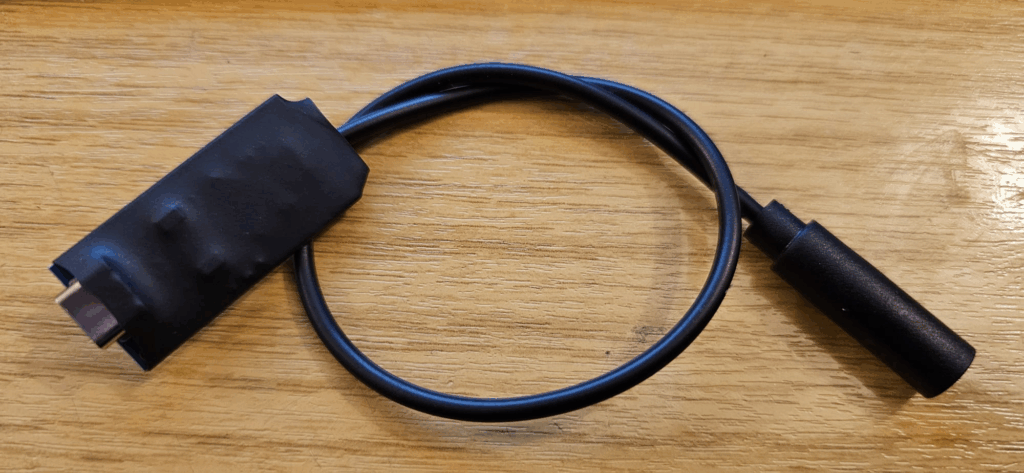
Once you’re happy it is working as you wish, an optional step for longevity is to protect the PCB. I did this by first applying a dot of super-glue to the cable and attaching it to the back of the PCB (note how I brought the wires out on that side).

Next I used some heatshrink tubing to cover the board, protecting everything.

And, you’re good to go!

With that, you’re ready! Connect your key, connect your USB cable, and you can practice until you’re CW is perfect!

Symmetricom GPSDO Enclosure

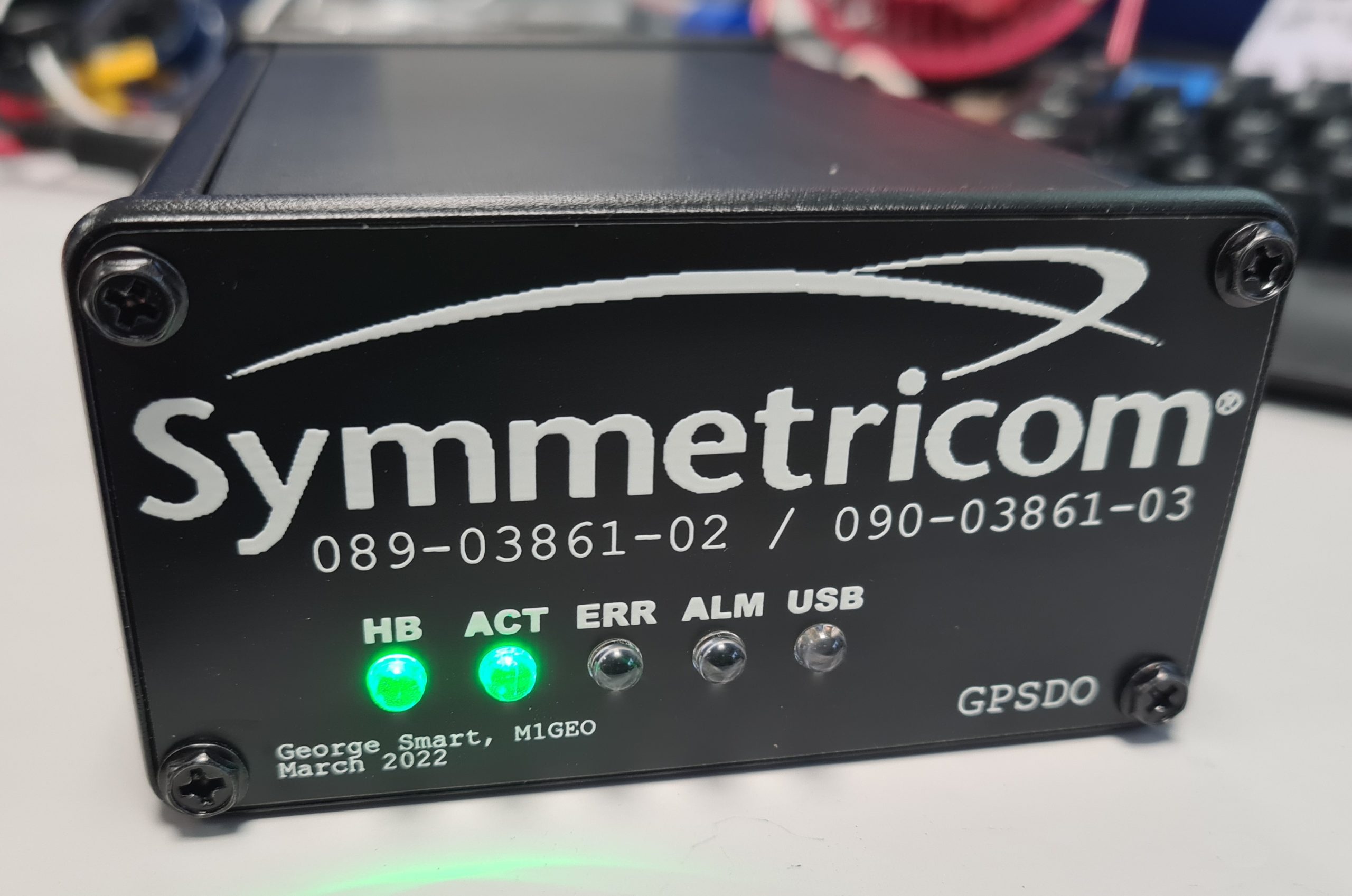
While tinkering with a homebrew GPSDO project, I spent a bit of time searching the depths of the internet for information and parts for my project. I found a PCB for a Symmetricom GPSDO (specifically the Symmetricom 089-03861-02 as per the PCB silkscreen in my case, although the firmware reports itself as 090-03861-03). The board was cheap because the OCXO was missing – I suspect it had aged beyond where the error voltage range was specified, making it unusable. But the board was around £15 GBP delivered from AliExpress, so I took a chance on it based on the fact it had a Furuno GT-8031F GPS receiver which is a GPS module specifically designed for timing applications which “delivers highly accurate GPS timing”. The module also had a CPU (Renesas F2317VTE25V-H8S/2317) with accompanying flash and RAM ICs as well as a Xilinx Spartan-3 FPGA (XC3S200).

Besides the missing OCXO module, my board worked perfectly. I was able to piece most of the information together from the following two resources:

I saw that some people had put their units into Hammond Manufacturing project boxes, and that gave me a few ideas. It would be nice to box the unit up with some ancillary electronics to share the UART (57600 baud, 8N1) over Ethernet TCP/IP. However, my experience of UART to Ethernet modules has always been poor and friends reported similar, so I opted for an FTDI-based USB interface (namely the FT232RL, as the cheapest/easiest part during the chip shortage of 2019-2022). I was tempted to use a Maxim MAX232 device to perform the necessary conversions, but, in the end opted for two NPN transistors – a bit hacky, but much cheaper. I may well come back to the Ethernet option in the future.

The carrier takes 5V at around 2A input on a 2.1mm x 5.5mm DC power socket, a USB-B connector and holds five LEDs: four main LEDs from the GPSDO (which are connected to test-points on the PCB, I can’t find the LED signals on any connector), plus one LED from the FTDI device showing USB activity.

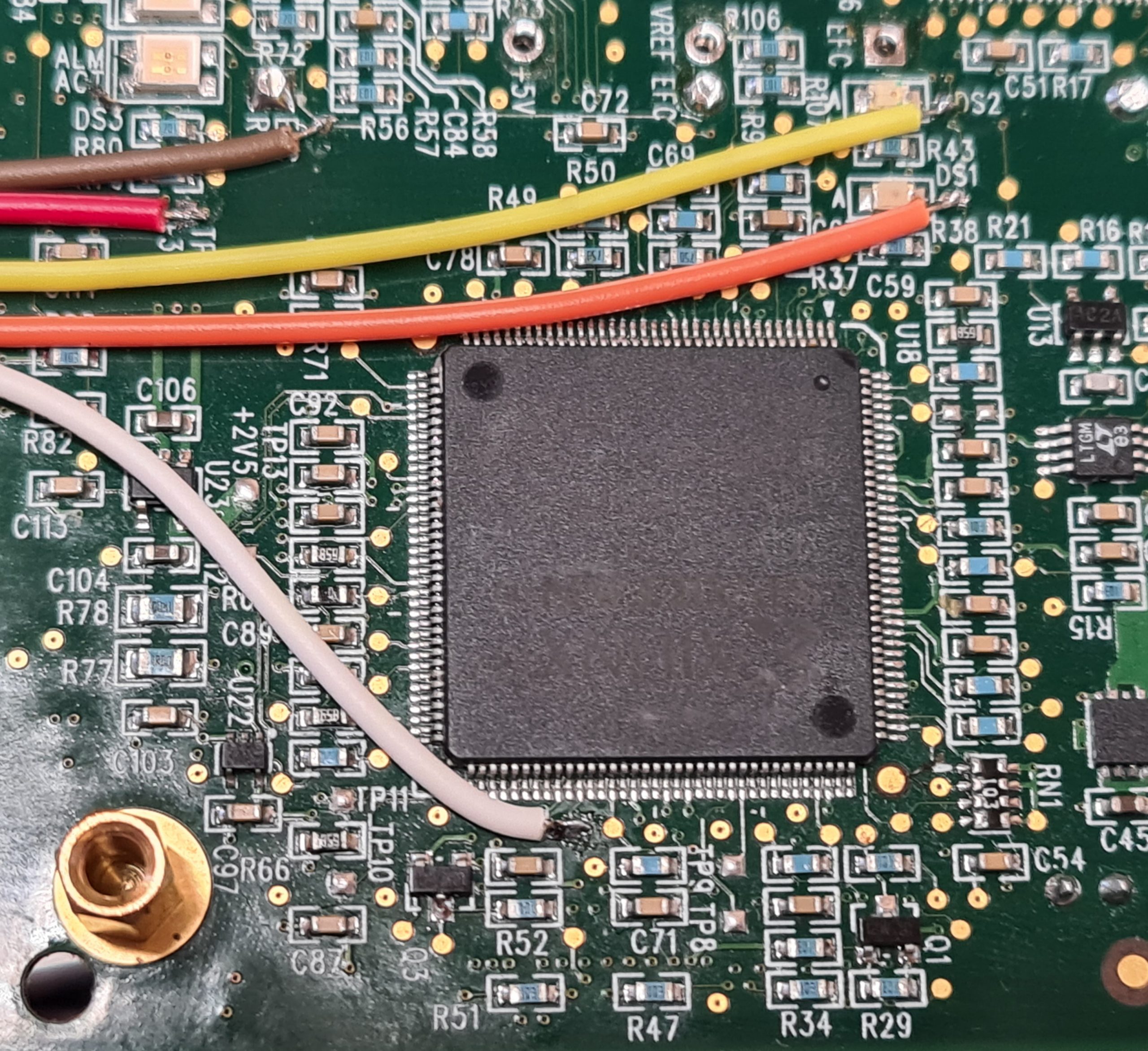
The image below shows where the LED signals are taken from. For reference, the big IC in the centre is the Xilinx Spartan FPGA:

The LED signals are all common anode, fed from +3.3V taken from the board. The LEDs are fed through a resistor, and the individual cathodes connect back to either the CPU or FPGA through another of the wires:

  • RED: +3.3V supply used to power the LED anodes
  • BROWN: Alarm
  • WHITE: Activity
  • YELLOW: Heartbeat (DS2)
  • ORANGE: Error (DS1)

There are two other LED signals (DS3 and DS4) which aren’t connected.

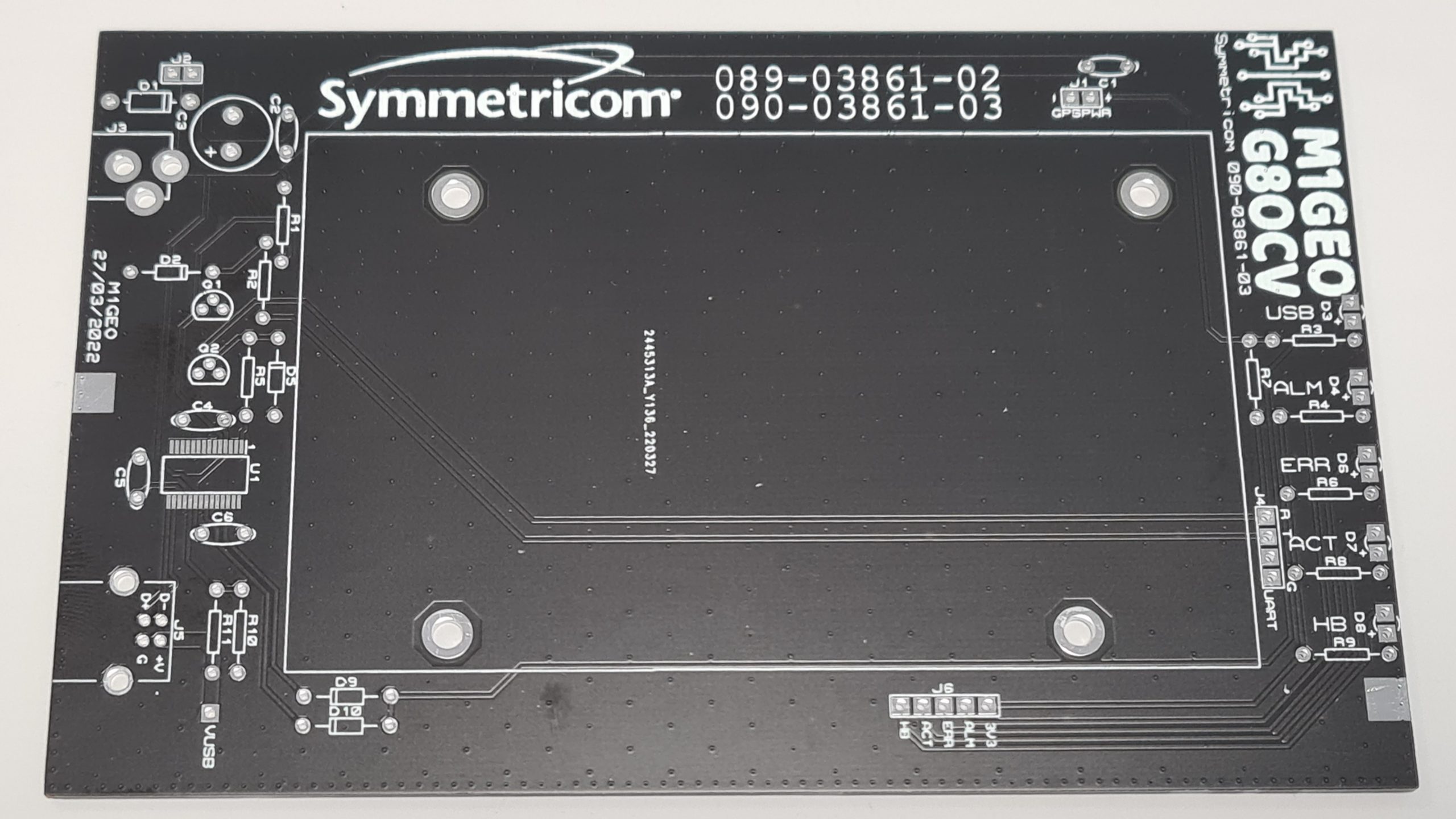
From here, I created a carrier board which had the correct mounting holes for the Symmetricom module, and offered front LEDs to show status, an easy 5V interface and a USB-UART interface to the module control port. The final board looks as below:

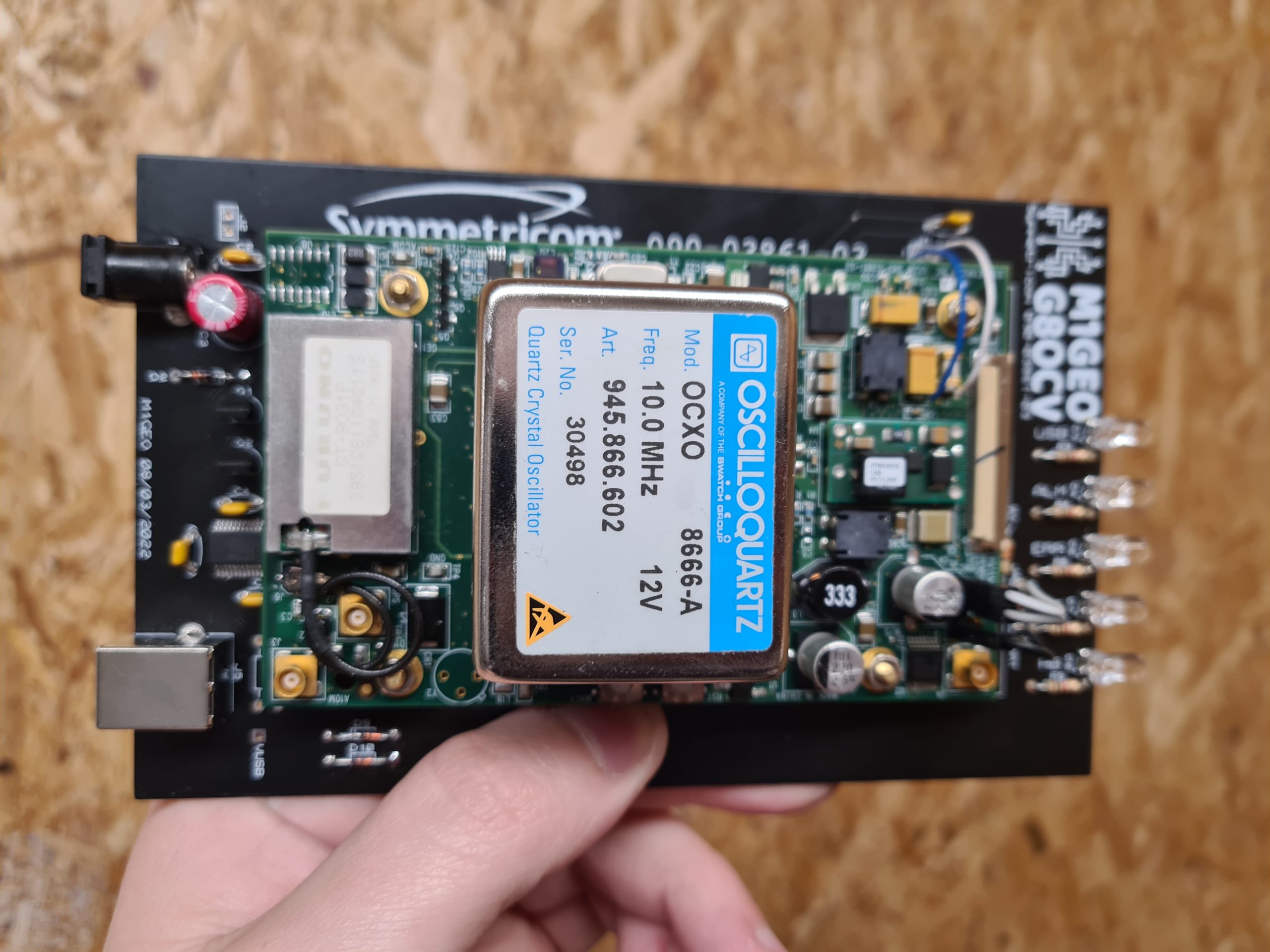
With the module fitted, the board looks more like the following. Note, this was an earlier version of the PCB:

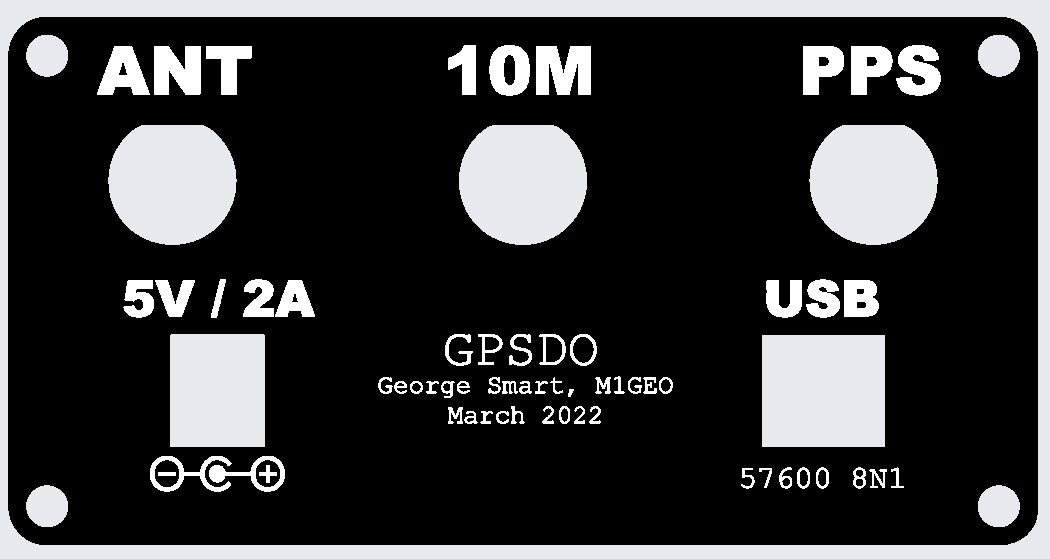
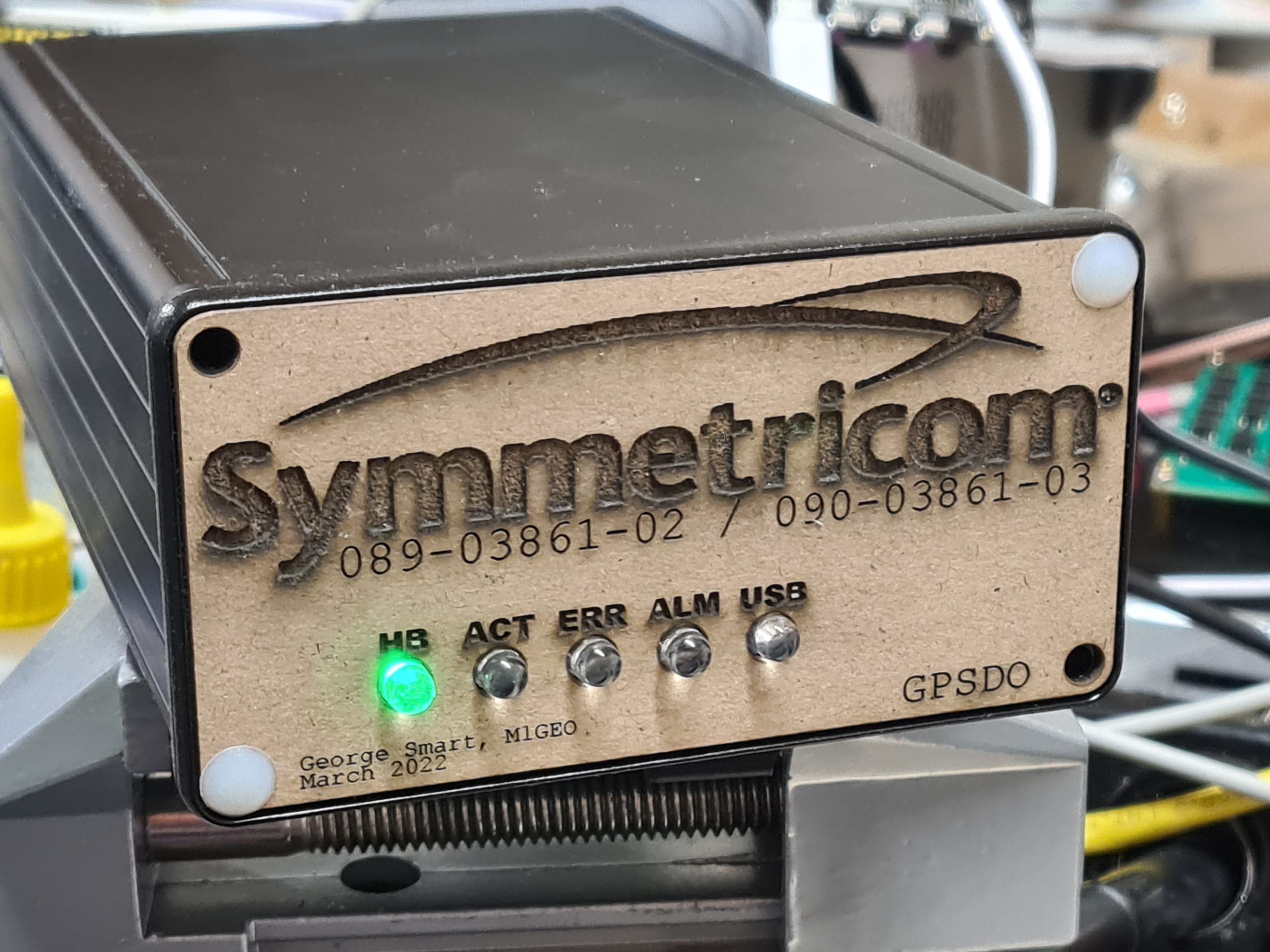
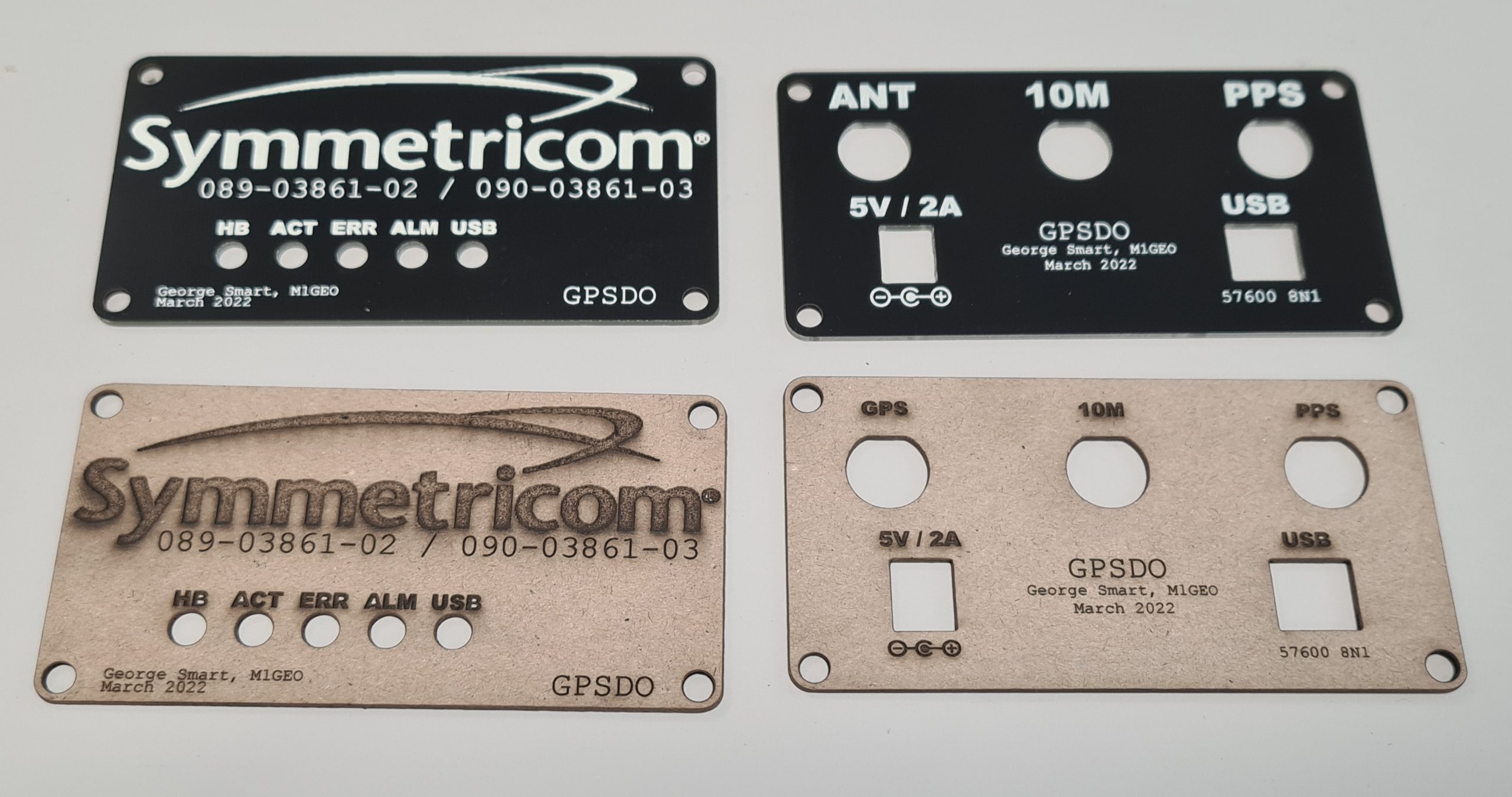
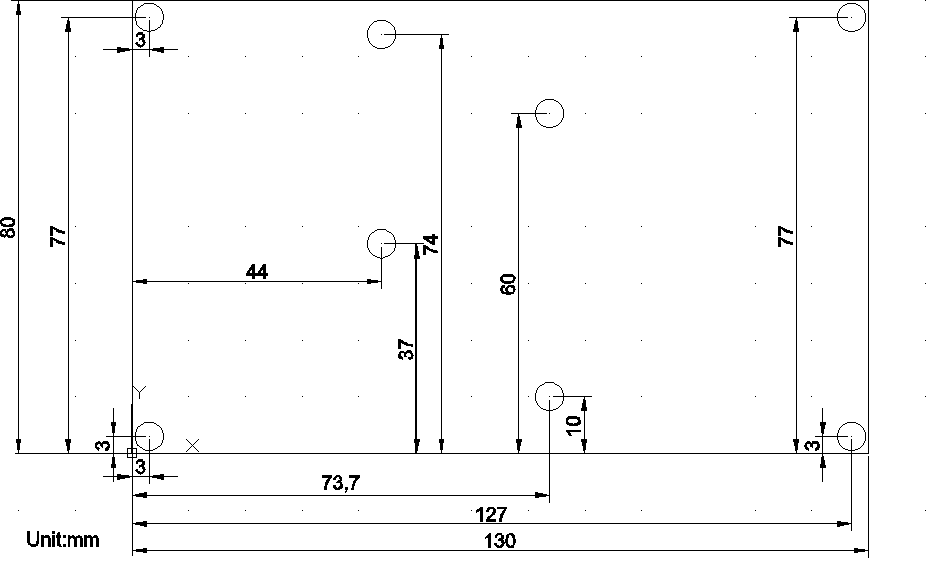
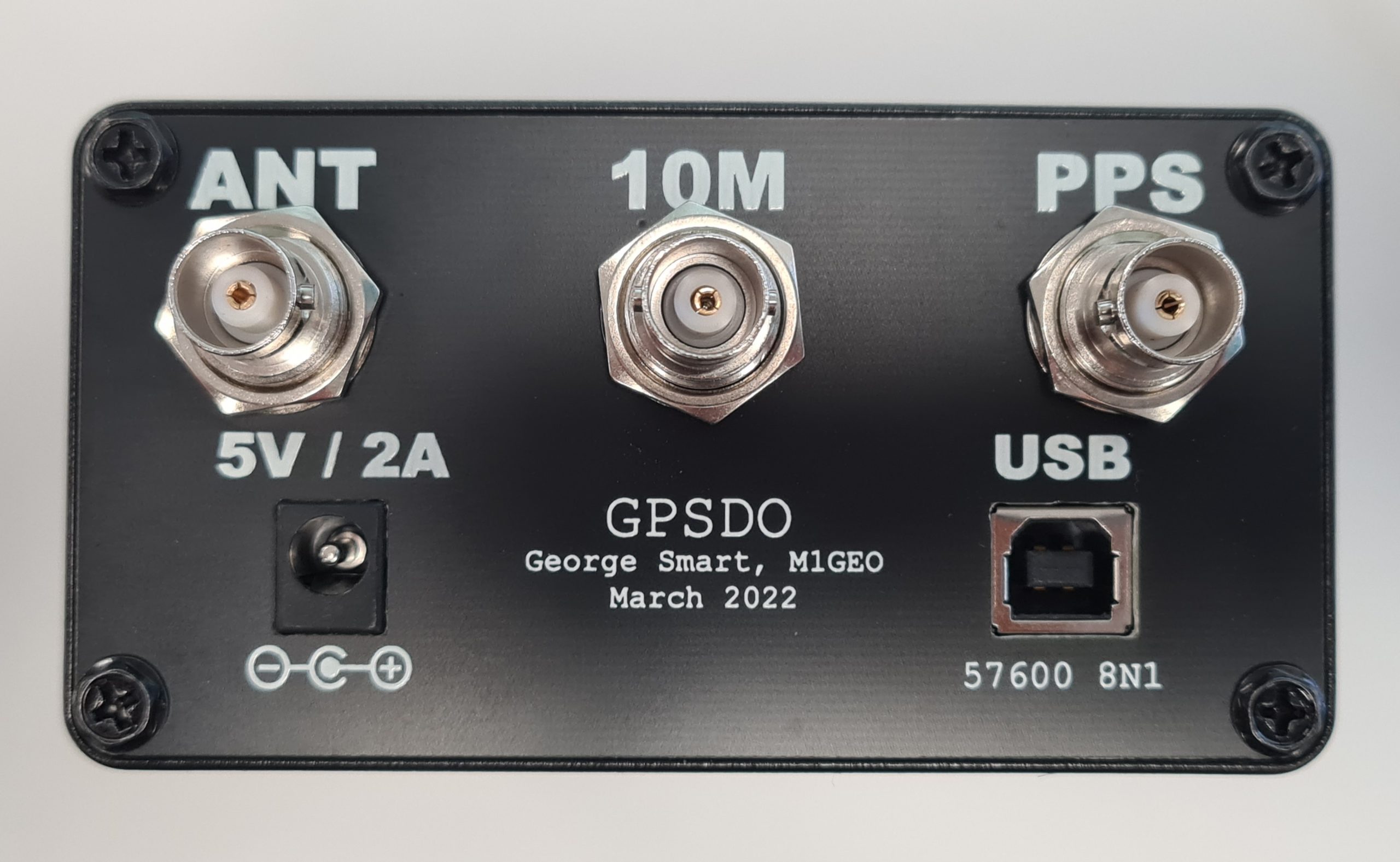
The project was designed to fit inside a Hammond Manufacturing 1455N1601BK case which takes a 160mm long by 100mm wide PCB, and the designed PCB fits the case nicely. By default, the Hammond case comes with either aluminum or plastic end plates, but I went to the effort to make PCB front and rear plates to enclose the case. Using PCB meant I was able to use tools I was familiar with to create the end places, and use the same order as the main carrier PCB. The copper on the PCB could be used to create a metal Faraday screen to enclose any electrical switching noise, and the silkscreen could be use to add legends, logos and decals.

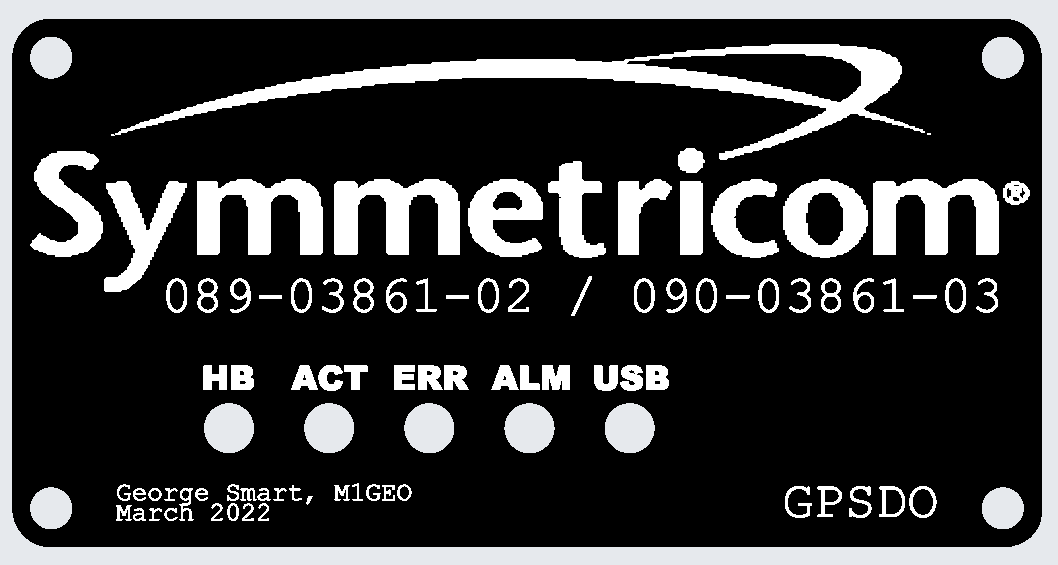
I prototyped the designs as below in the PCB package and then used my laser cutter to test them out for fit. A test fit of the front panel is shown below:

The below picture shows the PCB end boards as they arrived and the cardboard cutouts. There are some small tweaks, between the two, but overall the process worked well. One thing to note is that the internal cutouts for the BNC connectors are a little bit tight – in future I need to add an extra 0.5mm or so clearance (in addition to the 0.5mm clearance I left already). However, the connectors pushed in even if a little tightly.

Final assembly went well, and I am very pleased with the results:

180W PA Kit Construction

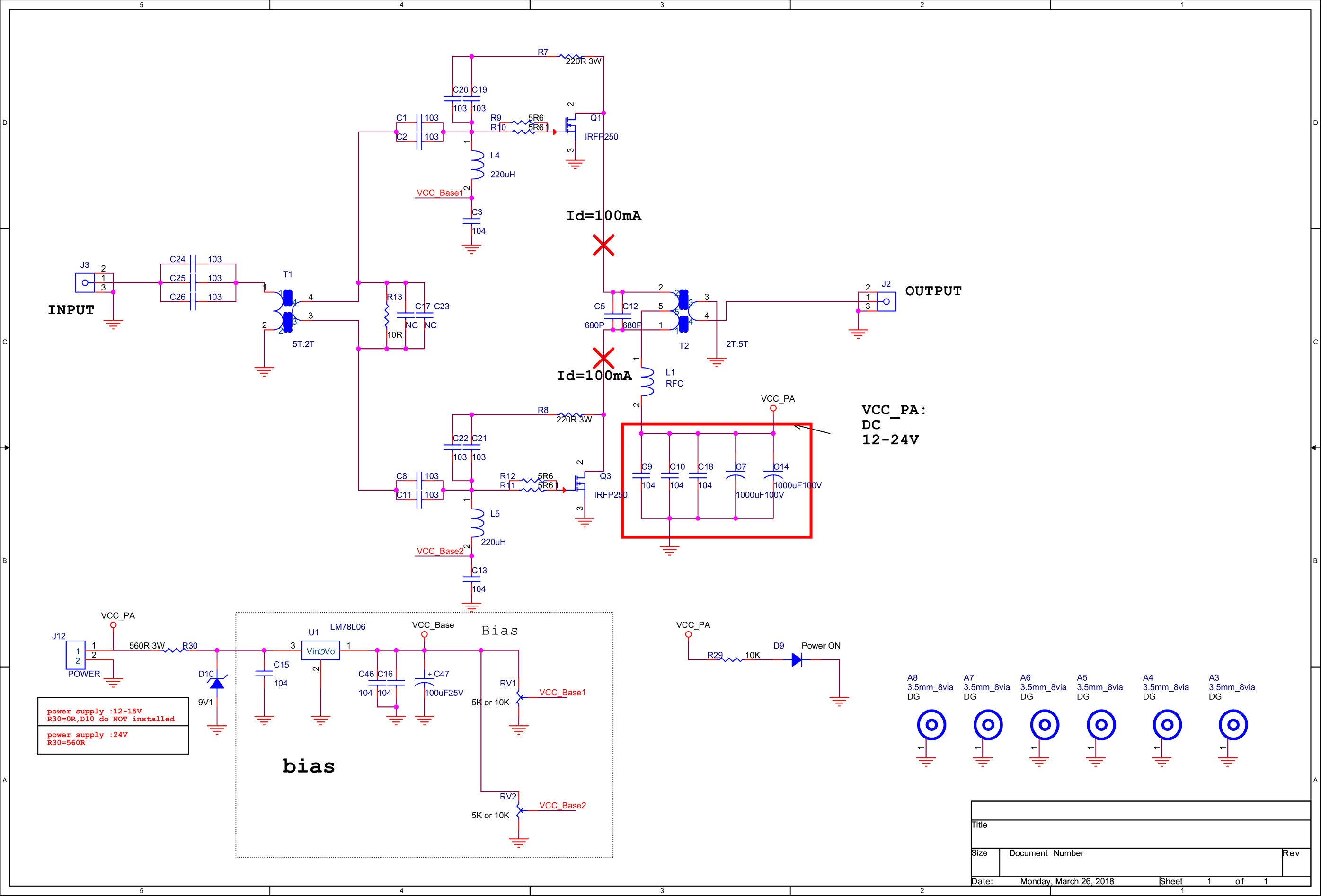
This page is about the Chinese RF_PA_250_3_HV_V201 by ZGJ 2018-01-25, version 201, commonly for sale on eBay, AliExpress, etc.

Sellers, you are welcome to link to this page in your listings.

This page is a mix of information from my own investigation as well as information found online (from several sources). It is useful for those purchasing kits for such amplifiers.

Bill of Materials

ReferenceQuantityPart
C1, C2, C8, C11, C19, C20, C21, C22, C24, C25, C261110nF (103)
C3, C9, C10, C13, C15, C16, C18, C468100nF (104)
R29110KΩ
R9, R10, R11, R1245.6Ω
C5, C122680pF Mica capacitor
C471100uF 25V
C7, C1421000uF 16V
L4, L52220uH Color ring inductance 
D91Red 2.54mm LED
D1019.1V Zener diode
(use with 24V power supply)
R301560Ω 3W
(use with 24V power supply) 
R7, R82220Ω 3W Power resistance
 120Ω 3W Power resistance
RV1, RV225KΩ or 10KΩ preset pot
L1113mm NXO100 magnetism ring (2 cores)
T1113×5 NXO magnetism ring
T21Copper pipe 2pcs, 0.75 square mm wire (60cm long), 18mm NXO magnetism rings (14 cores)
Q1, Q32IRFP250
U11LM78L06 or LM78L09
Insulating spacers2 
0.8mm enameled wire1 
0.75mm high temperature cable1 

PCB Dimensions

Schematic

Click image to enlarge. For transformer winding information, see below.

Build Information

Version History

  • V100 – First edition
  • V101 – Second edition: Output transformer cores reduced to 14.
  • V201 – Third edition: Power supply voltage is raised to 24V.

What you will need

  • 13.8V/24V 40A (or higher) power supply. It is better to have the function of current‐limiting protection. 6 square-mm (or more) wires for connecting the power to the amplifier board.
  • A signal source that is capable of outputting a 7 or 14 MHz signal at 10W.
  • A 50Ω dummy load rated for 200W (must be able to withstand continuous dissipation).
  • A heatsink suitable to dissipate the power of Q1 and Q3. (Recommended size: no less than 150x100x60mm).
  • A multi-meter that includes a 10A scale.
  • An oscilloscope capable of at least 20 MHz (or a spectrum analyser).

Before you start soldering

  • Wind the inductor (L1) and transformers (T1 and T2) in accordance with the information further on in this page.
  • Bend the legs on Q1 and Q3 (TO247 package) upwards, see the illustration below. Do not mount it to the top side of the board. Do not shorten the leads.
  • Tap the holes for Q1 and Q3. Screw should be M3 (3mm screw). Clean the heatsink, and remove any metal chips to avoid a short circuit.

Soldering

  • Start with smaller components first, working up towards larger components and finally plugs.
  • SMT parts can be easily soldered with an iron by adding a small amount of solder to one pad, and using tweezers to push the SMT part into the molten solder on the pad. Once cooled, add a small amount of solder to the other pads.
  • L1 and C5/C12 are not fitted at this stage.

Preparation for Powering

  • Check for any solder splashes, and poor or missing solder joints.
  • Check the DC power supply resistance to ground – no short circuits. If you have not fitted L1 yet, test from the other side of L1 pad.
(Note: in the V201 version, there are 14 cores in the output transformer, not 16 as shown here)
  • Check the LM78L06 regulator output resistance to ground – no short circuits.
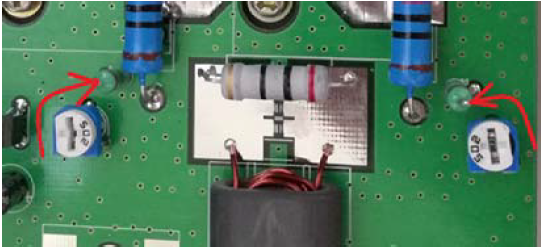
  • Check the bias-set variable resistors. Rotate them as shown in the following diagram. Be careful, to rotate them to the correct end-stop. If you get this wrong, you will destroy the IRFP250N power MOSFETs. You are aiming for an initial bias voltage of 0V.
  • Mount the input transformer secondary load resistor (10Ω, 3W).
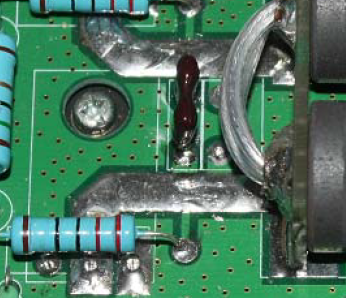
  • Solder in Q1 and Q3 and affix to the heatsink. Flow solder on the PCB trace between the MOSFET and the output transformer. This increases the current capacity of the track. See below.
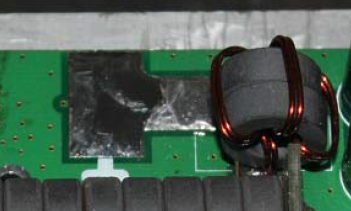
  • Mount L1 as shown below.

Set bias currents

The aim of this section is to adjust the bias current to 100mA for each of the two transistors. When making adjustments, you must act slowly, and with great care – the current will do nothing for much of the adjustment range and then rise sharply. The transistors must be bolted to a heatsink during adjustment.

  • Double-check that the variable resistors are ‘zeroed’ as described above, such that when power is initially applied, there is no bias voltage present.
  • Connect a current meter in series with the positive power supply cable of the amplifier. Apply power.
  • Adjust the upper MOSFET quiescent (static) current using the upper variable resistor to cause an increase in current of 100mA (0.1A).
  • As before, now adjust the quiescent current of the lower MOSFET to further increase the current another 100mA. (A total increase of 200mA between both transistors.)
  • Solder in choke inductor L1 and mica capacitor C5/C12 if you have not already done so – the bias adjustment is complete.

Signal test

  • Connect a 50Ω dummy load to J2. The load must be capable of handling 200W.
  • Use an oscilloscope on a suitable range (or spectrum analyser with suitable attenuation) to monitor the signal at the load.
  • Connect the power supply and monitor the supply current for a moment. If the current is gradually increasing, the power must be cut immediately and check for suitable thermal connection between the power transistors Q1 and Q3 and the heatsink.
  • With the amplifier powered and no input, check the oscilloscope for signals. If there signals, immediately power off and debug the cause of self oscillation.
  • Input a small signal, gradually increasing the input signal power.
  • Observe the output waveform and the DC input current. In general, 100Vpp output across the output load corresponds to a power output of 25W into 50Ω. A load voltage of 141Vpp is 50W output, 180Vpp load voltage gives an output power of 80W, and 200Vpp at the load is a power output of 100W. Using an efficiency of 55% as an approximation, the expected DC power input can be calculated.
  • Check the temperature of the heatsink. If it is too hot to hold, then you will need to use a fan to cool the amplifier.
  • Check the output power is stable over time, and that there are no large fluctuations in output power for a fixed input power.

Finishing

  • Use a flux remover to clean any solder flux residue and tidy any poor solder joints.
  • Mount the amplifier into a box or case with suitable TX/RX switching.
  • Accompany the amplifier with a suitable low-pass filter board.

Transformer & Coil Winding

In the following diagrams process, please note:

  • To avoid scraping the enamelled wire, use needle nose pliers to smooth the edge of the ferrites. Hole edges may be sharp.
  • A “turn” on the coil is regarded as wire passing through the centre.

Winding T1

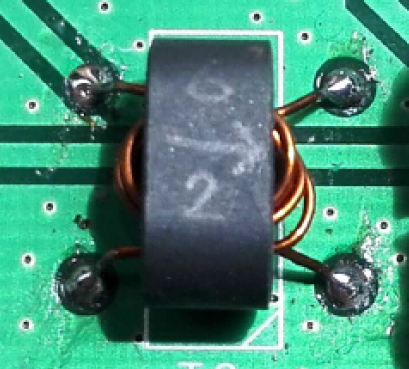
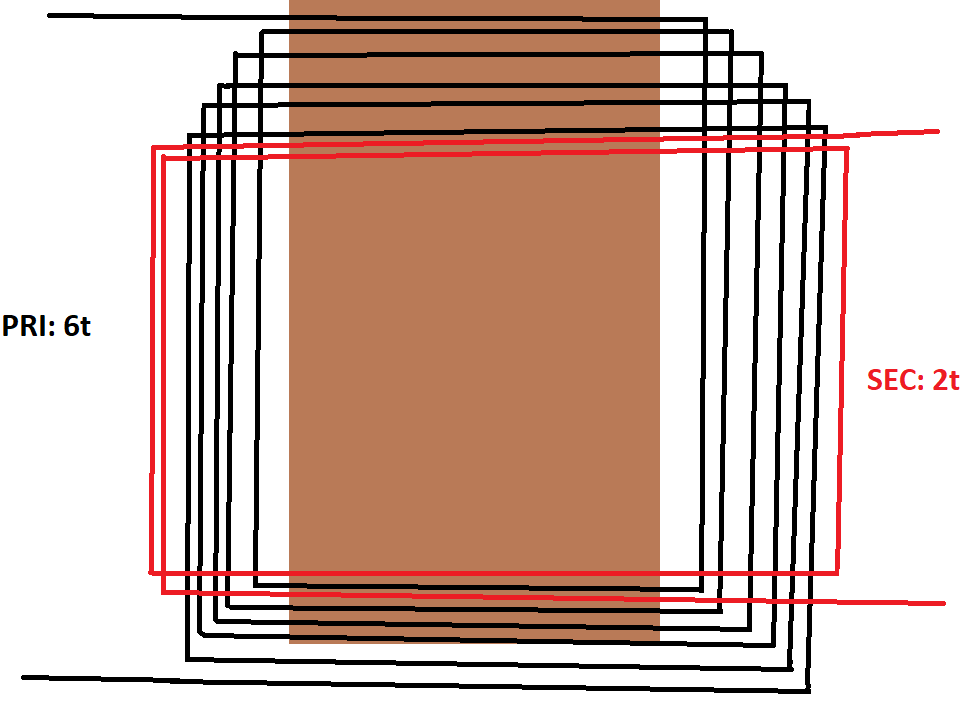
Transformer T1 primary should be 6 turns (black lines). The secondary of T1 should be 2 turns (red lines). The turns ratio is important, since if there are too many turns, the voltage on the gates of the MOSFETs will exceed the breakdown voltage and the parts will be destroyed.

Winding T2

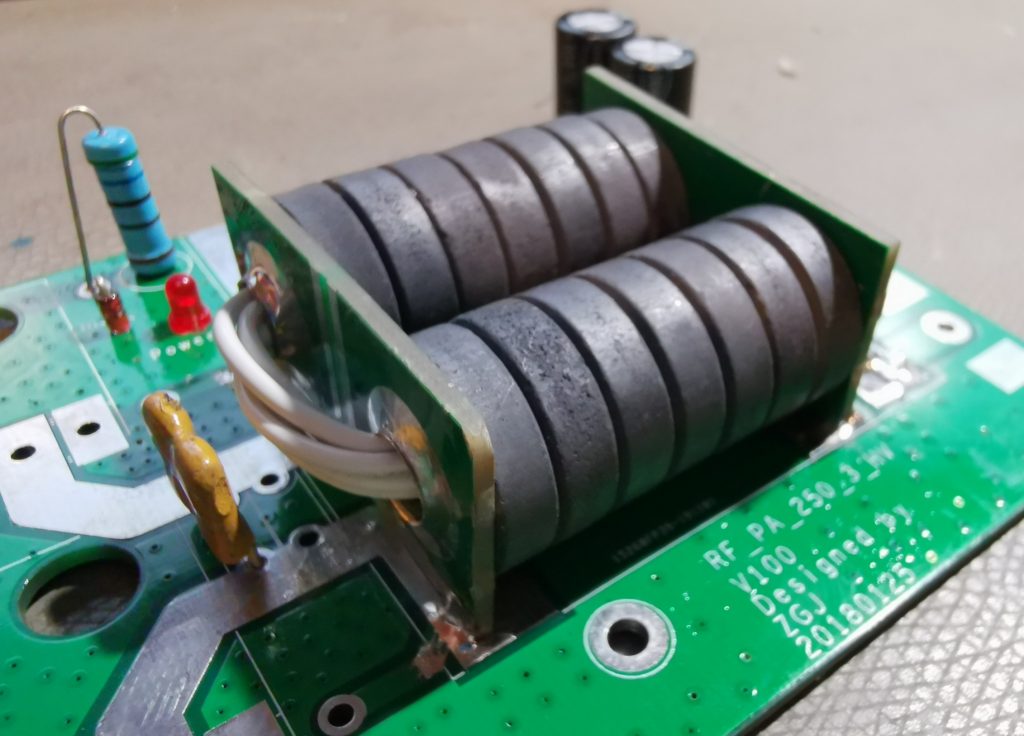
Transformer T2 primary should be 1 turn made from the two end PCBs and copper pipe. The secondary of T2 should be 5 turns of high temperature wire.

In version 201 of the kit, the number of ferrite rings is reduced from 16 to 14. You will also need 2 ferrites for winding L1 (see below).

Winding L1

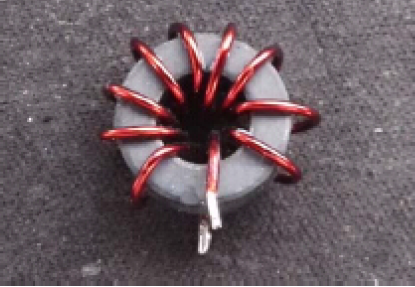
L1 is a high frequency RFC choke. The 7-10 turns should be wound around two ferrite rings as used in T2. I chose 10 turns as this provides the largest choke inductance.

1kW 144MHz Amp Lives!

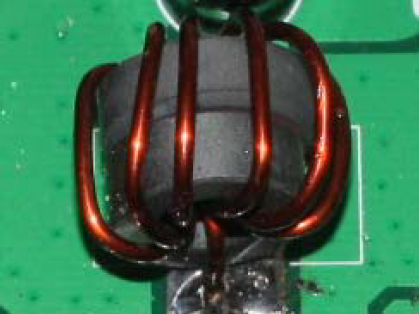
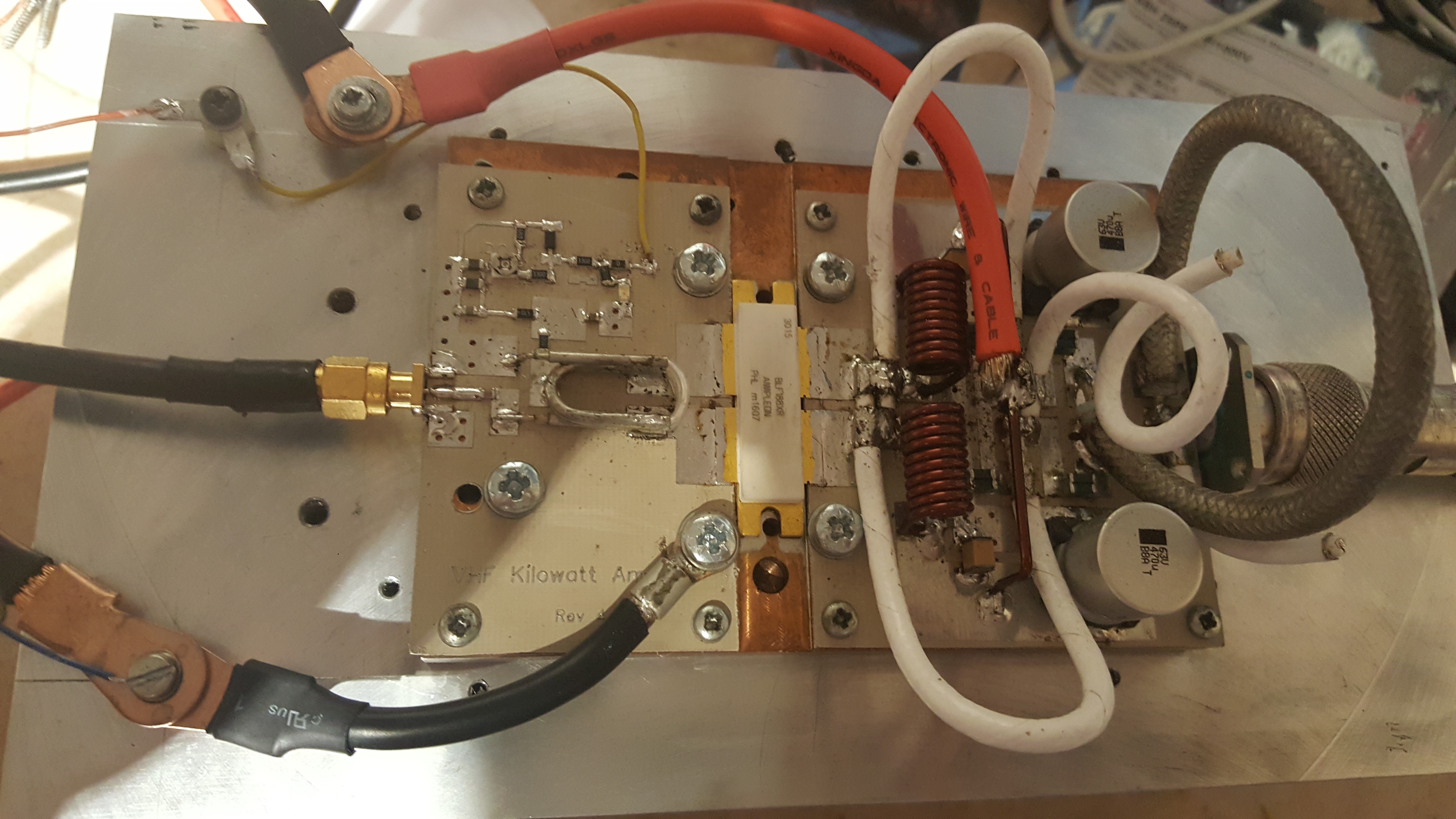
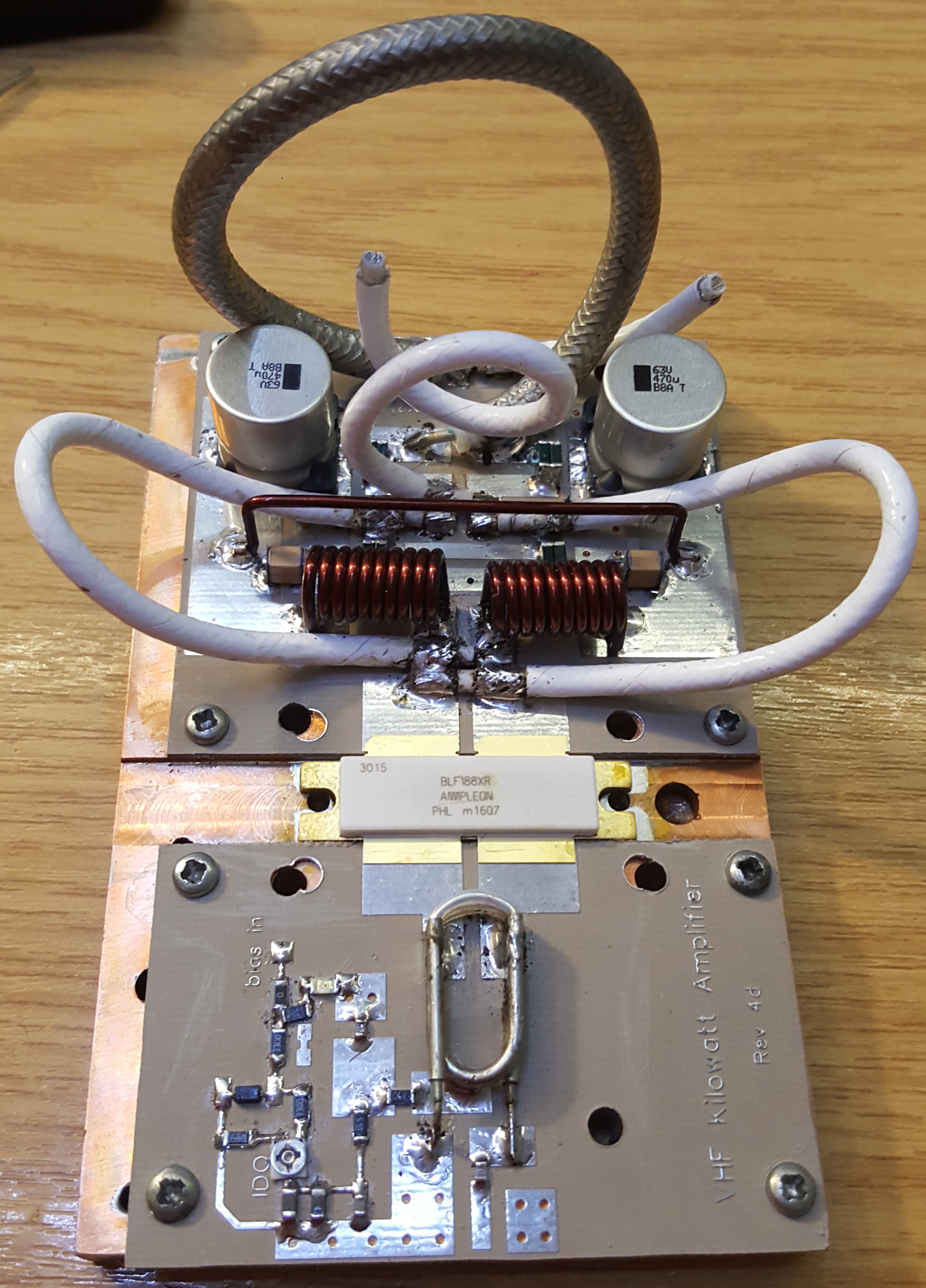
Those of you who have been following my 144 MHz 1kW amplifier project (previous posts machining heatsinks, soldering transistor down and building the pallet) will, I’m sure, be delighted to hear that I have had life out of the amplifier. In excess of 1 kW, I hasten to add!

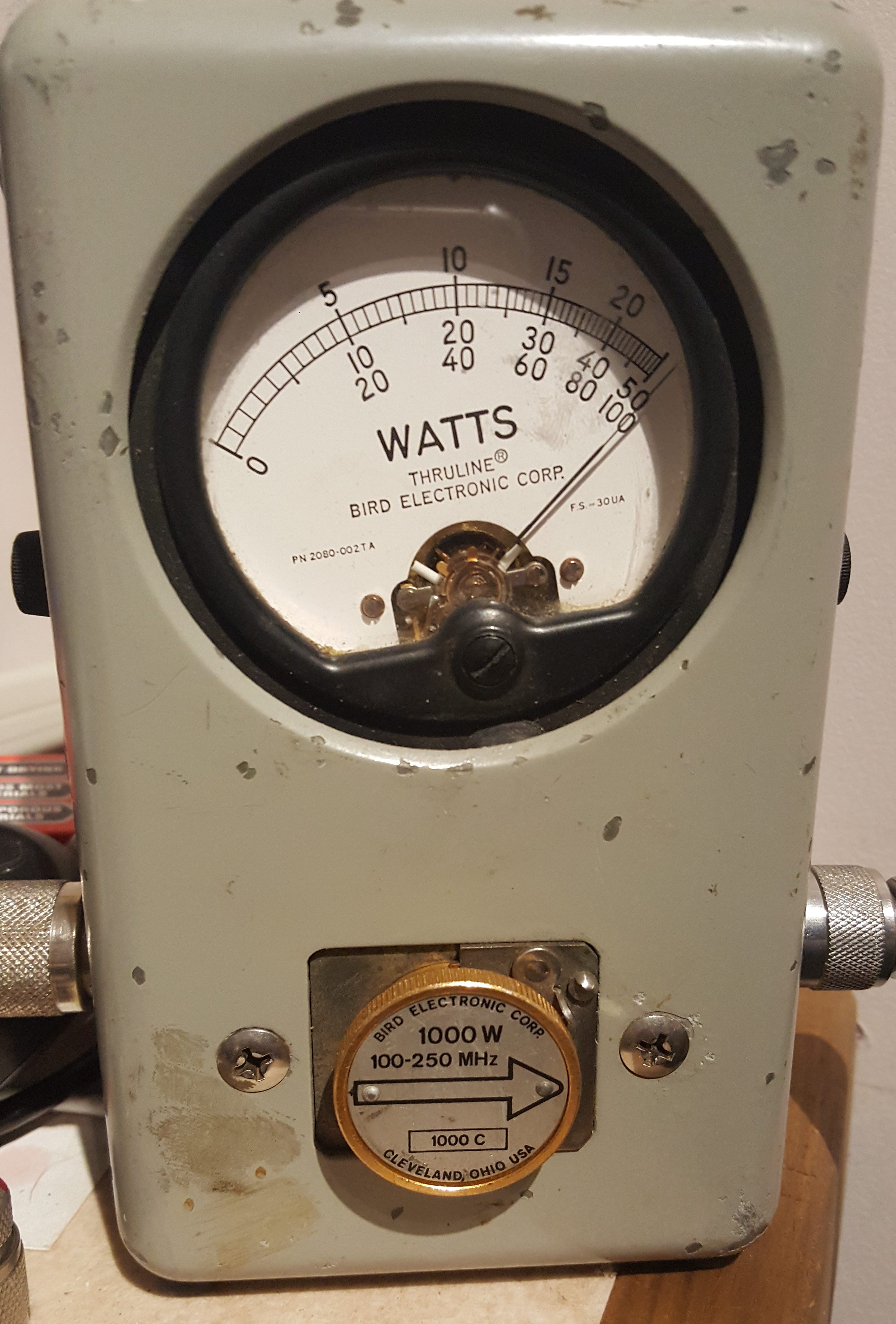
The amplifier was able to maintain in excess of 1000W for over 2 minutes.  At this point, the Bird dummy-load started to get a bit warm, so a longer test was abandoned. The amplifier pallet, however, remained cool enough to touch. As the F1JRD original design notes, the 10-Ohm coax balun does become hot (Lionel suggests around 120C at 1kW with no cooling). I, however, used a small fan running slowly to provide a gentle draft which greatly reduced the balun heat.

The next step is to add the Dallas-Maxim DS18B20 temperature sensor – the idea is to have the sensor buried into the pallet next to the transistor, to measure the copper heat spreader temperature.

BA5SBA RTL-SDR Kit

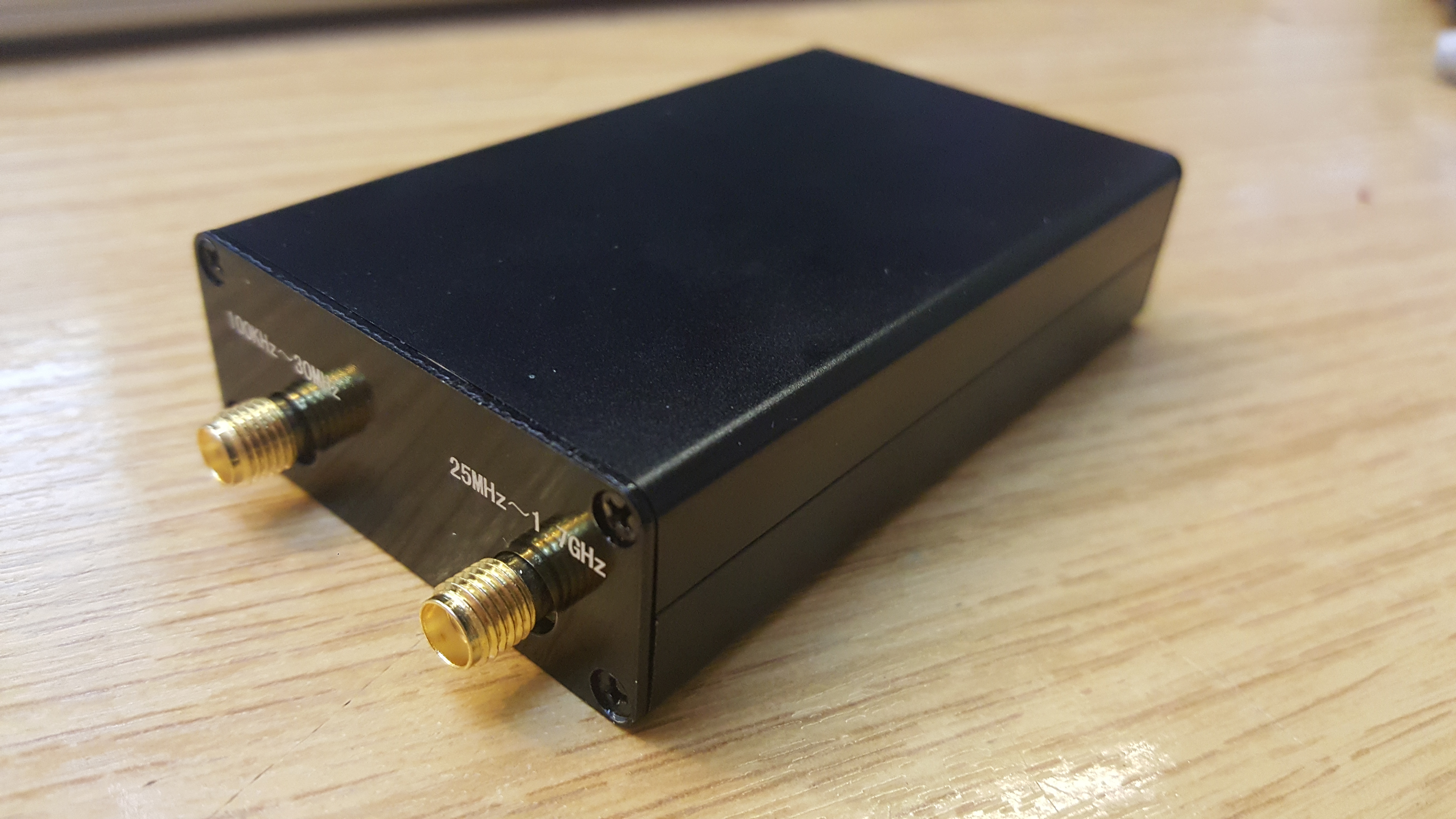
A few weeks ago I ordered a BA5SBA RTL-SDR direct sampling kit from BangGood (link here). When it arrived, I decided to put it together. The kit includes everything needed, an RTL-SDR dongle, case, PCB, enamelled wire and so on. I worked from numerous build instructions (here, here, here and here), following the clearest description of each stage.
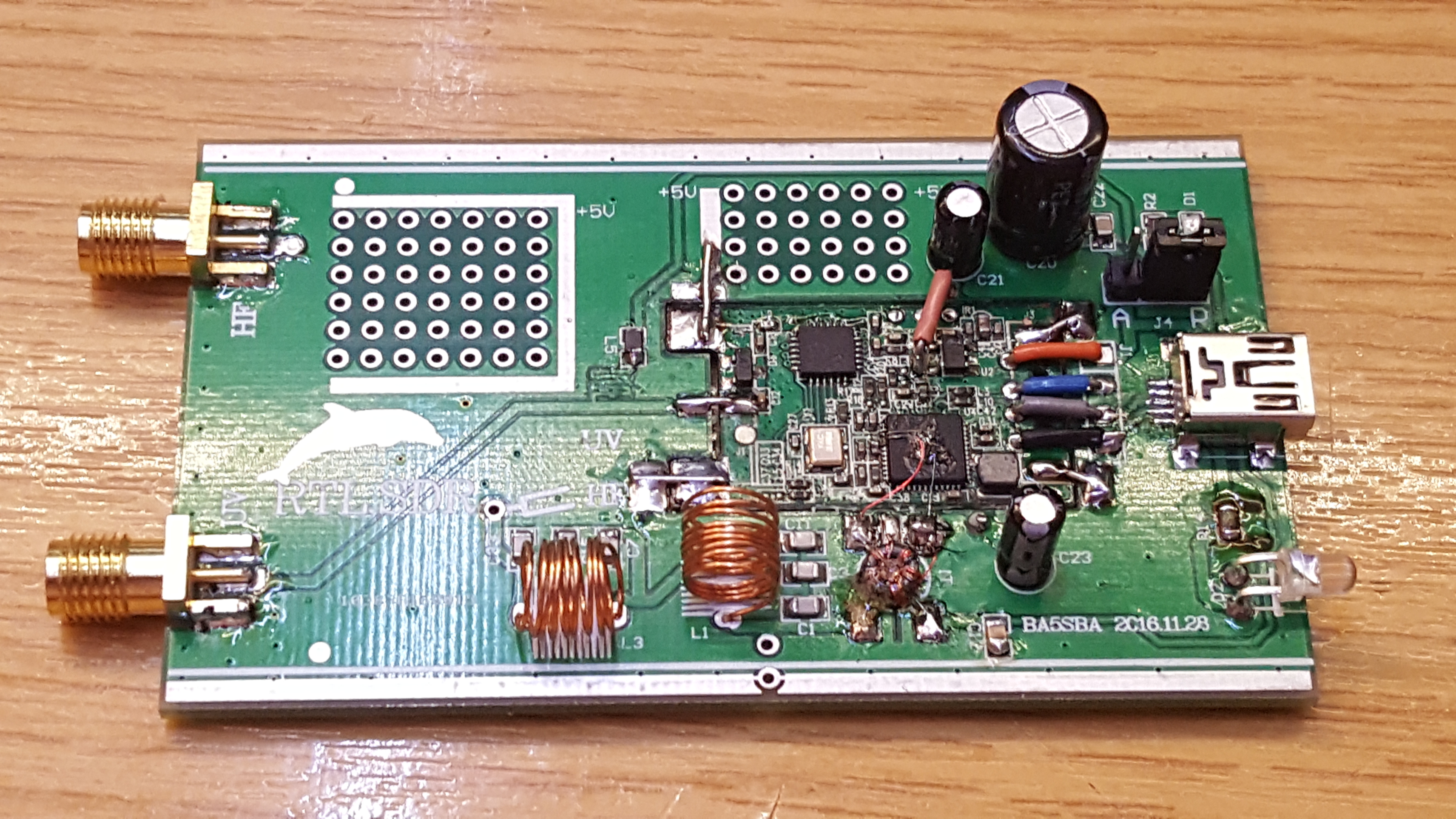
I disassembled the original RTL-SDR dongle, removing the USB plug, IR remote receiver and Belling-Lee socket. This was easy to do. I then soldered the module into the main PCB. The SMT components were easy to solder on. I added the few remaining passives, some larger electrolytic capacitors, etc.
Two wires tack on to various voltage points to add extra smoothing, which were easy enough to connect – I used some medium thickness tinned copper wire, I guess around 0.7mm diameter. That did the trick.

Winding the two inductors was done blindly. I followed instructions to wind 8 turns around a 5mm drill; however, somewhere else said 6-9 turns around 3mm. I noticed after soldering in the coils that 300nH was the suggested inductance. In the future I will remake the coils to the correct value.

Winding the small transformer, T1, was relatively straight forward. I wound 8 turns around the ferrite core. Although I’m not entirely sure my core was ferrite. It was indistinguishable from a 2mm plastic washer. My kit had blue-red-yellow trifiliar wire in, so I followed the colour scheme in the 3rd instruction link above (page 11).

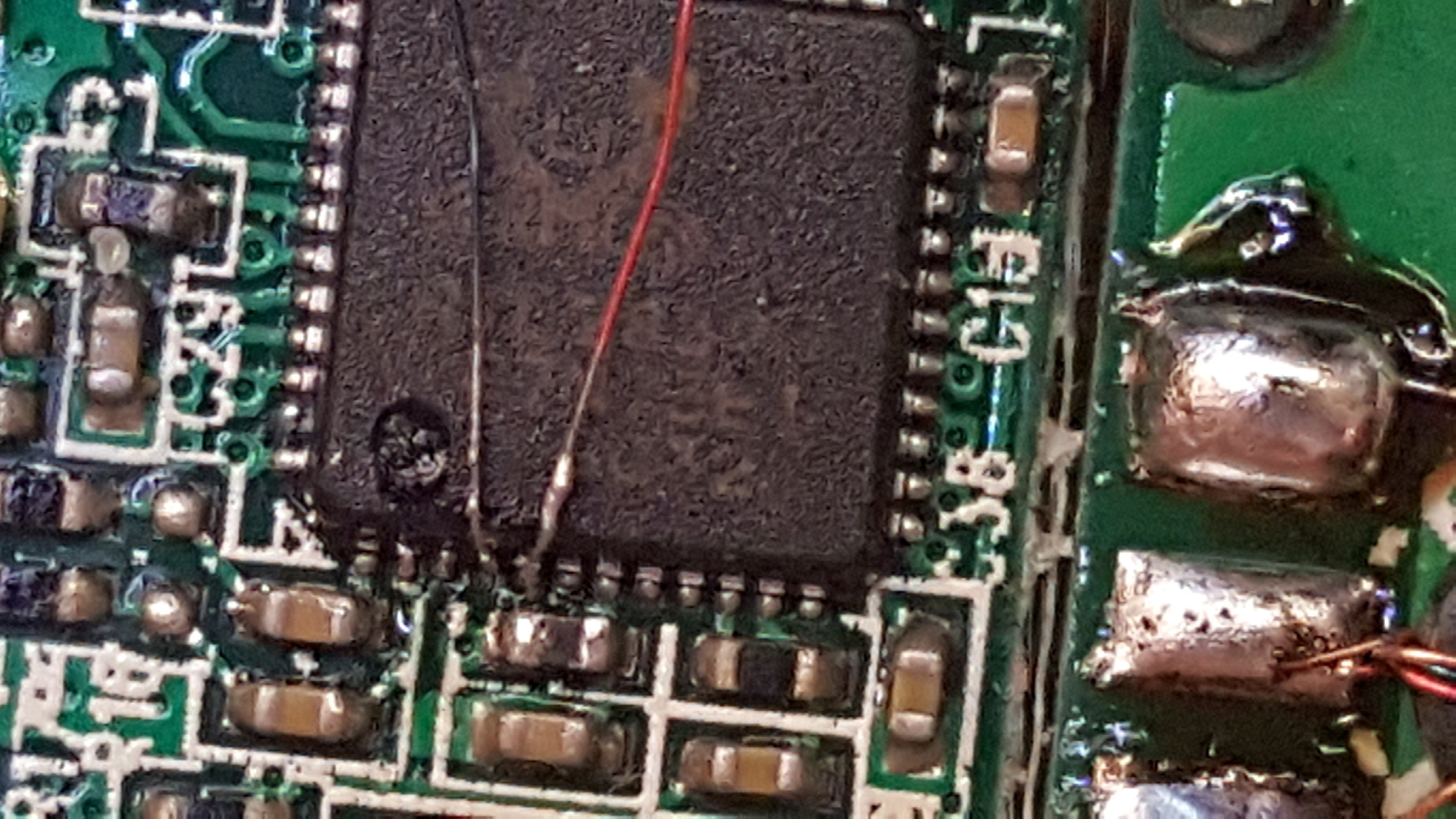
The chip has two pairs of I-Q inputs, pins 1, 2, 4 and 5. The first pair, pins 1 and 2 are connected to the E4000 front end, which mixes the higher frequency signals of VHF and UHF down to an intermediate frequency (IF). The second pair are also used in this kit to take the HF bands (on the Realtek RTL2832U, 0-24 MHz) as a second IF input. A “direct sampling” mode can be selected in the PC software to select this second input, but, there is no default wiring as this has no use inside a TV tuner dongle. By far the hardest part of this build was the soldering of hair-sized wires to the Realtek RTL2832U chip, which then go to the transformer, T1.

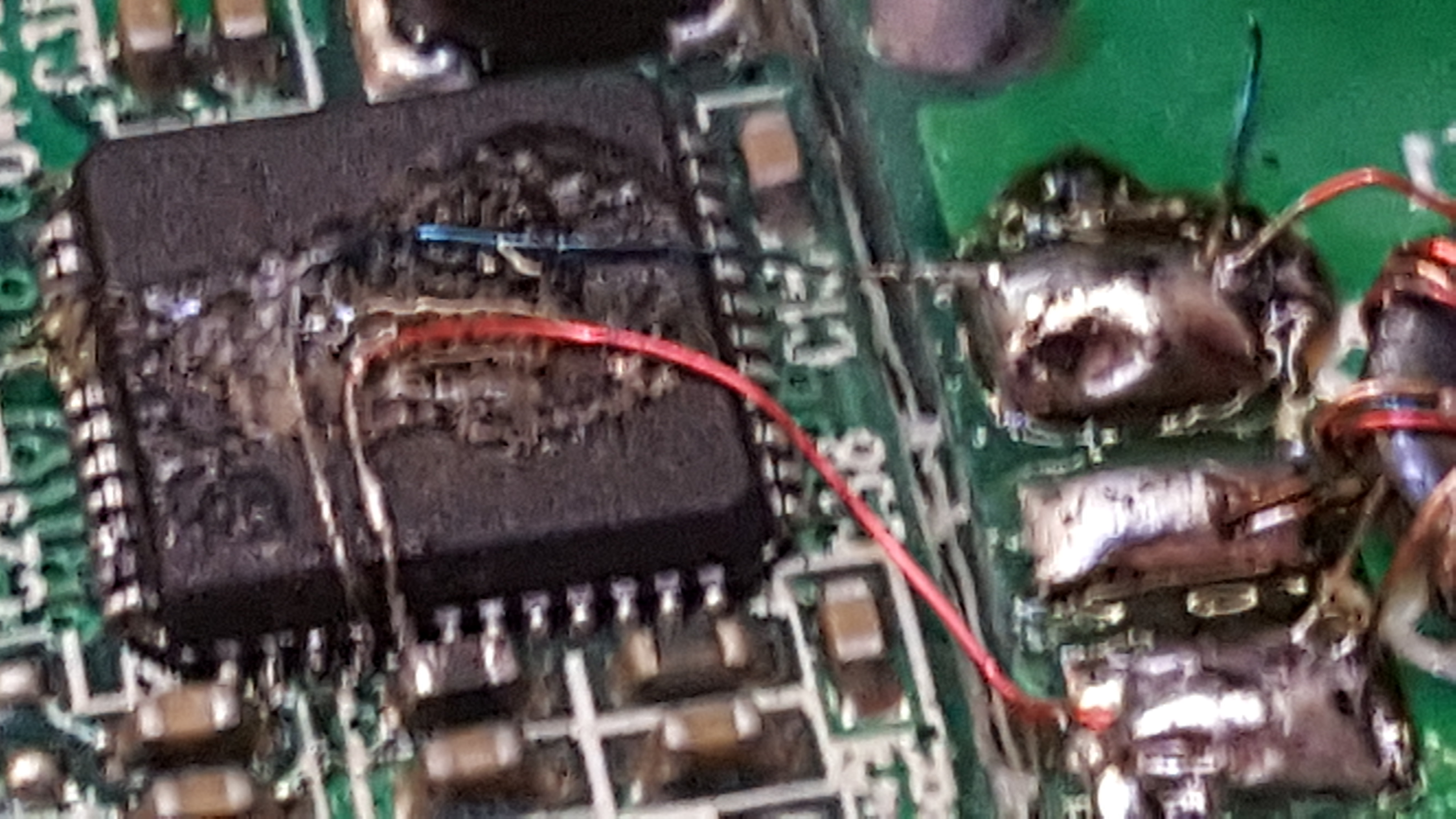
After a considerable struggle, these two wires were solder onto the chip. I wish I could offer some useful tips on how I did this, but I cannot – I simply struggled, and faffed around until I made the connections. I would suggest a mobile phone camera placed above the board may help, since you can use the digital zoom to see in some detail. The image above was taken as I was soldering.

Finally, I used some glue to hold the (very) fragile wires in position and soldered the other ends to the transformer. I also added a small amount of glue to the transformer, too, so as to stop it moving. It looks messy, I know, but hopefully it will add some security and stability to those otherwise poor solder connections to the Realtek chip.

My final build looked like this:

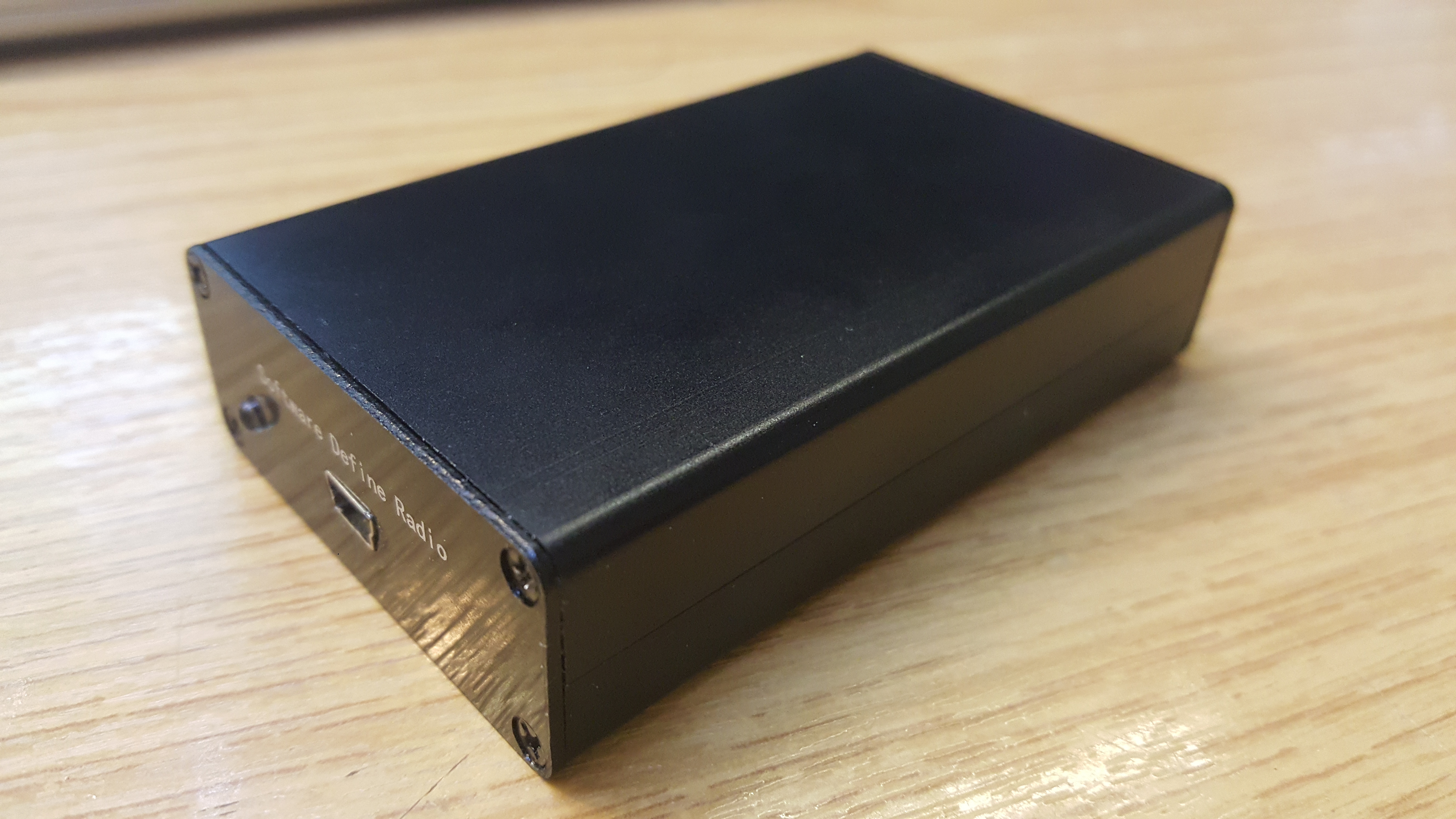
Amazingly it also works! The image at the top shows the device inside the supplied box! Excellent!

1kW 144MHz Amp Pallet

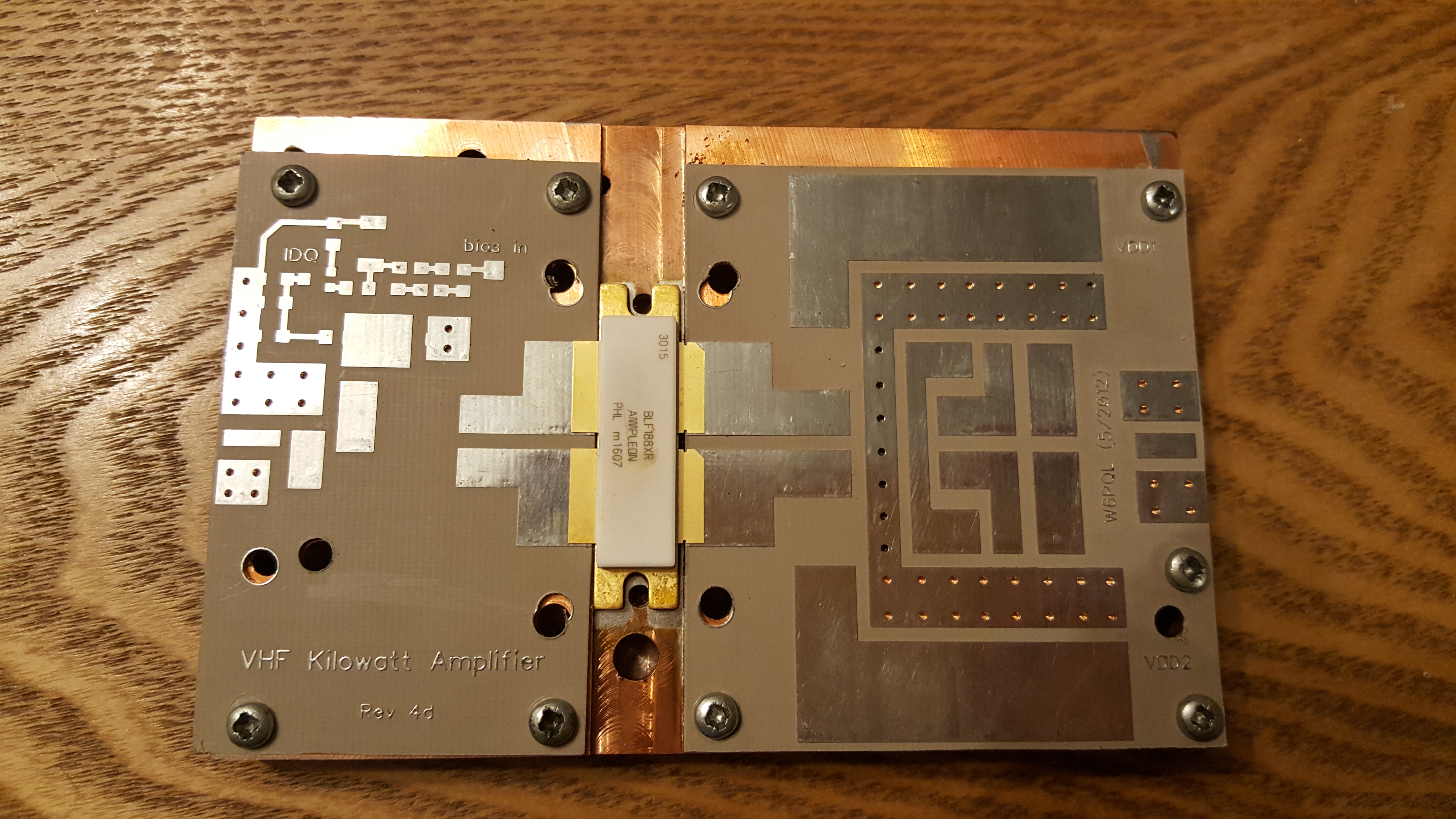
Those of you who have been following this project evolve will have seen how I soldered the transistor to the heat-spreader and before that how I machined the heat-spreader & heat-sink after their initial use. Most recently, I have been building the new W6PQL pallet, based on the revision 4d schematic, found here.

This pallet offered several design changes compared to the original F1JRD design. The first is temperature tracked biasing for the FET. The F1JRD pallet didn’t have temperature tracking, but the W6PQL design uses a combination of 10kOhm and 22 kOhm NTC thermistors to track the temperature change of the pallet. A 6V Zener diode is used to clamp the bias supply and to also limit the maximum gate voltage the FET can see. A small 200 Ohm pot allows the bias to be adjusted to get the correct quiescent current. This is the next task.

The story continues with the initial power-up testing! First I need to commission my new General-Electric 50V/40A PSU I brought at the Rosmalen Hamfest back in early March.

Soldering Expensive Transistors

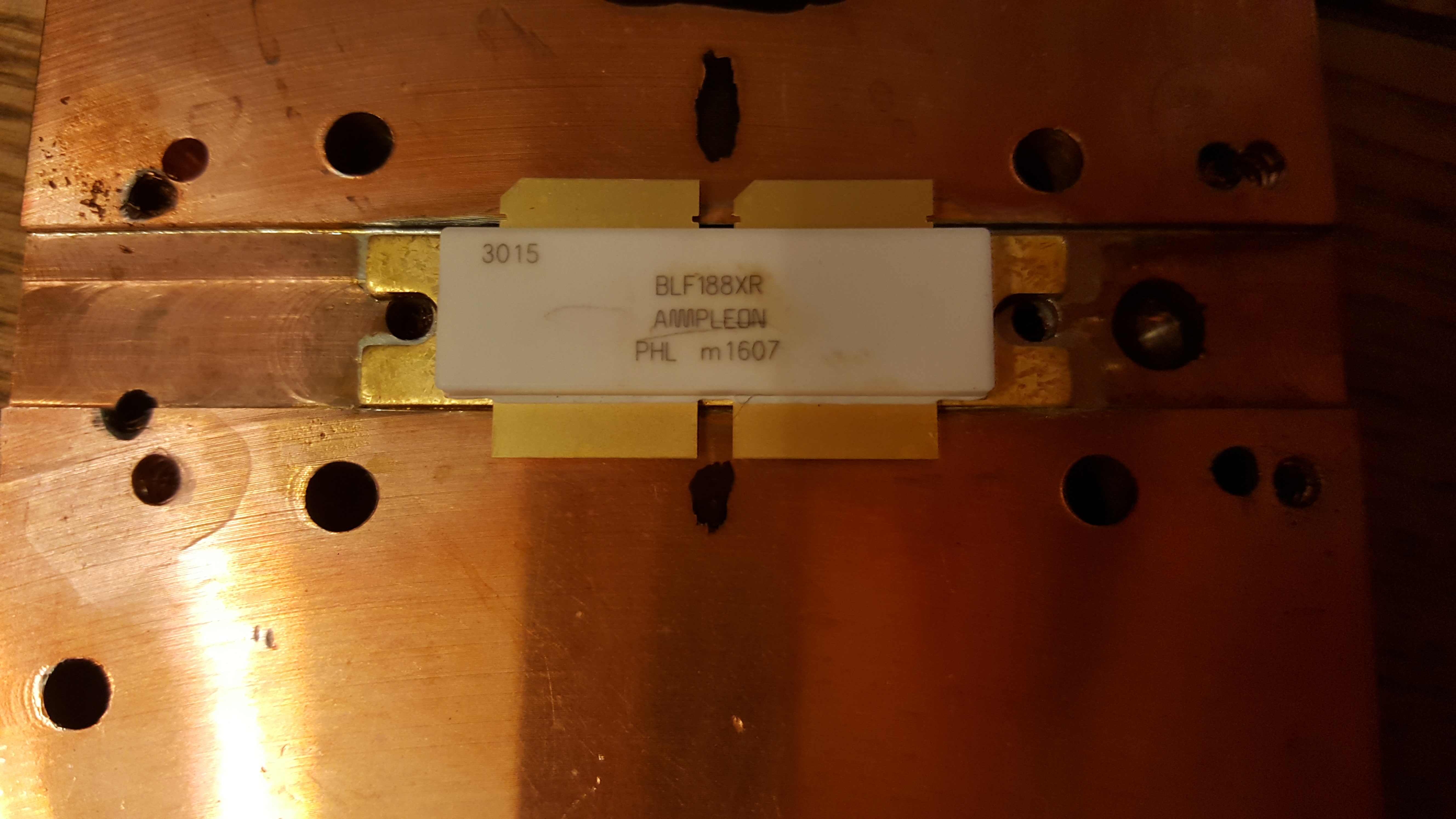
This morning, Royal Mail delivered me a parcel from Jim W6PQL all the way from California, USA. It took a couple of days to clear customs, but it arrived within about 5 days of being ordered. If you followed my previous post on this subject, about machining heatsinks, you’ll know that the last transistor I had failed on the testbench. You’ll also know that the copper heat-spreader was re-machined to suit the new PCB. This is why the heat-spreader has a few extra holes. Seeking advice from veteran microwave DXers & constructor (G4BAO, G4DDK, G8KBV, et al.) I was instructed to solder the device down. I watched a few of Jim W6PQL’s videos on soldering LDMOS parts to the copper heat-spreaders and replicated his instruction as closely as possible. You can see Jim’s instruction video here.

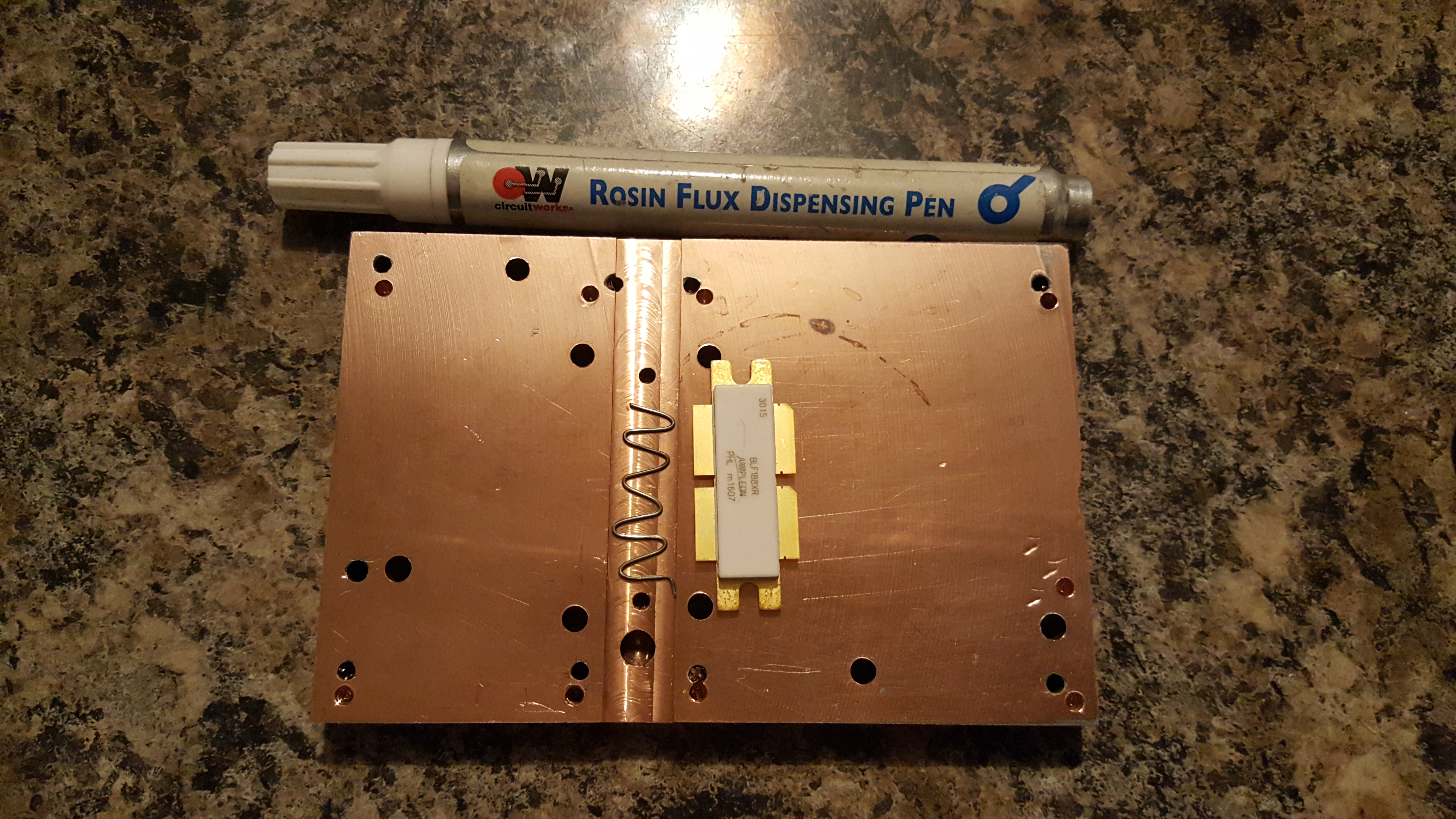
A small length of thin leaded 60/40 solder was made into a wiggle for the length of the transistor and placed in the groove previously machined in the head-spreader. I liberally applied flux to the bottom of the groove and the underside of the transistor and then sandwiched  the solder in between.

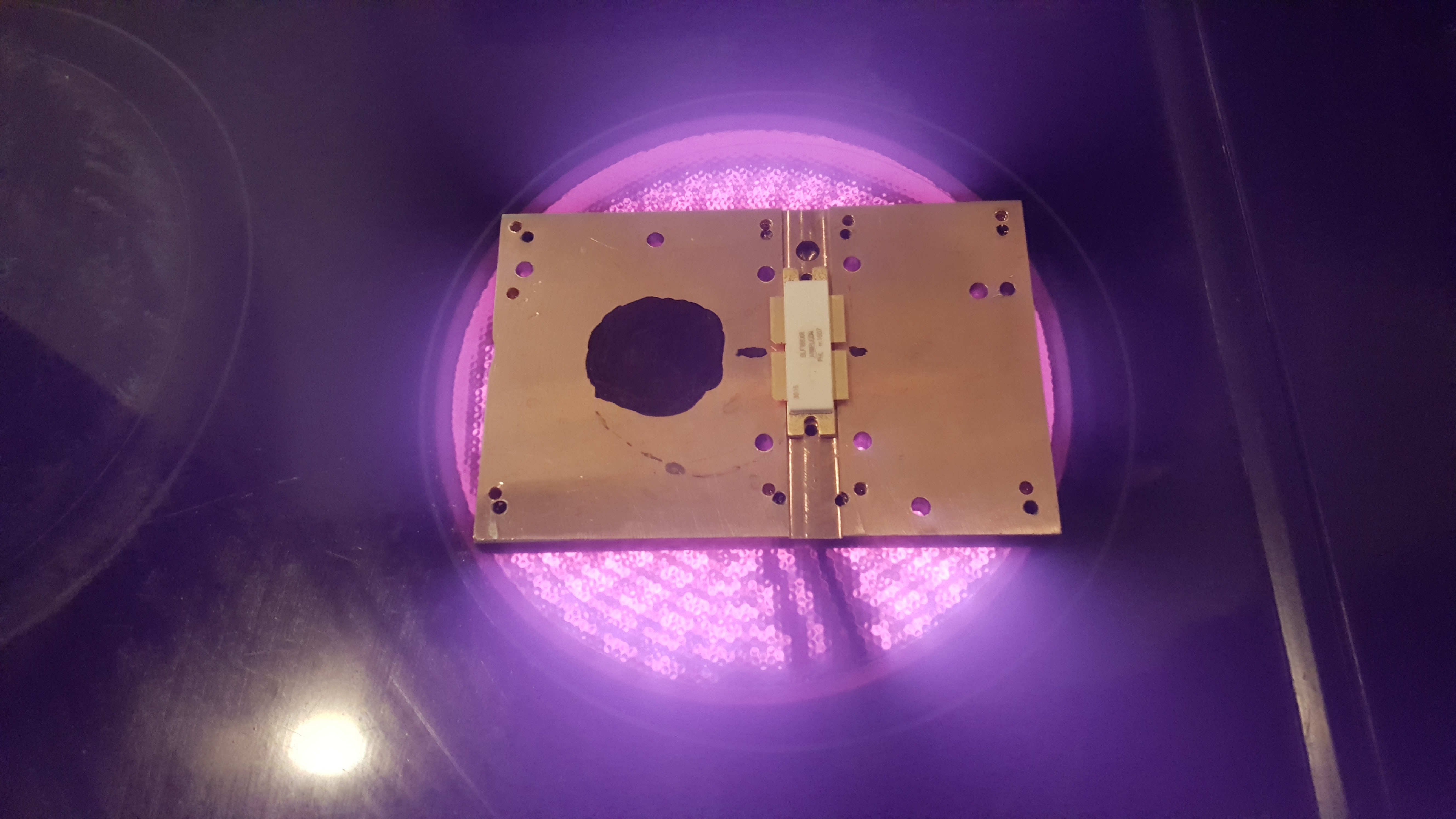
The copper heat-spreader was placed on the electric infrared hotplate and heat applied. The black dot is used to allow a laser thermometer to monitor the copper temperature. NB: this method didn’t work well.

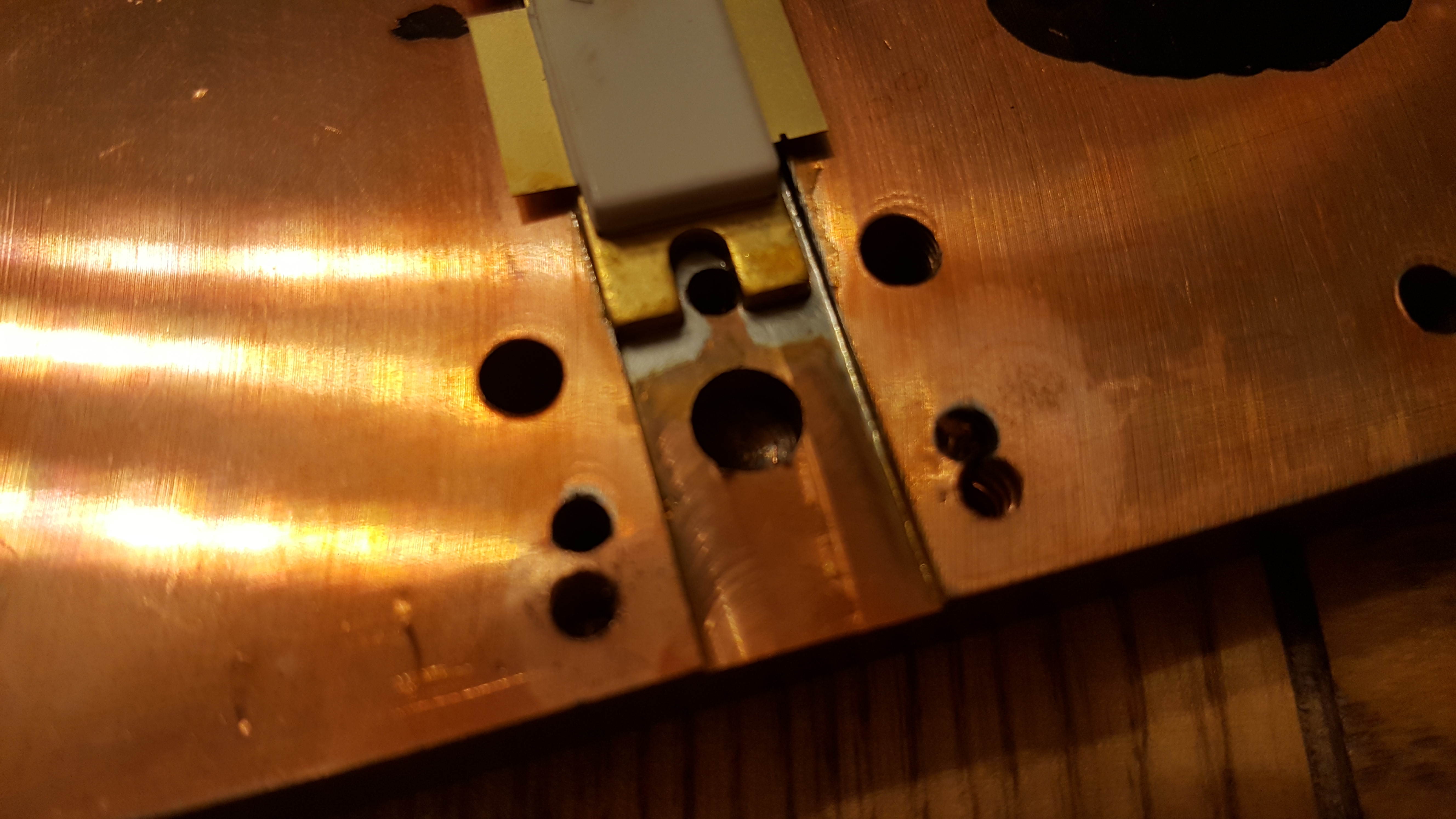
The next two images show the solder has melted and the excess squidged out the sides. It’s clear to see when the solder has melted, since the the transistor drops. It is advised to move/slide the transistor in the molten solder to remove any voids and any excess solder. I immediately killed the heat and removed the spreader from the hotplate and placed it on a heatsink. It only took a couple of minutes to cool to a temperature I could handle, and I checked the location of the transistor against the PCB mounting holes.

The PCBs were finally mounted as a test fit. I will populate the boards before mounting them. Unlike the original jrd1 boards, these PCBs do not need to be soldered down. This means the boards can be soldered up and then mounted.

Stay tuned for more updates…