Category Archives: Design

Homebrew 30m coil for the MC-750 / MA-12 antenna

The final STL files can be found at Thingiverse 7267147 – A 30m loading coil for the MC-750 or MA-12 antenna — scroll to the Final Build section for a TLDR.

Background

With my interest in SOTA and POTA I have been using an MA-12 vertical antenna for activating since it is convenient and quick to get on air. It seems identical to the MC-750 by Chelegance, but half the price!

I really like the antenna and it performs well since on the higher bands it is an unloaded vertical. On the lower bands, the antenna comes with loading coils for 40m (7 MHz) [supplied] and 80m (3.5 MHz) [optional]. These are fixed coils, made from copper wire, and so avoid the higher resistances seen on coils made using stainless steel like that of the JPC-7 antenna which uses a variable inductor.
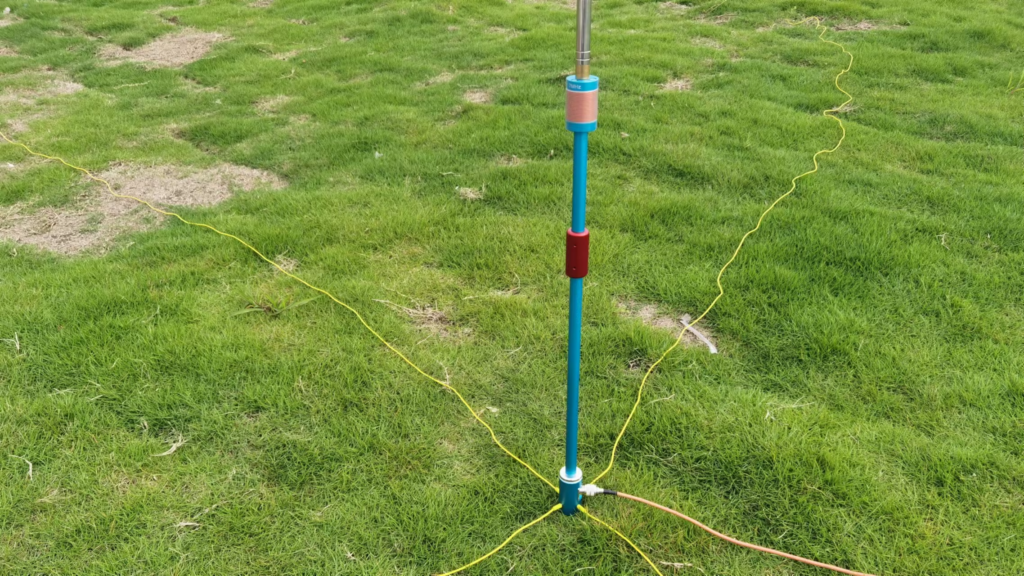
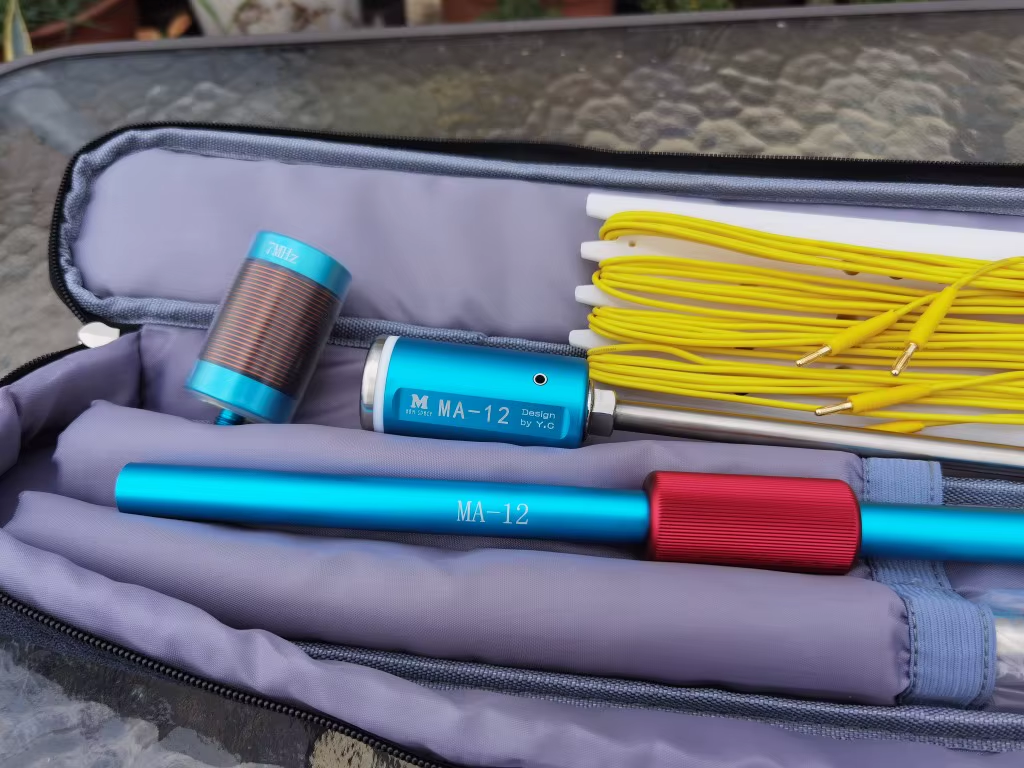
Combined with my learning CW, I have an interest in the 30 metre (10 MHz) amateur band which the the MA-12/MC-750 doesn’t cover (it does, but clearly as an afterthought).

On 30m, the operating manual for the antenna says to use the 7 MHz loading coil and reduce the length of the whip down. Doing this you are able to get the antenna to resonate within the 30m band, but it leads to poor efficiency since most of the whip is collapsed and the antenna is significantly shorter than it could be if the loading coil were sized correctly. So why not make a coil for 30m…
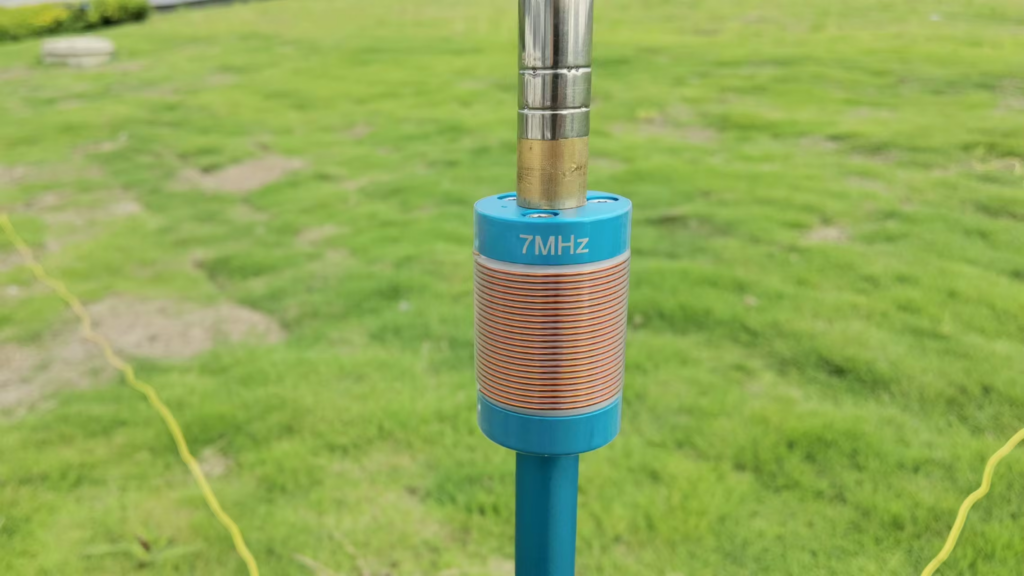
Cue this page…

What inductance do we need?

To find the inductance needed I decided to use the aforementioned JPC-7 variable coil in place of the 40m since it can be adjusted – this meant I could iteratively sweep through all the inductor tap points and see where the antenna resonates.

Clearly there are many combinations of coil inductance and whip length that will work, so I settled on having the whip as long as practical. Rather than using the full length of the whip (5.2m), I opted to leave one section collapsed allowing for some room to adjust depending on ground conditions (rocky, wet, dry, etc.). This left me with a whip around 5 metres long.

Starting at minimum inductance (top, closest the whip), I could see the antenna’s resonant frequency at around 12 MHz, and as I repeatedly clicked in another turn of inductance on the JPC-7 coil, the resonant frequency dropped.

At 10.8 MHz, I knew I was close, and since an additional turn on the coil took me to 9.9 MHz (below the target of around 10.125 MHz) I went back to the 10.8 MHz tap point, and lengthened the last whip section slightly. With 1/4 of the section extended, the resonance was on 10.11 MHz near enough. The tap was set to 7 (complete) turns.
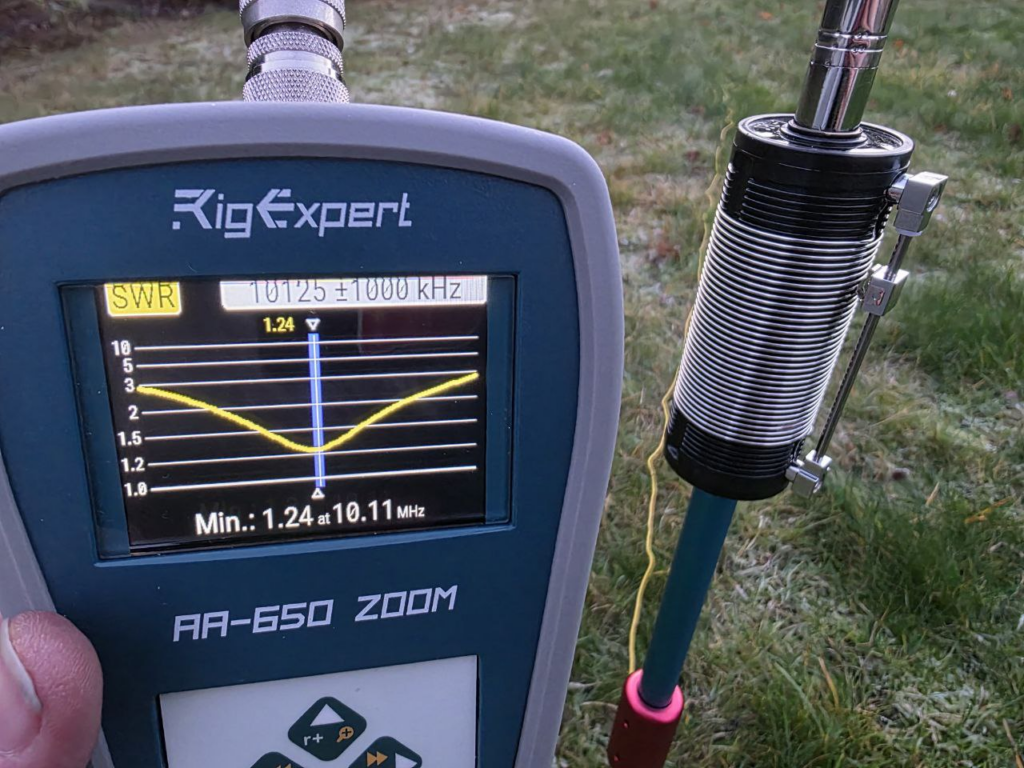
Nice! It was then just a case of measuring the inductance between the two M10 fixings to determine what inductance was needed:
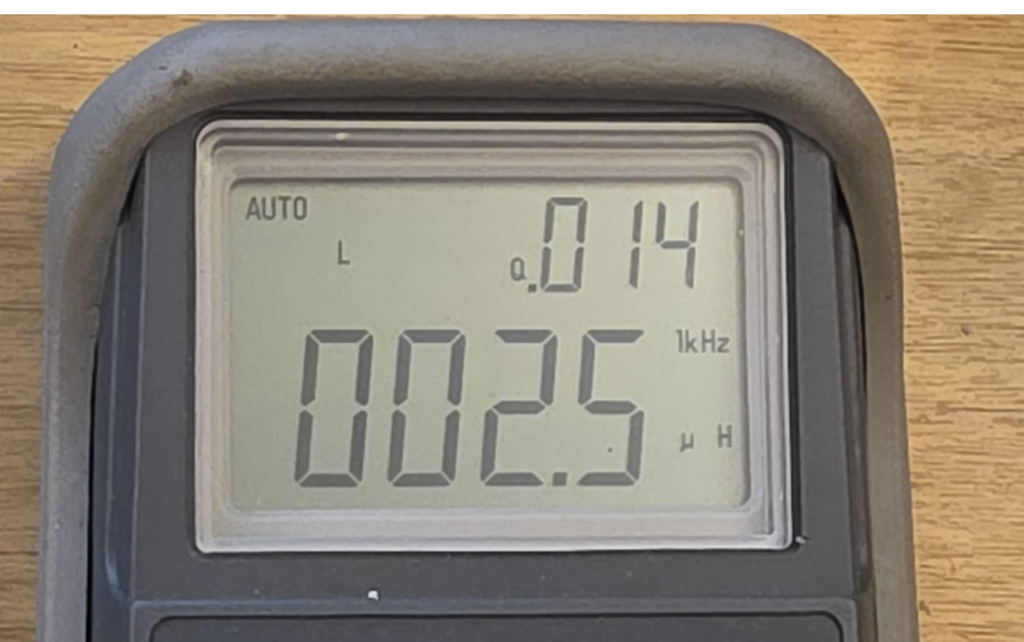
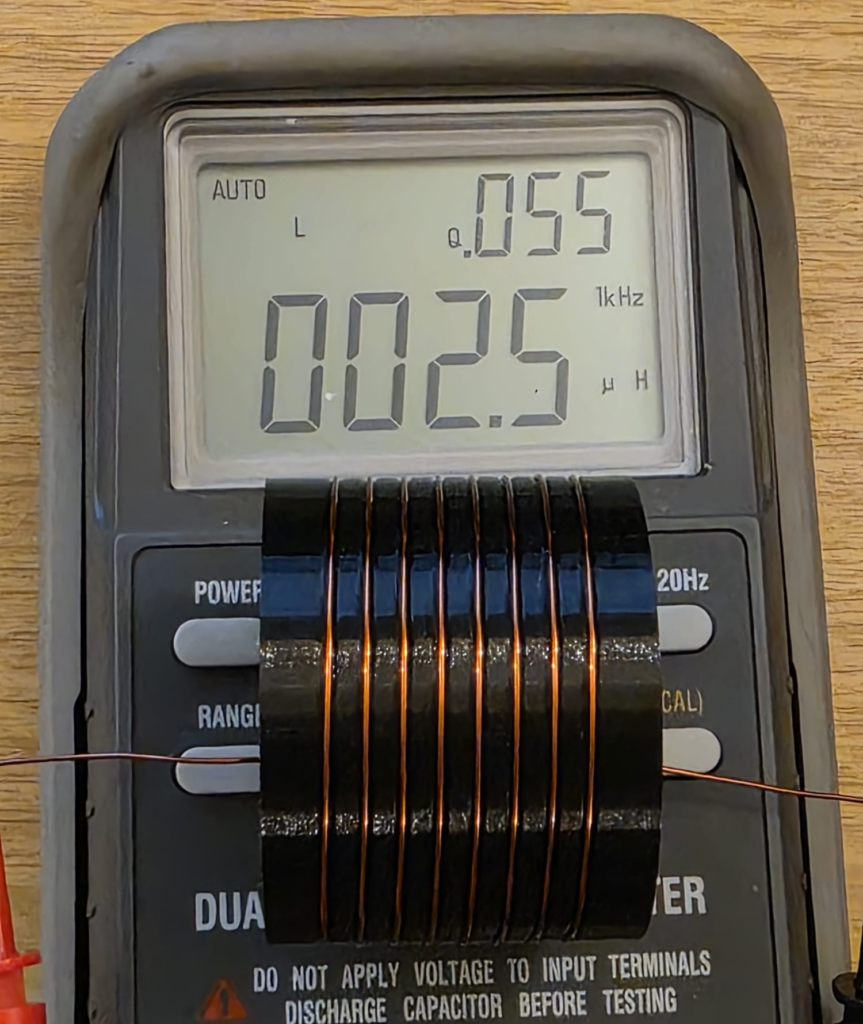
As can be seen from the LCR meter display above, the measured inductance was 2.5 μH after calibrating the test setup.

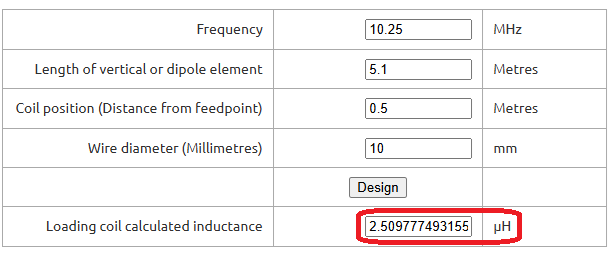
To confirm this was sensible, I put some numbers into John M0UKD’s Loaded Quarter Wave Antenna Inductance Calculator and checked the results. Amazingly, they agreed very well – the calculator predicts 2.51 μH. Wow! I wasn’t expecting that!
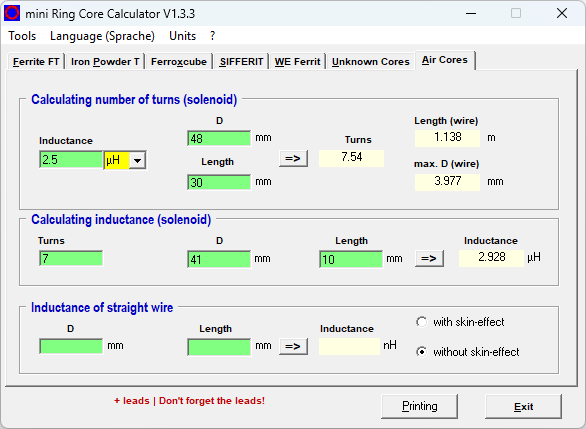
For what it’s worth, I run the numbers on the JPC-7 coil, and 7 turns on the 41 mm former over about 10 mm works out about 2.9 μH. Not quite as close, but certainly within measurement errors.

Confident that I had found the right inductance, I then had to make something suitable.

Making an inductor

Since I wanted to be able to 3D print the design, a larger diameter coil would be advantageous as it both reduces the length of the coil (and thus leverage from the whip) and increases the glueable surface area (increasing bond strength). Brass M10 nuts and bolts can be purchased cheaply enough in small quantities that it avoided pulling in favours from friends with a lathe, so I chose that route for the connections. Brass can be soldered to, which was the attraction there.

With that in mind, I created the end caps with recesses for holding the nut & bolt tightly. The diameter I chose – based on feel – was 50mm outer diameter, with an inside diameter of 45mm, creating a wall thickness of 2.5mm. A 6mm overlap should provide ample overlap to glue everything up once built. A groove on the inside provides a location for the wire to be trapped under the nut/bolt should the be preferable, though I plan to solder to the fixings. A thin brass washer may also be used.
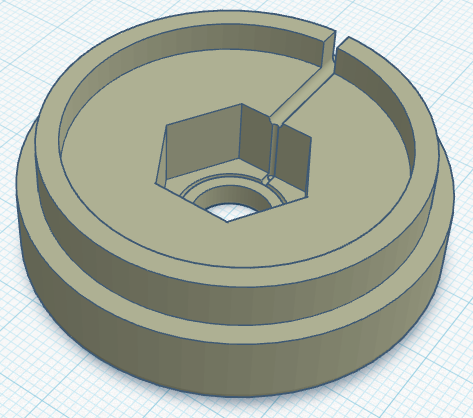
With the end caps designed, I just needed to work how many turns we would need. This is a bit of a juggling act, since everything about the coil affects everything else – it’s just a case of starting somewhere and tinkering until you get everything in harmony.

For these projects, mini Ring-Core-Calculator by DL5SWB & DG0KW is the go-to. The calculator has an “Air Cores” mode which fits our needs perfectly. In the top section, you’ll see the desired 2.5 μH inductance, the 48 mm diameter (50 mm minus 1 mm for wire diameter), and the coil length – here I chose 30 mm as it looked about right; the tool tells us we need 7.54 turns.

Note; in the middle box you also see the 7 turns on the JPC-7 coil’s 41 mm diameter former over 10 mm equating to around 2.9 μH. These were just rough measurements taken from the JPC-7 coil used above to further sanity check our numbers.
With those numbers from the tool for our coil in mind, it was time to create the coil former. This is a fairly simple task for someone competent with CAD, but it took me the best part of an hour to get this designed matching what the calculator told us.

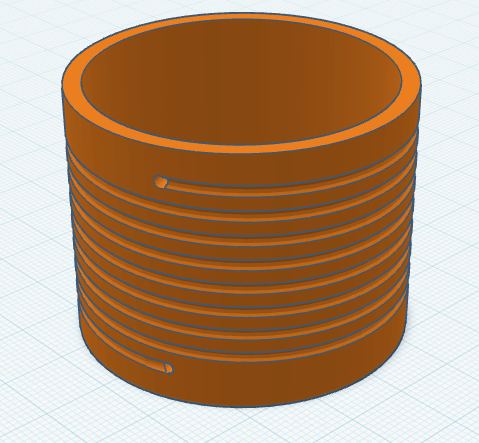
When creating the model for the former, I used 8 turns and then added a hole half a turn back for 7.5 turns too. This allows us the option if needed, but the couple of prototypes I tested showed 7.5 to be the best option (8 turns had 2 sections of whip collapsed in, but also worked fine).

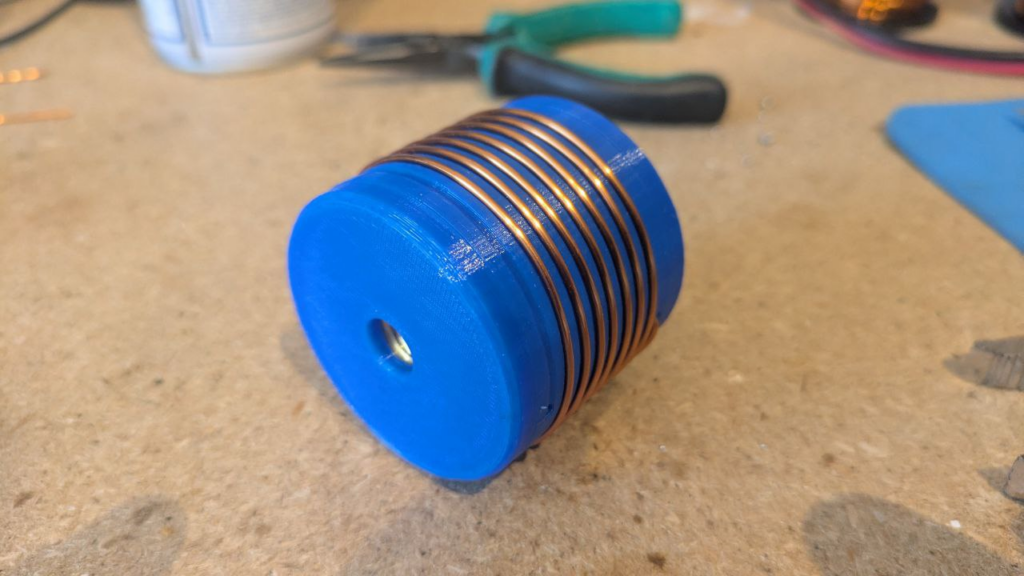
The image below is the 8 turn coil, though latest update shortens it a bit on each end to keep it compact.
Once everything was designed it was time to fire up the 3D printer and get working. If you don’t have your own 3D printer and wish to follow along, many online services like JLC3DP or PCBWay 3D Printing can help – I’ve no affiliation to either, but have used both services more than once with good results – or ask at your local radio club or maker space. Everything will fit on a very standard 3D printer, there’s nothing special here. You may wish to consider the stresses and sheer lines in the print for longevity, but for these parts you see here – the first prototypes – I just printed them as quickly as possible.

Perhaps use a higher infill on the end parts, as they may see leverage from the whip on quite a small area under the nut. I’d recommend 50% infill under the nut & bolt, and then reduced away from that. Though try it first and reprint if they fail?
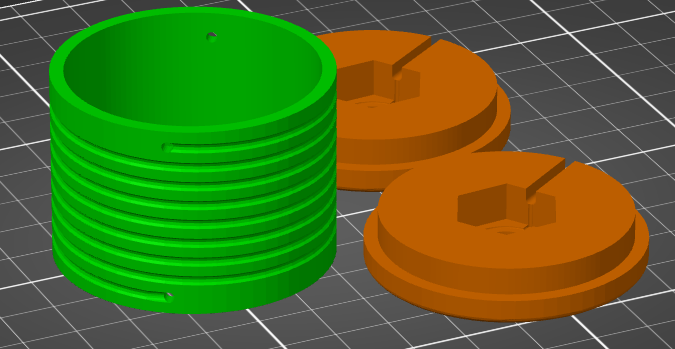
I printed my parts in PETG as it’s better in UV light and a bit better at handling heat than PLA, but in reality anything should be fine. 0.2 mm layer height, 0.4 mm nozzle, 20% infill, but as I say, whatever you have will be fine! There’s nothing special here. Printing took around 3h45m, used 42g of PETG, costing approximately 2 USD.

Once your prints are done, you’re ready to wind the coil! 8 turns of copper wire, with the ends finishing inside the coil, since that’s there they’ll connect to the nut and bolt – leave the wires on each end long for now so we can connect things up! The coil calculator tool suggests 1.13 metres of wire is needed for the coil, so I cut 1.2 metres (4 ft) from my reel.
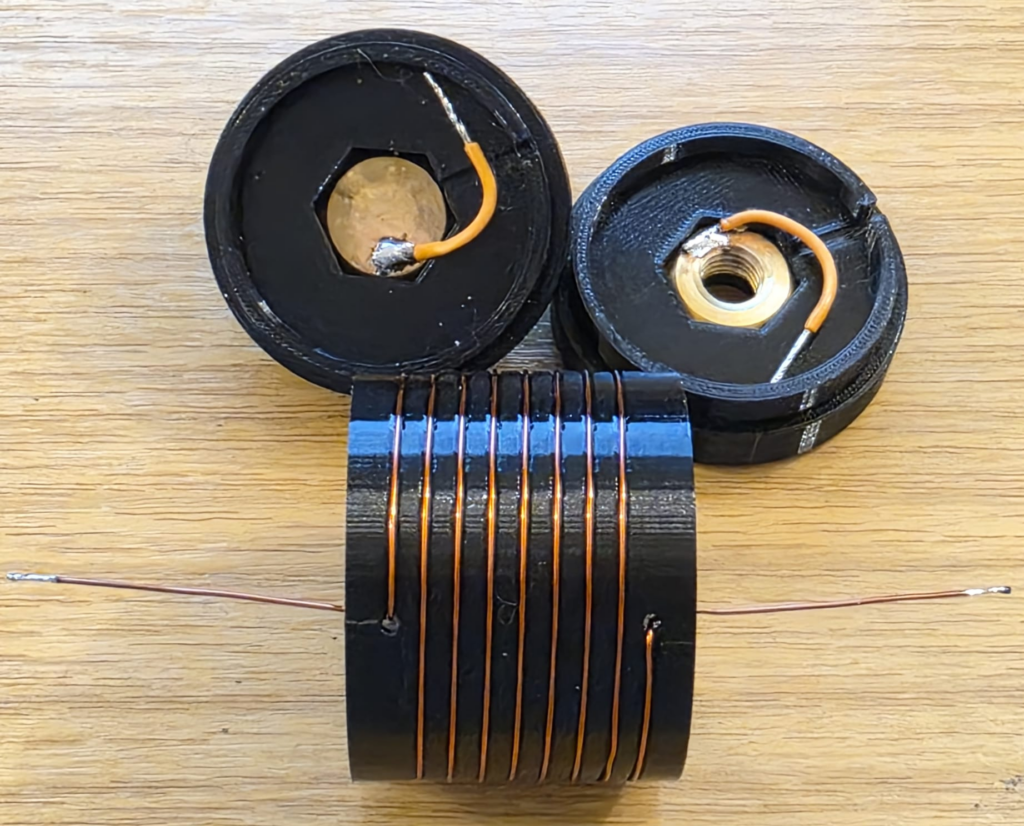
Be careful when soldering not to melt the 3D printed former, especially with heat tracking back up the coil wire through the holes. Solder to the nuts and bolts outside of the plastic. Above I just have some test wires connected, but they’ll be replaced with the proper wire from the ends of the inductor on the real coil.

At this stage, if you can, I’d recommend checking the coil inductance. We’re targeting a 2.5 μH inductance and as you can see below we’ve got that. This meter lacks precision, but we’re at least in the ballpark. Note that the Q-factor is 55, which is a little low on this test coil; I suspect due to using thin (0.6mm diameter) wire. For a 2.5 µH air-wound inductor such as ours, the expected Q-factor typically ranges between 50 and 200 for general-purpose designs and we’re at the very bottom of that range.

An interesting aside, the Q-factor for the stainless steel JPC-7 was very low at just 14 (seen in the image above). Other people have noted this before and Clint KA7OEI has an article on rewinding the JPC-7 using silver coated copper wire to significantly improve its performance but Clint reports seeing Q-factors as low as 11 on the original coil on the 20 meter band and slightly better at the higher inductances needed for 80 meters, with Q-factors of around 30. These values increased significantly to around 60 with standard copper wire and up to around 150 with thick silver coated wire; so once again we’re on the right track given the thin wire I’m testing here. I haven’t got anything suitable to hand but I have ordered some standard 1mm diameter copper wire.
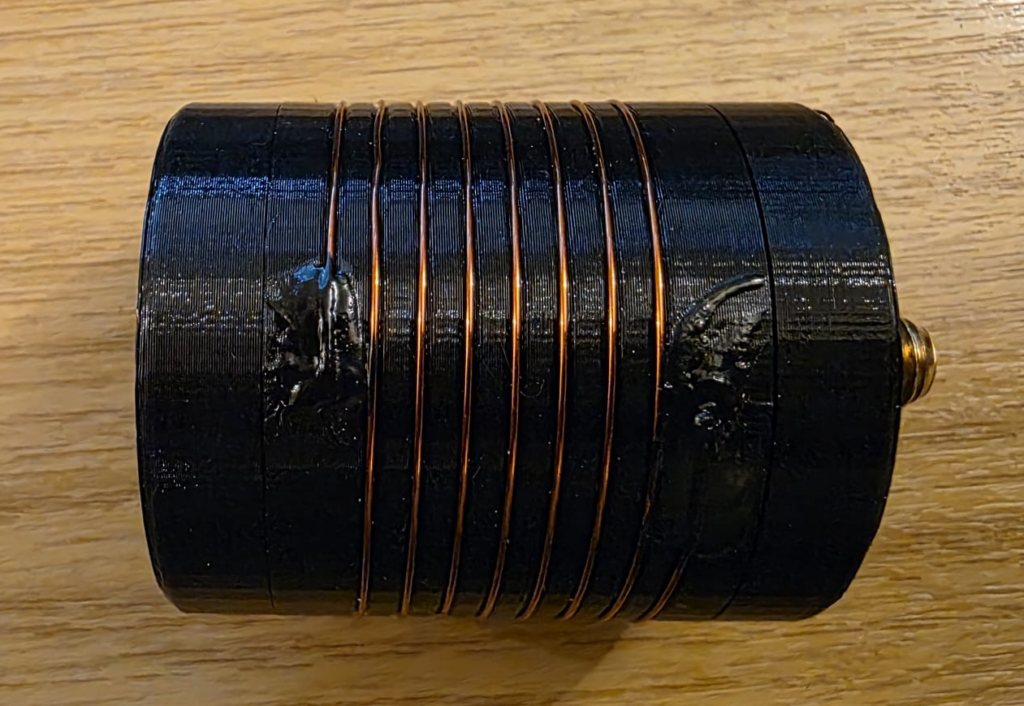
Now lets bundle it up into a coil and see if it works! I used a combination of glues to hold the wire into the coil former; superglue on the wire, holding it into the hole; liquid electrical tape atop, to protect the superglue and help with weathering. Each was allowed to set fully before applying the next. I then made the connections to the nuts and bolts, ensuring the wire did not coil up inside the first. Keep connections at right-angles to the coil, and avoid loops. From the outside, mine looked like this.
Testing

Once the prototype was ready, it was back out into the (cold, −3C) garden to test things out.

[[VSWR PLOT HERE]]

With the VSWR plot looking OK, I managed to convince Rob M0VFC to come out portable with me to Stourbridge Common Local Nature Reserve in Cambridge to activate POTA GB-5467. Rob took on the task of trying the coil out on 30m, and had it up and running in no time, having easily found resonance using the Elecraft KX2 built in SWR meter. Rob took a selfie while I was operating and you can see the coil on the antenna encased in blue heat-shrink to help hold things together.
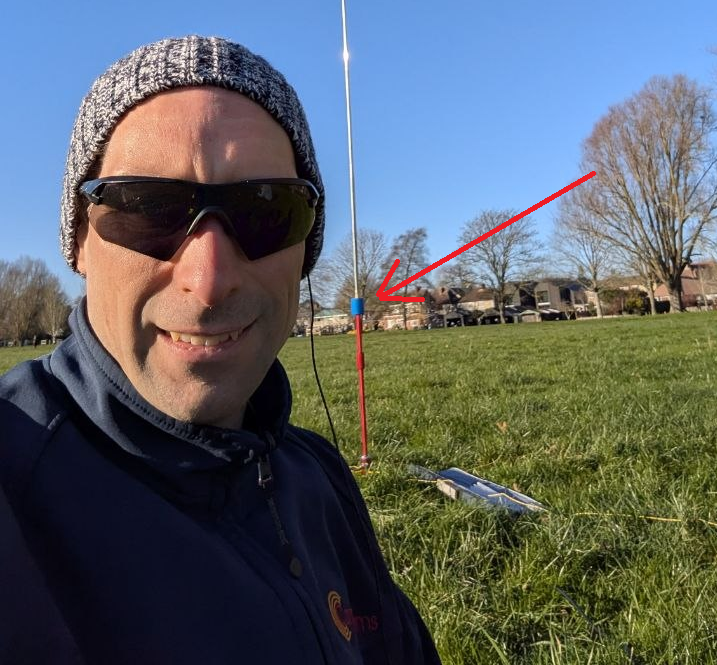
Image courtesy of Rob M0VFC

Final build

The final STL files can be found at Thingiverse 7267147 – A 30m loading coil for the MC-750 or MA-12 antenna. You’ll need to print two end caps, and one loading coil centre.

After a couple of POTA activations with the coil, it turns out that 7.5 turns allows for slightly more whip expanded, and therefore theoretically fractionally better performance. Below, Rob M0VFC’s build of the coil with 7.5 turns, showing the internal assembly steps.
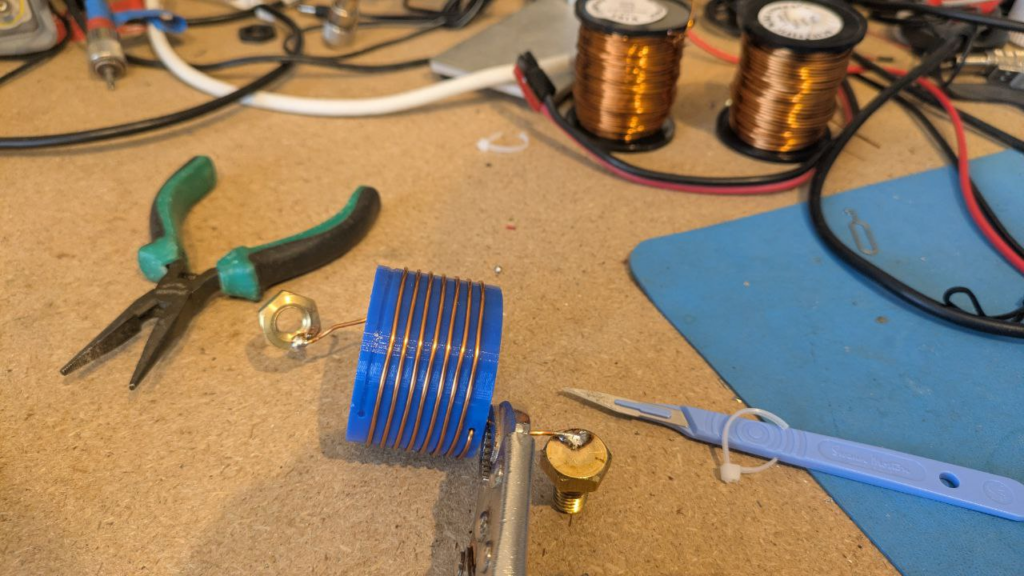
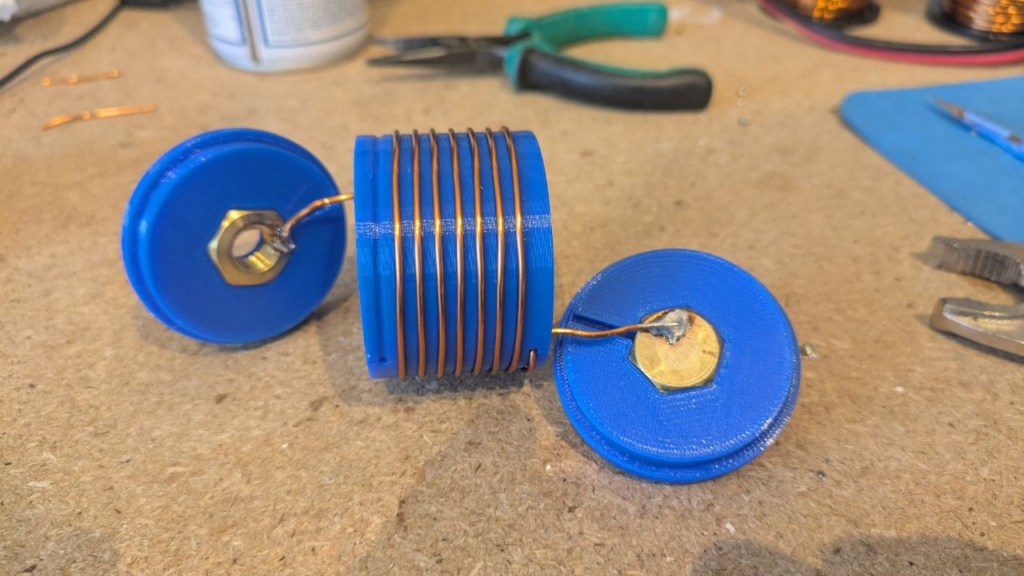
Once assembled internally, a couple of drops of glue can be used to secure the nut and bolt in place – taking care not to get it on the threads – and then to close the case up fixing the ends on with glue.
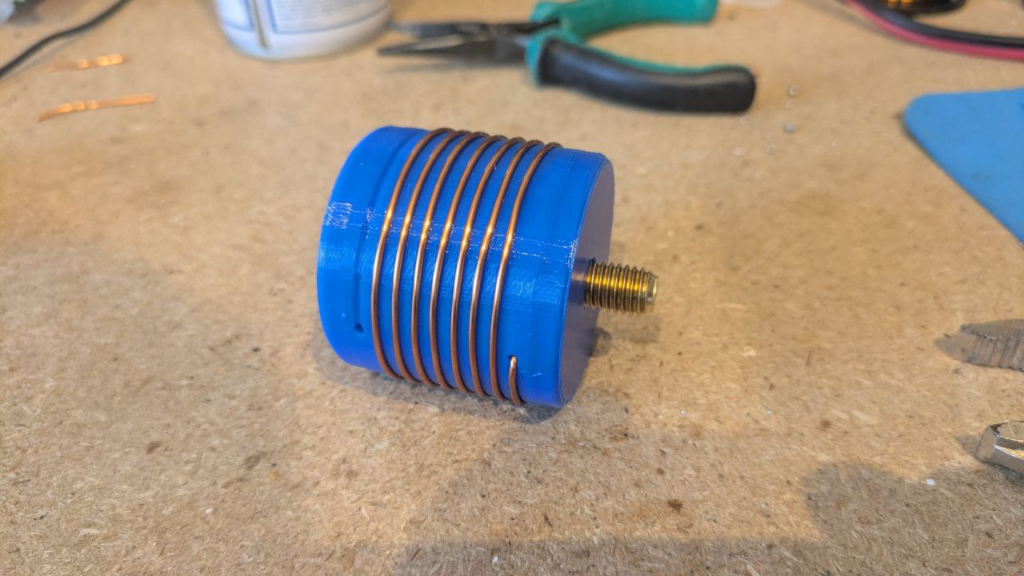
All images in this section kindly supplied by Rob M0VFC.

Finally, some plastic shrink-wrap or heat-shrink can be used to protect the coil and finish the project.
Symmetricom GPSDO Enclosure

While tinkering with a homebrew GPSDO project, I spent a bit of time searching the depths of the internet for information and parts for my project. I found a PCB for a Symmetricom GPSDO (specifically the Symmetricom 089-03861-02 as per the PCB silkscreen in my case, although the firmware reports itself as 090-03861-03). The board was cheap because the OCXO was missing – I suspect it had aged beyond where the error voltage range was specified, making it unusable. But the board was around £15 GBP delivered from AliExpress, so I took a chance on it based on the fact it had a Furuno GT-8031F GPS receiver which is a GPS module specifically designed for timing applications which “delivers highly accurate GPS timing”. The module also had a CPU (Renesas F2317VTE25V-H8S/2317) with accompanying flash and RAM ICs as well as a Xilinx Spartan-3 FPGA (XC3S200).

Besides the missing OCXO module, my board worked perfectly. I was able to piece most of the information together from the following two resources:

I saw that some people had put their units into Hammond Manufacturing project boxes, and that gave me a few ideas. It would be nice to box the unit up with some ancillary electronics to share the UART (57600 baud, 8N1) over Ethernet TCP/IP. However, my experience of UART to Ethernet modules has always been poor and friends reported similar, so I opted for an FTDI-based USB interface (namely the FT232RL, as the cheapest/easiest part during the chip shortage of 2019-2022). I was tempted to use a Maxim MAX232 device to perform the necessary conversions, but, in the end opted for two NPN transistors – a bit hacky, but much cheaper. I may well come back to the Ethernet option in the future.

The carrier takes 5V at around 2A input on a 2.1mm x 5.5mm DC power socket, a USB-B connector and holds five LEDs: four main LEDs from the GPSDO (which are connected to test-points on the PCB, I can’t find the LED signals on any connector), plus one LED from the FTDI device showing USB activity.

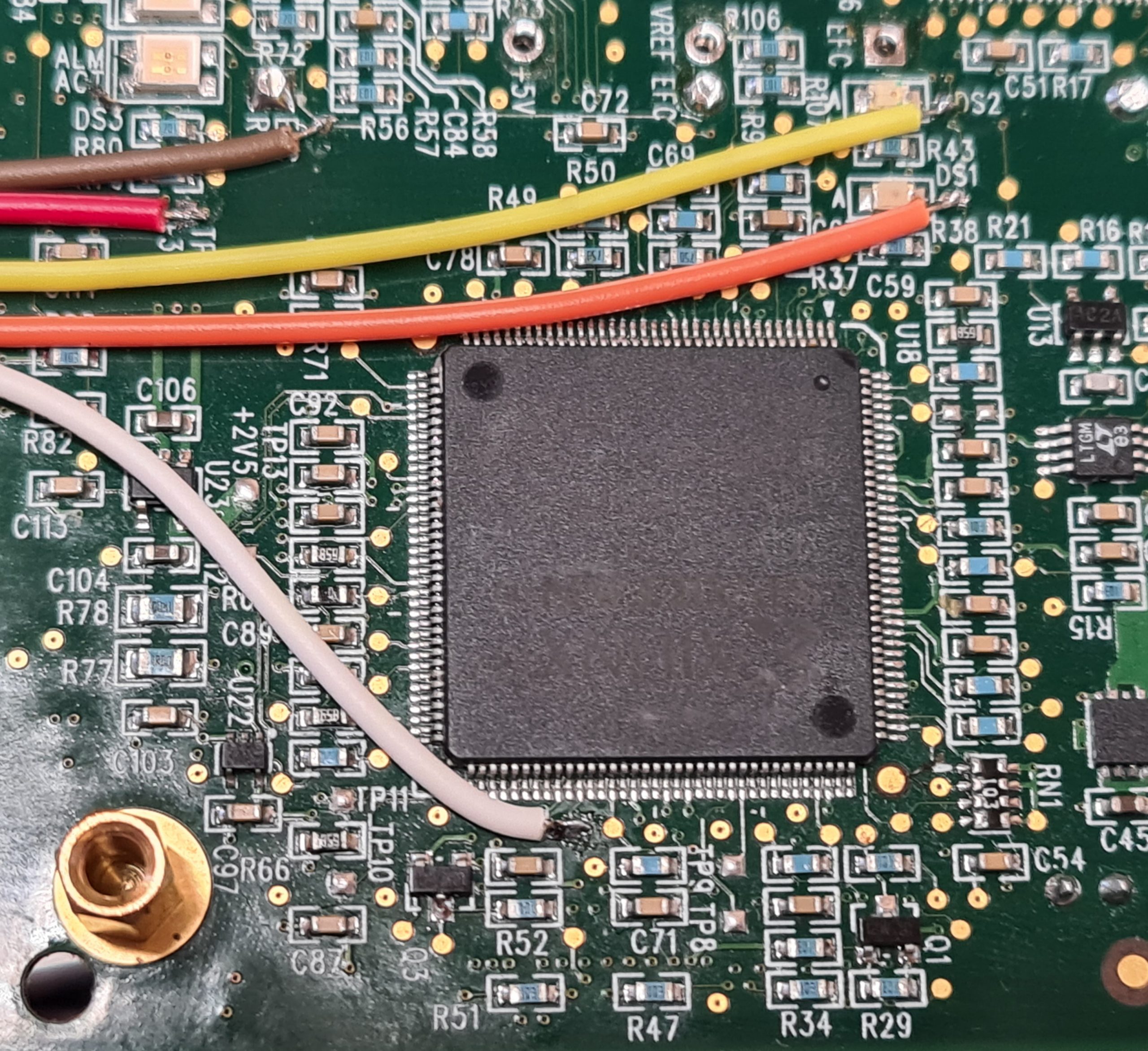
The image below shows where the LED signals are taken from. For reference, the big IC in the centre is the Xilinx Spartan FPGA:

The LED signals are all common anode, fed from +3.3V taken from the board. The LEDs are fed through a resistor, and the individual cathodes connect back to either the CPU or FPGA through another of the wires:

  • RED: +3.3V supply used to power the LED anodes
  • BROWN: Alarm
  • WHITE: Activity
  • YELLOW: Heartbeat (DS2)
  • ORANGE: Error (DS1)

There are two other LED signals (DS3 and DS4) which aren’t connected.

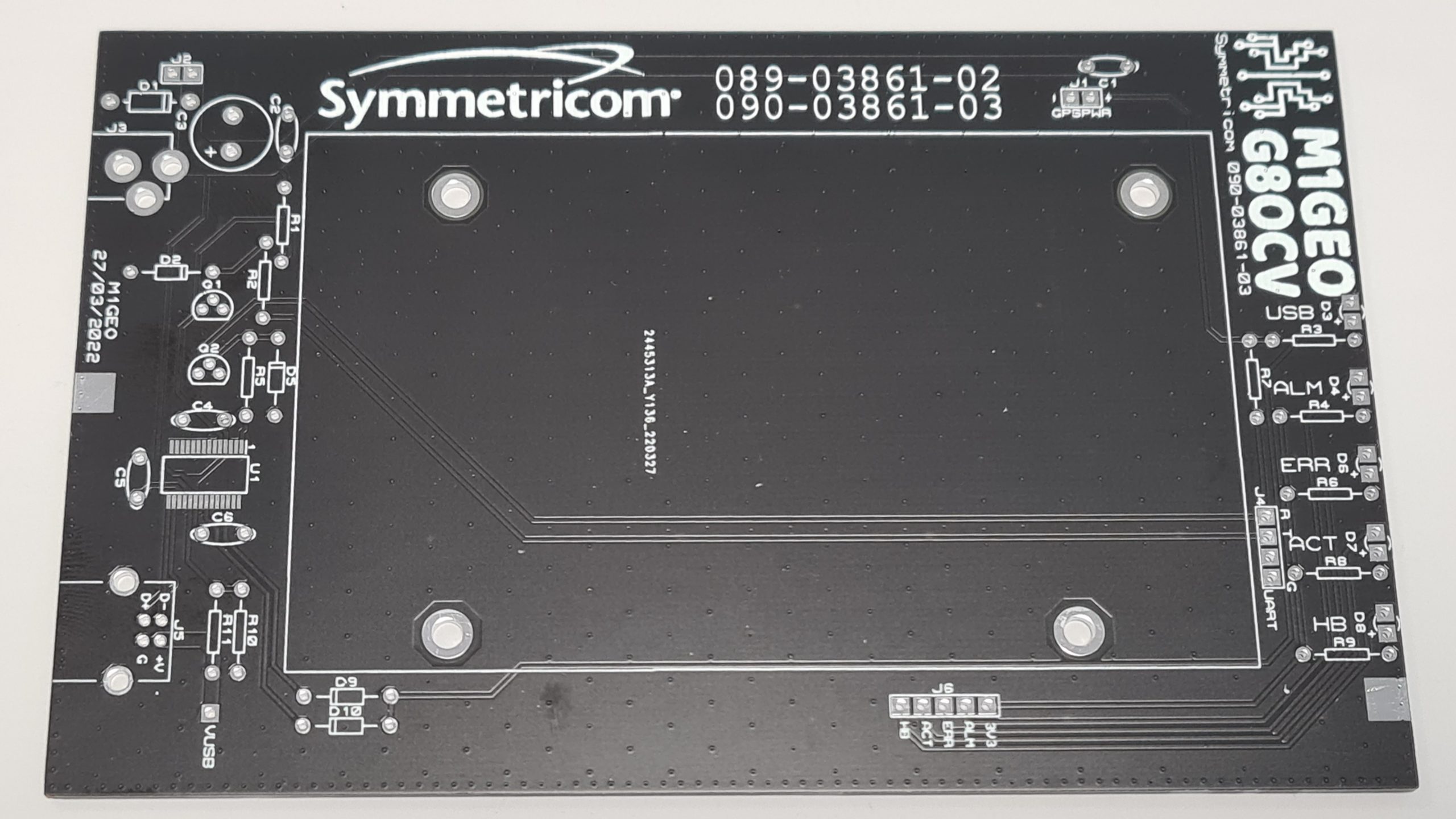
From here, I created a carrier board which had the correct mounting holes for the Symmetricom module, and offered front LEDs to show status, an easy 5V interface and a USB-UART interface to the module control port. The final board looks as below:

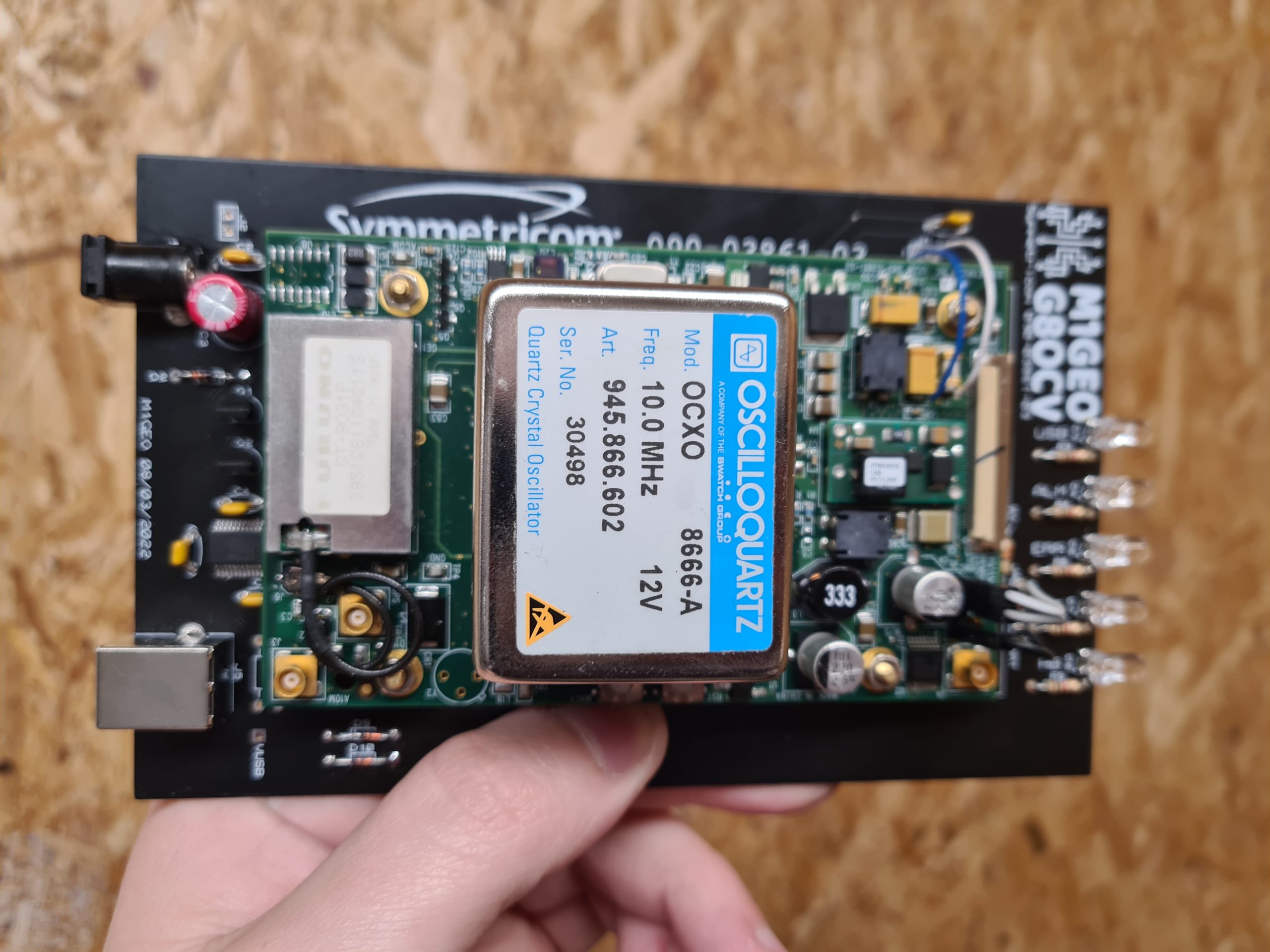
With the module fitted, the board looks more like the following. Note, this was an earlier version of the PCB:

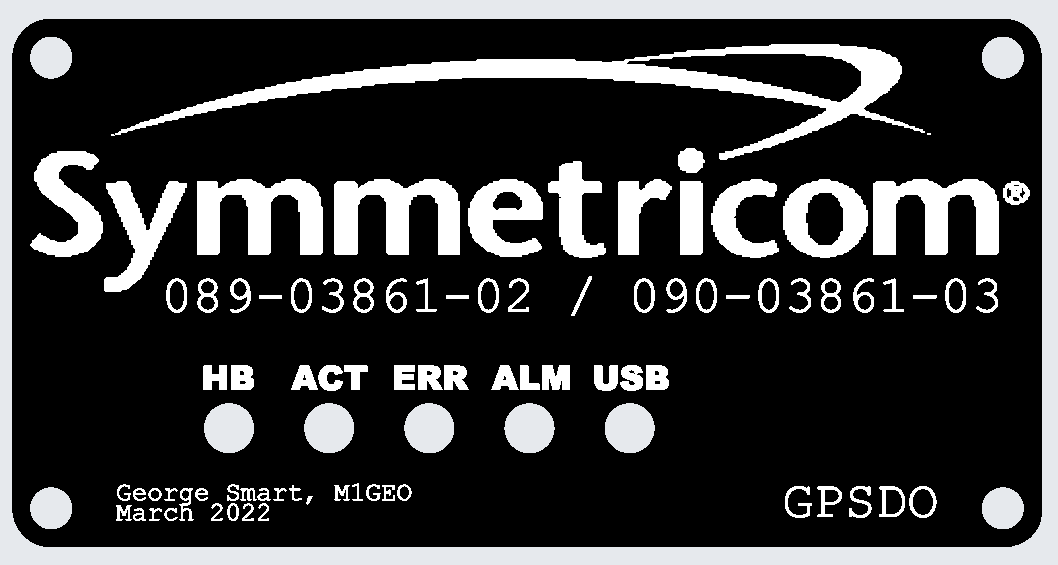
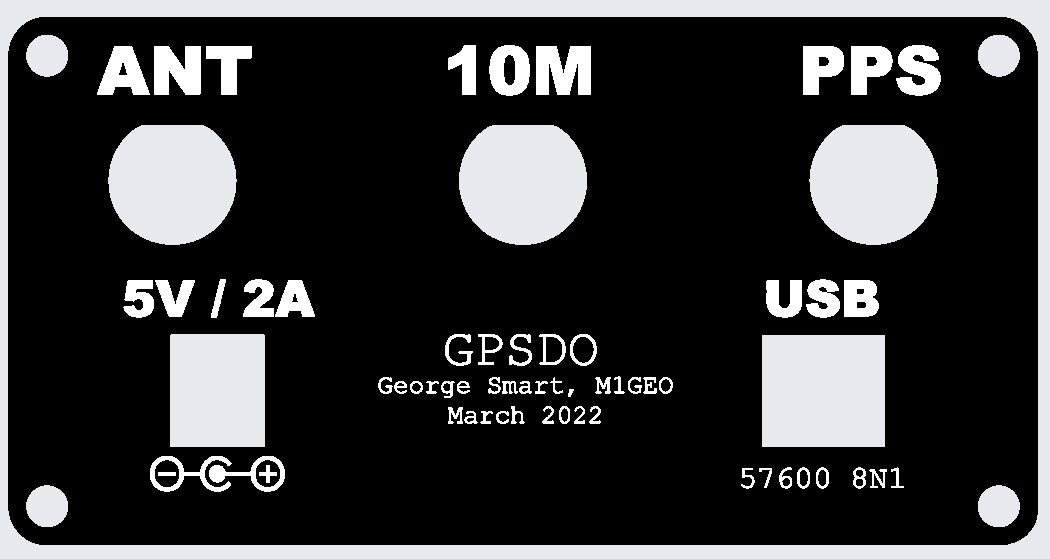
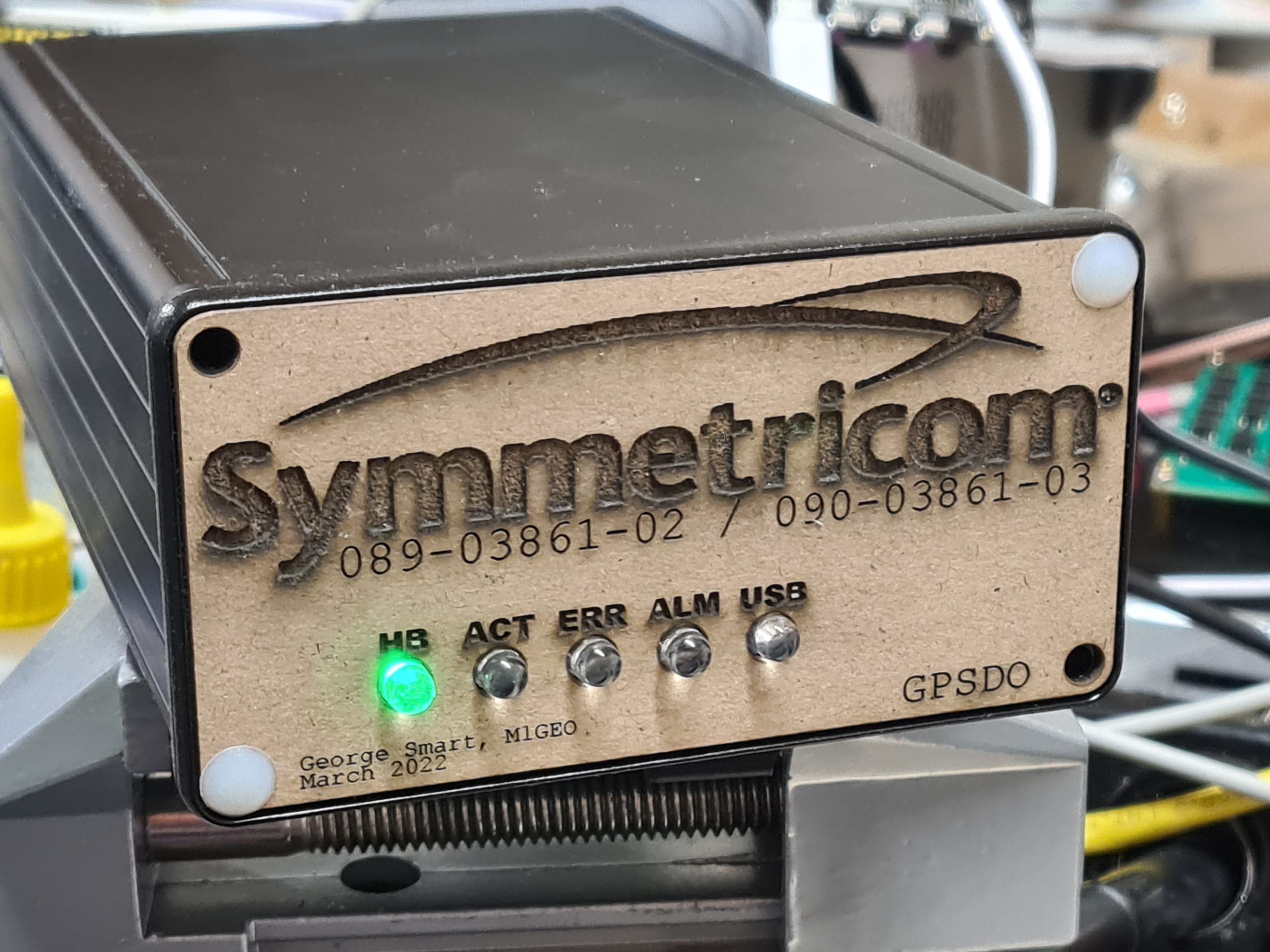
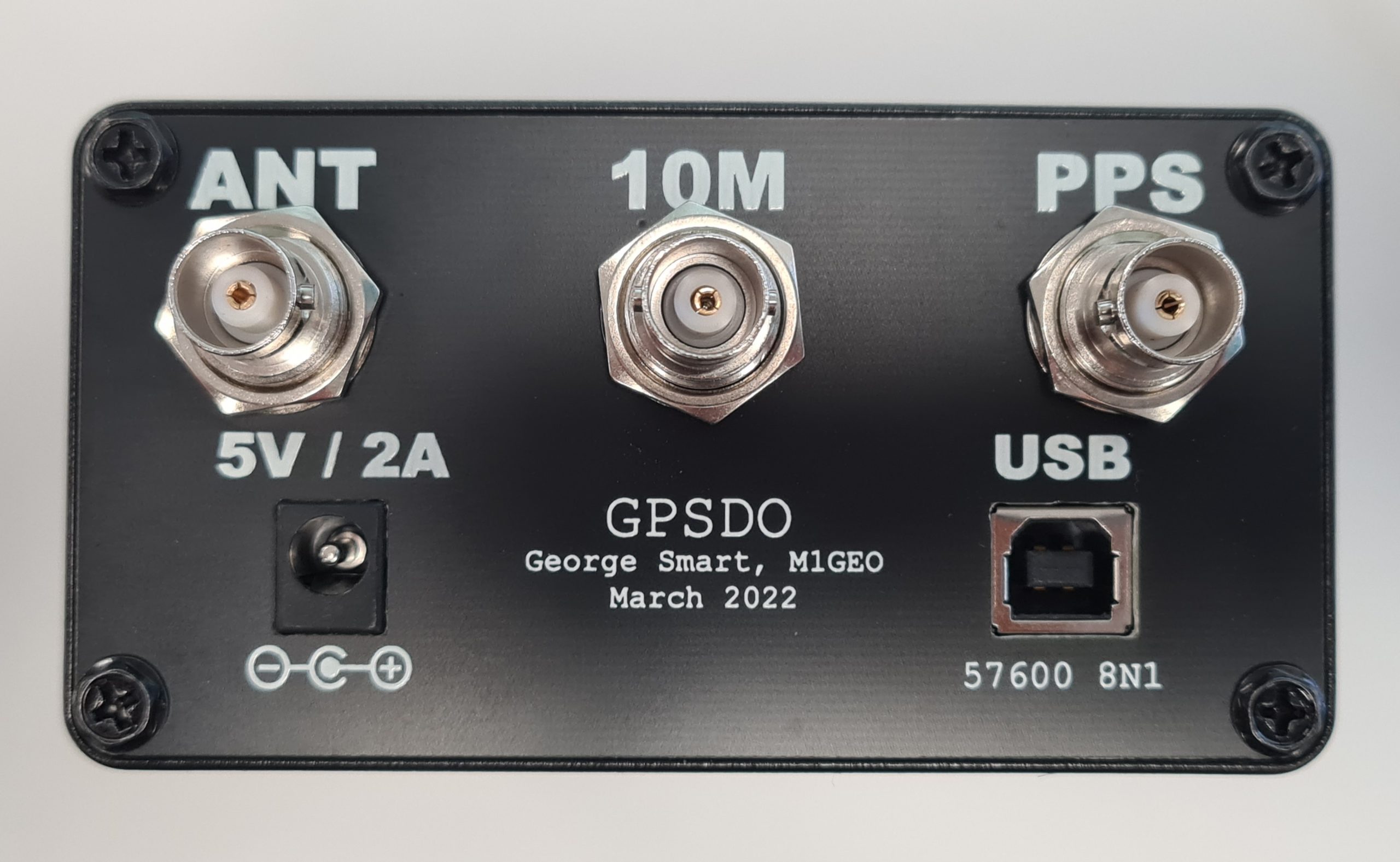
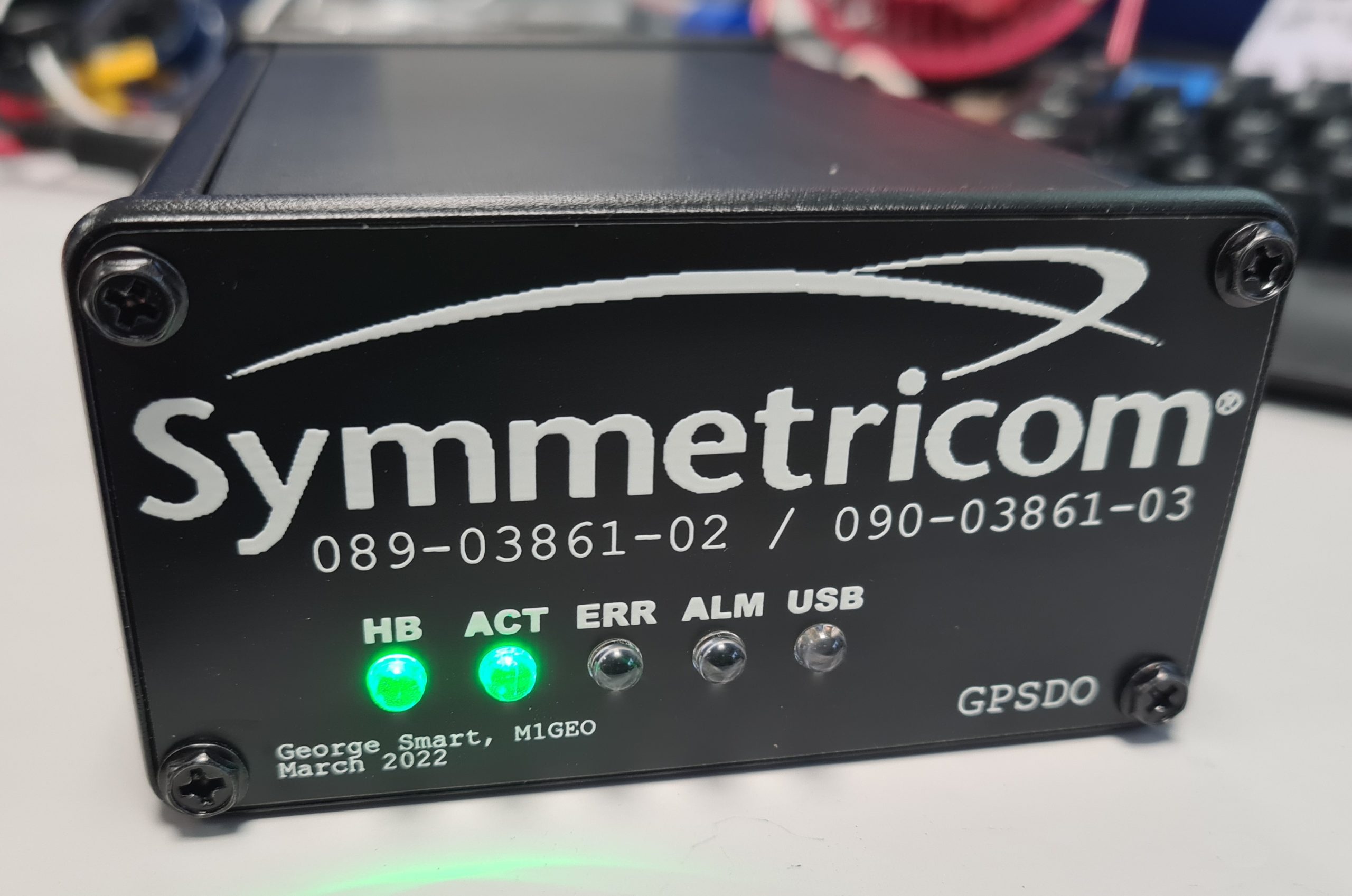
The project was designed to fit inside a Hammond Manufacturing 1455N1601BK case which takes a 160mm long by 100mm wide PCB, and the designed PCB fits the case nicely. By default, the Hammond case comes with either aluminum or plastic end plates, but I went to the effort to make PCB front and rear plates to enclose the case. Using PCB meant I was able to use tools I was familiar with to create the end places, and use the same order as the main carrier PCB. The copper on the PCB could be used to create a metal Faraday screen to enclose any electrical switching noise, and the silkscreen could be use to add legends, logos and decals.

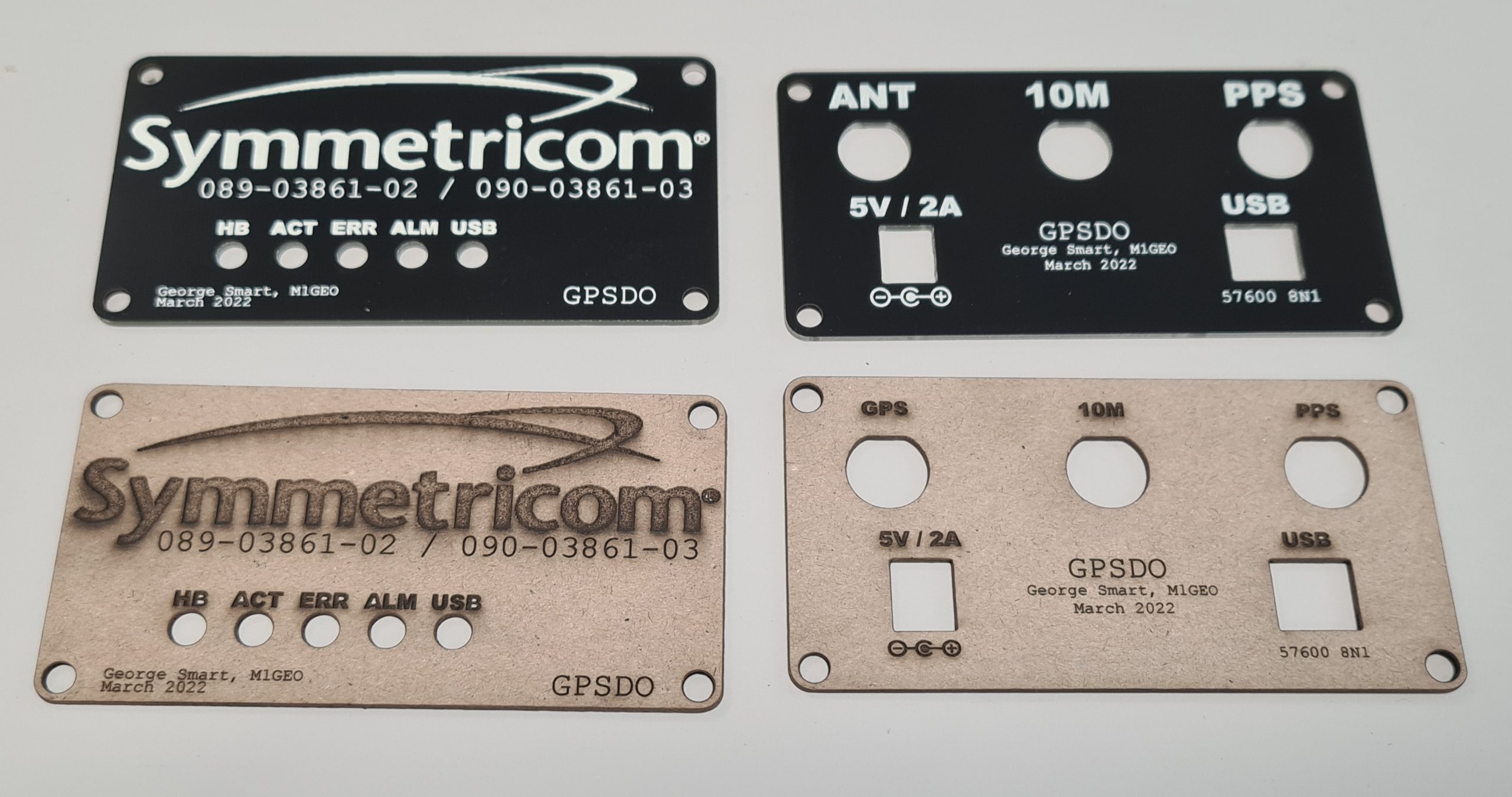
I prototyped the designs as below in the PCB package and then used my laser cutter to test them out for fit. A test fit of the front panel is shown below:

The below picture shows the PCB end boards as they arrived and the cardboard cutouts. There are some small tweaks, between the two, but overall the process worked well. One thing to note is that the internal cutouts for the BNC connectors are a little bit tight – in future I need to add an extra 0.5mm or so clearance (in addition to the 0.5mm clearance I left already). However, the connectors pushed in even if a little tightly.

Final assembly went well, and I am very pleased with the results:

Erasing EPROMs in 2021

While chatting to a friend recently about an old Z80 CP/M machine I built based on Grant Searle’s Z80 CP/M machine, I decided to fire the machine up for a demonstration and give it a try.

No description available.

The machine had been in a shelf in my conservatory for well over a year since I last powered it, and when I connected the power, it was clear that there were signs of life, but, the machine was not happy at all! I could see bus conflicts on the data bus as well as very ‘broken’ behaviour.

After probing around, I decided to check a couple of logic gate (those controlling the address and read/write lines) using my TL866ii+ programmer which conveniently supports logic gate testing and RAM testing. All of the logic gate ICs confirmed to be working correctly, as did the 128Kx8 RAM chip. Checking the EPROM yield a different story!

Forgetful EPROM

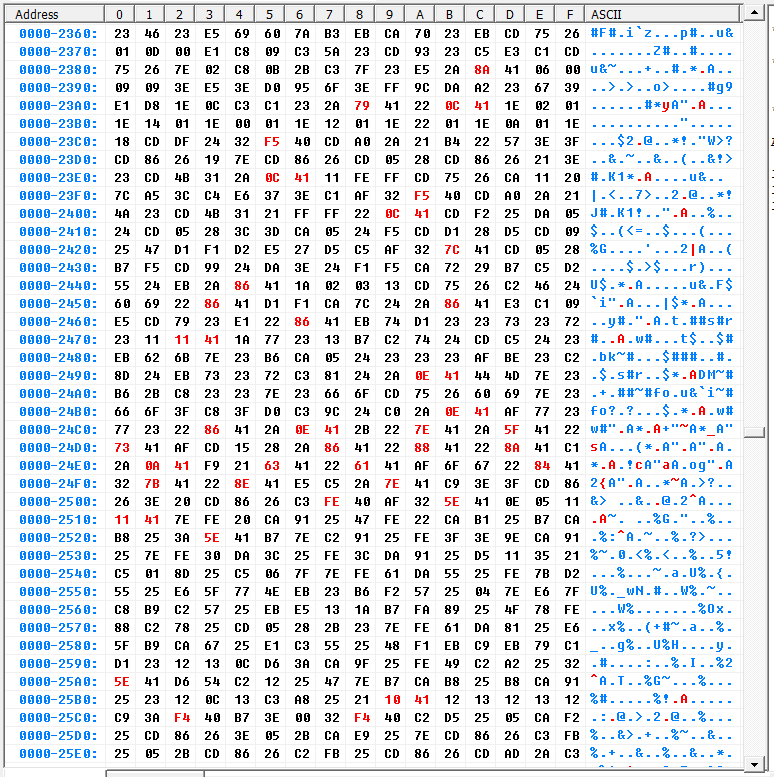
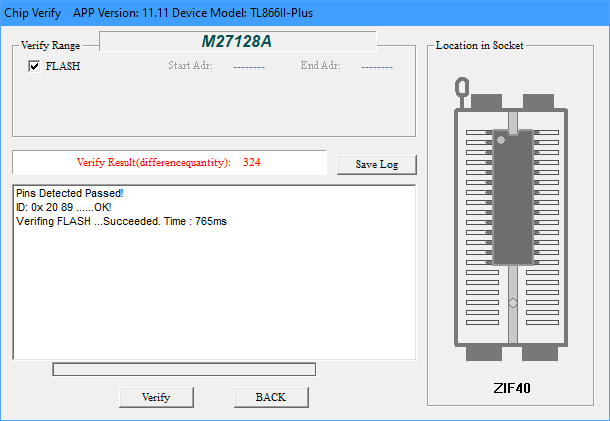
Some of the bits towards the end of the ERPOM had been erased (with UV erased parts, this means a ‘0’ bit had become a ‘1’ bit). The snapshot below shows in red bytes that had failed the verification.

The first 0x2012 bytes were completely unaffected with 324 differences in total (just under 2% of the 0x3FFF bytes in the 16KB ROM) mainly concentrated in the end of the address range.

This teaches me to always cover the UV window with something opaque as per the datasheet’s advice. I know people say that sunlight can erase such devices, I never really believed them. As an aside, others have looked into this, which I had not seen until now: see this hack-a-day article for a timelapse of EPROM data when exposed to sunlight.

And, secondly, it left me in a quandary as to how I should restore the ROM code.

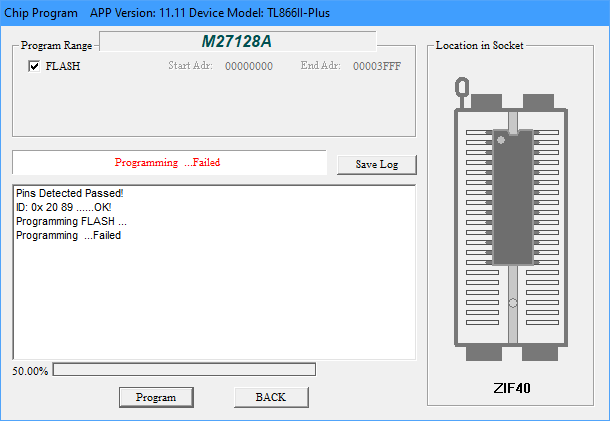
Initially I thought I should just be able to reprogram the device over the top of the existing code, since the changed bits would be reprogrammed back to ‘0”s from their current ‘1’ state. But, this turned out not to work. I’m not sure why, but the programmer would fail at 50% – just about the time the corrupt bits arrived.

I decided the next thing to do was to try and erase the IC – but how!?

Erasing UV EPROMs

I didn’t have one of the classic EPROM eraser boxes with a timer and a nice antistatic mat. I’d have to improvise. Essentially tinker around until the PROM was erased (reading 0xFF in all locations).

Eprom Eraser UV141 Professional made by Industrial electronics Ltd. UK

My first attempt was with a DSLR camera flash. I had seen these cheap EPROM erasers online that look like a xenon flash tube, so figured it was worth a shot. However it made no difference at all – I assume the camera flash has an UV filter.

My second attempt was with a UV LED, inspired Charles Ouweland‘s investigations along similar lines. Charles reports that this took 48 hours to erase the PROM. Like always, I was in a rush, so this didn’t really work for me. I could have driven a roundtrip to my parents (Dad has a proper UV eraser) in less then 4 hours including a cup of tea and a chat with Mum!

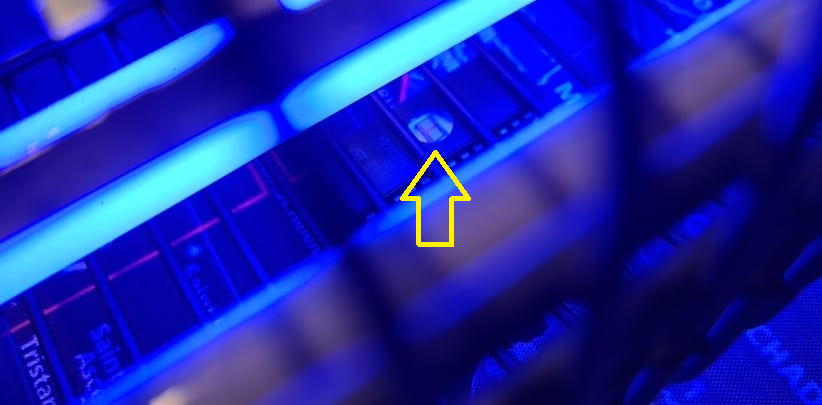
The third attempt was to use a UV insect-o-cutor which features UV fluorescent tubes as in the UV141 eraser pictured above. I placed the chip on the desk mat and put the UV insect-o-cutor directly on top such that the finger guard was on the top of the IC and the bars were not obscuring the window.

The scary part of this was that the high voltage aspect of the bug-zapper was popping on occasion with small insects – thankfully, the insects popping did not obscure the IC window nor cause ESD damage! After 20 minutes (the usual time I run the UV141 for) the IC was exactly the same. No additional bits had be cleared to logic ‘1’s. I suspect the output is UV-A and not the required UV-C.

Making a UV-C EPROM Eraser

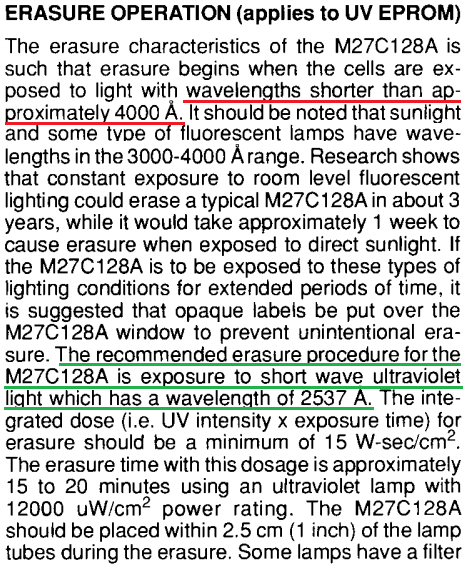
I went back to the second approach with the LED, this time consulting the EPROM datasheet (extract below), and noted that the recommended wavelength for erasure is 2537Å (253.7nm). This puts the UV light required to erase the EPROM in the UV-C spectrum.

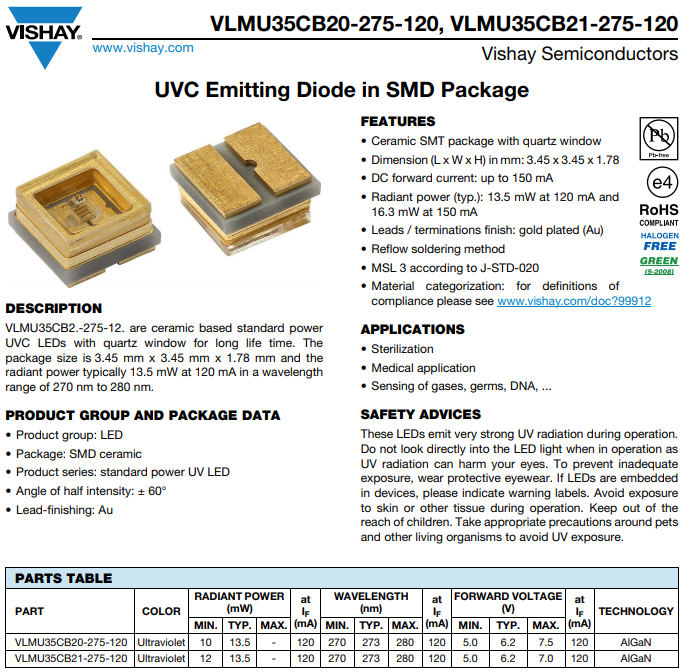
I set about trying to find an LED with the correct wavelength. Some more digging showed up the VLMU35CB20-275-120 UV-C (270-280nm peak) LED offering a typical 13.5mW. Such wavelengths are common for curing acrylic nails and for sterilising surfaces in medical applications. At the time of writing, one such LED costs around £4.50 with VAT.

Constant LED Current

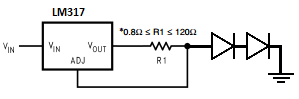
These LEDs appear to require between 5.0 and 7.5V at 120mA. I opted to create a simple constant current device using an LM317 set to 120mA and the two LEDs in series. This should work fine when supplied with at least 18V (7.5V + 7.5V + 3V [LM317 dropout voltage]). A SOIC8 LM317 is capable of 200mA and low profile enough to allow the LEDs to be close to the EPROM without catching. R1 is chosen to cause a voltage drop of 1.25V (the LM317 reference voltage) at the desired current. See this TI flashback for more details.

R1 = 1.25V/I = 1.25/120mA = 1.25/120e-3 = 10.4Ω. The closest easily available value is 10Ω, which checking backwards would give a current of 125mA. Since the datasheet mentions 150mA supply giving increased power, I have chosen to go with 10Ω as this will not damage the LED.

We should also consider the size of R1. The power dissipated in the resistor is easily calculated:

P = I^2 x R = (125mA)^2 x 10Ω = 120e-3^2 x 10 = 0.144W = 144mW.

So, a standard ¼-Watt through-hole resistor would be fine. For surface mount, 0805 resistors are typically 100mW, so a combination of multiple resistors should be used to handle the power. This could be four 10Ω parts in series-parallel, two 22Ω resistors in parallel (making 11Ω [114mA in the LEDs]), or two 4.7Ω resistors in parallel (making 9.4Ω [133mA in the LEDs]). I’ll opt for two 4.7Ω resistors since this is still below the maximum recommended working current of 150mA.

Designing the PCB

Initially I had considered tacking two wires on the LED and using a lab power supply to power the LEDs. However, I figured if I was making a constant current supply – mainly to avoid a “oops!” moment and pop £8 worth of LEDs – I would make a PCB to house it all. This way, I could keep the board with the EPROM programmer in the programmer box. The design brief would be simple. The PCB should fit inside the EPROM programmer (TL866ii+) box. The PCB should be (maximally) 110x50mm. I figured 100x50mm would be a nice size. A 5.5×2.1mm DC jack would allow for easy connection to wall-wart PSU or other power source. The rest was just two LEDs, and LM317, two resistors and a decoupling capacitor or two!

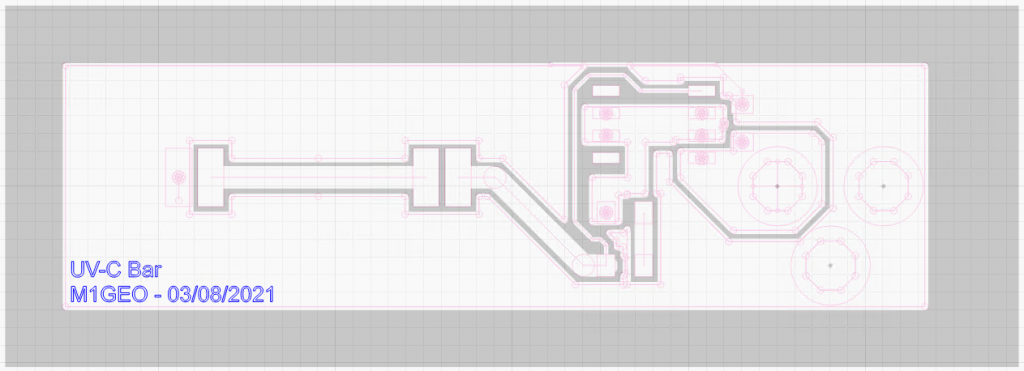
Since the PCB is quite simple, I figured it would be a good candidate to make with a laser cutter. Above shows an overlay of the Gerber edges and the layer to be etched. The back areas are there copper is to be removed. The white areas will remain copper.

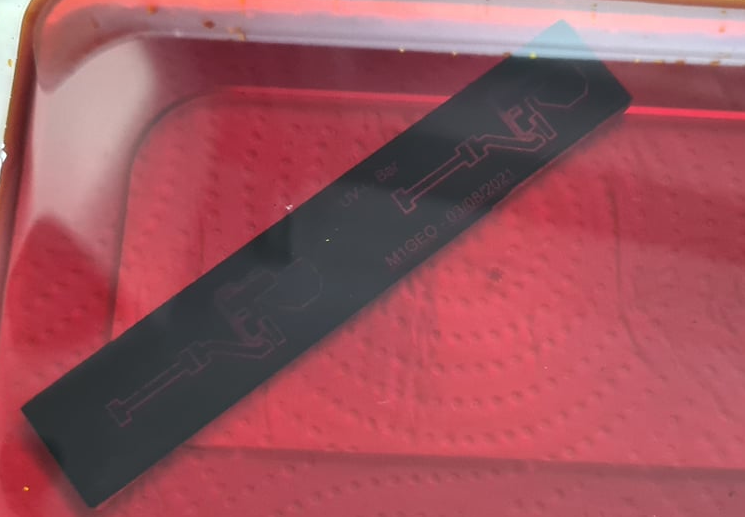
The board was created by coating a standard single-sided FR1 copper PCB blank with black paint from an aerosol can. This will be used as the etchant mask. The laser cutter is then able to remove the mask by burning away the paint layer, exposing the copper to the etchant.

No description available.

Typically, I’d also cut a solder mask from mica sheet to help apply paste, but for such a simple board, it isn’t worth the extra effort and waste materials.

The next job is to etch the PCB in ferric chloride – you should strive to make a much better job than I did!

I completely over-etched by board by having the etchant too cold and leaving it far too long! But hey, it’s been 10 years since I last made a PCB in my (parents) kitchen sink!

No description available.

From the image above you can see that my 10 thou track has completely disappeared in the right etch, and has almost completely disappeared in the left. I then proceeded to make a mess of drilling the connector holes, misreading a 4mm drill as a 2 mm. The board ended up as a total mess, but, I got it working!

No description available.

My apologies for making such a mess of the board. However, as you can see, the two LEDs are lit and a current of 117.3 mA flows through the series LEDs. I may tweak the resistor values to get an extra 10mA or so, but for now, the result is good enough!

So, now to erase the EPROM

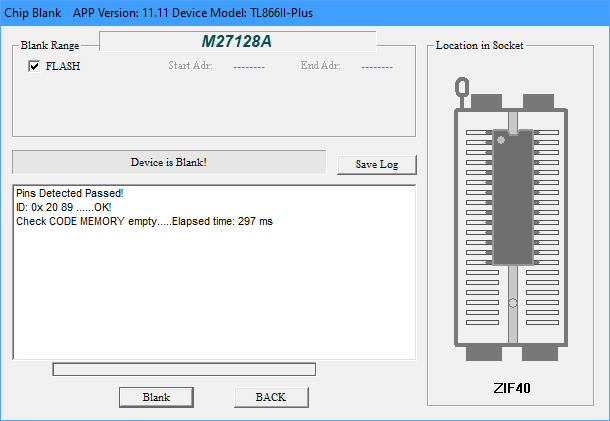
With the PCB made up, I eagerly put the EPROM back into the reader and loaded the old ROM code in. I reverified it to see that indeed 324 mismatches showed up, just as before. Confirmation that all my previous attempts had failed!

I held the newly made PCB above the UV window and gave the EPROM a 1 minute ‘blast’. I read the EPROM again, curious to see how many extra bytes failed verification. Too my surprise, 1088 byte failed verification – considerably more than before. I looked through the data and could see a pattern; the EPROM was blank. Sure enough, the 1 minute blast was enough to clear the EPROM!

I guess it just goes to show what having the right tools for the job can do!

Now will the computer boot?

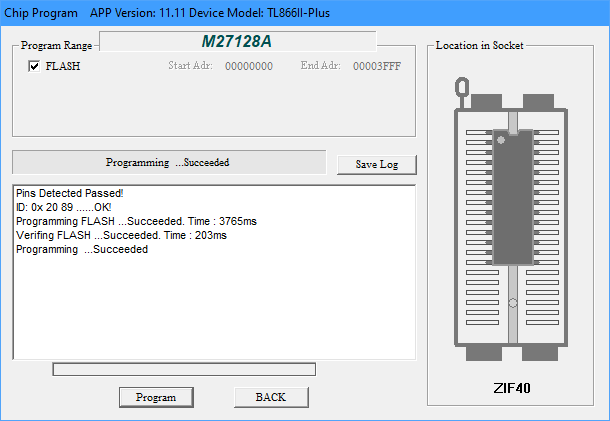
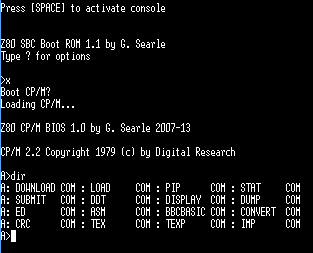
Since I was on a roll, I reprogrammed the EPROM with the Z80 CP/M code and went for a test boot.

And we’re back to life! This is a machine based on Grant Searle’s Z80 CP/M machine.